
This scenario might sound familiar:
- An AI agent hands you some code, or a design, or a doc, and the person who needs to look at it (the engineer, the designer, the founder, etc) is not in the chat.
- You screenshot the agent's response and copy/paste it into Slack.
- You explain all the context of how the code/design/doc was created, why you created it, and what you and the AI agent went back and forth on.
- The person on your team replies to you. You copy and paste their response back to the AI agent.
- The cycle then repeats.
For the entire loop above, you are the router between your team and your agent. The routing is time-consuming. It's tedious, and, what's worse, as with any broken telephone, you likely lose context in the process.
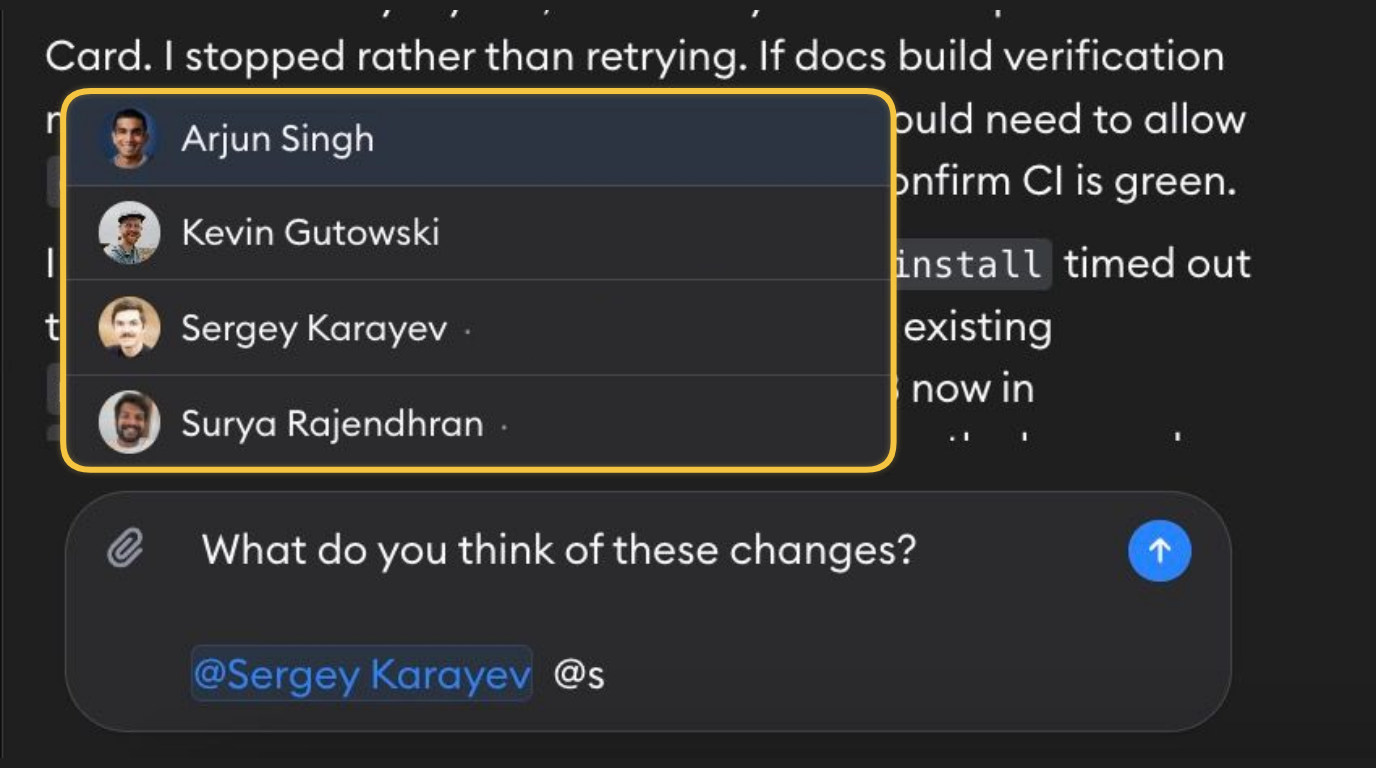
In Superconductor, agents run in the cloud and your team has access to all agent conversations, so a teammate can already open any chat you're in and pick up where you left off. Now, you can invite teammates to join the chat directly:
Just type @ in the chat box, find your teammate's name and email, and send. They'll get a notification and immediately be able to jump in and chat with your agent.
Here's an example from our team: Galileo asked the agent to add a new section to a webpage and then pulled in Matt to review the image. Matt was then able to provide feedback in the same agent chat.
A few examples of when you might want to @ a teammate:
- Your designer, on the image or prototype the agent just made
- The data expert on your team, on whether "active user" means what the agent assumed it means
- The customer support teammate who reported a bug, to check the fix against what the customer actually described
- Whoever picks the task up tomorrow or when you log off for the day — they inherit the whole session, instead of a summary you had to write
There are two ways to use mentions in Superconductor:
- Start a message with a mention — "@Kevin any thoughts on how to optimize this for SEO?" — and the agent does nothing, so you can ask a person something without sending the agent off in a new direction.
- Mention someone anywhere else in the message — "let's do what @Kevin suggested" — and the agent replies as usual.
Mentions work in chats, implementations, meetings, and email threads.
How are you and your team collaborating with agents? Let us know!
More on multiplayer AI
Check out our Multiplayer AI Manifesto for the principles that we believe make AI truly multiplayer and how shared sessions change the way teams work with agents.