
Here's a summary of all user-facing changes on Superconductor from July 5-11:
Major changes
Benchmark improvements
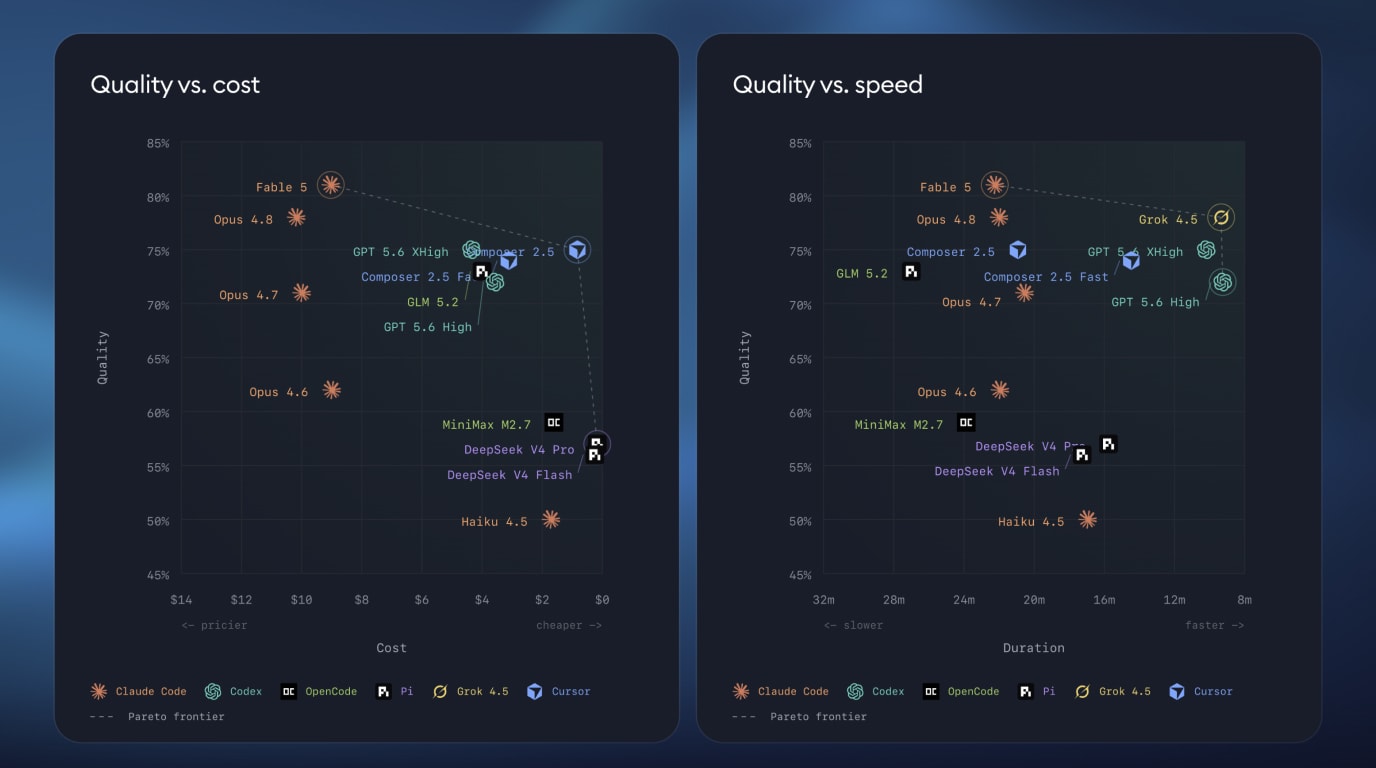
We launched a new public Benchmark page where teams can request free benchmarks on their codebase. We've also refined the benchmark page UI to have cleaner controls, a new chart design, and better layouts on mobile.
More precise network access controls
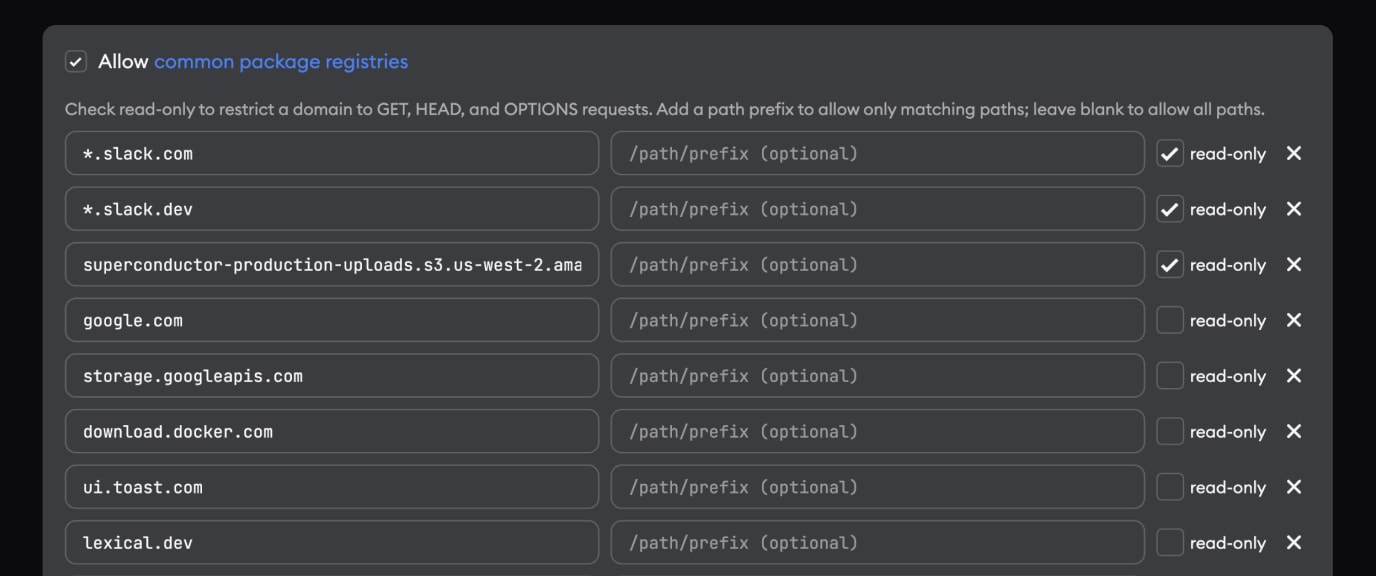
Network access rules can now be scoped to specific path prefixes instead of opening an entire host. This is useful for sites with lots of user-generated content, like GitHub, where you may want agents to access one repository, issue, or API path without allowing the entire site.
When an agent hits a blocked network path, the violation banner lets you allow only the paths that were needed, and Project Settings -> Network Access now supports optional path lists on custom rules.
New custom network rules also start in read-only mode, and inbound email agents now have a Disable network access setting that is on by default. Together, these changes make it easier to give agents the access they need without widening the sandbox more than intended.
GPT-5.6 and Grok 4.5 model options
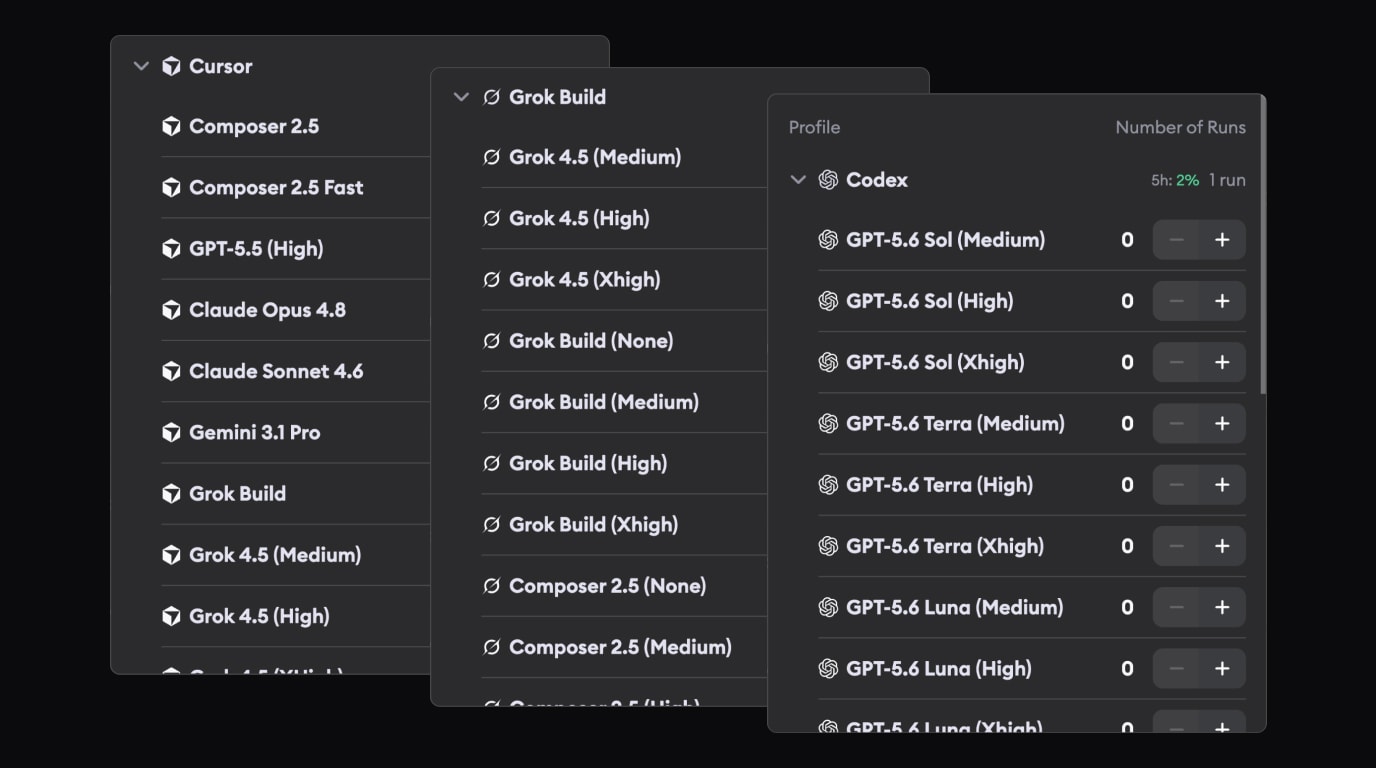
GPT-5.6 Sol, Terra, and Luna are now available in Codex profiles. Grok 4.5 is now available via Grok Build and Cursor.
Other changes
Automatic Environment Setup is clearer from the project page

The project page now shows a live Automatic Environment Setup status banner below the ticket input, including running, input-required, and failed states. This makes it easier to see development environment setup status at a glance without opening the setup page.
Following important work is more automatic
Automations can now be followed, and automation activity appears in the Recent Activity sidebar. Meetings you start via the Meeting Assistant (beta) are followed automatically, and starring followable items now also follows them, making it easier to return to active work later.
Videos render inline in conversations
Uploaded video attachments and Markdown video links now render as inline video players with autoplay, muted playback, looping, and controls. Artifact links now preserve their filenames too, so uploaded video artifacts can render inline instead of appearing as plain links.
Meeting Assistant supports multilingual transcription
Meeting transcription now supports multilingual conversations, improving Meeting Assistant support for conversations that are not only in English.
Smaller workflow polish
The chat input now focuses automatically when a conversation opens, ticket pages have an actionable star in the title header, and project environment settings support a 1-core CPU option.
Fixed issues
Automatic Environment Setup is more reliable
Automatic Environment Setup now has more time to finish long-running setup work, startup commands can run for up to five minutes, Rust installer domains are included in the trusted package registry allowlist, and failure banners use clearer wording.
Agent and credential errors are more actionable
OpenCode and Pi provider errors now mark implementations as failed instead of leaving them waiting indefinitely. Missing or invalid API key messages now link to the right credential settings, Codex token refresh errors link to Account Settings, Claude 500 errors are labeled as transient provider errors, and usage API timeouts no longer show a generic "Content missing" frame.
Agent activity is easier to read
The "Thinking..." state in work logs now uses the same animated loading treatment as the rest of the app, Codex work logs no longer duplicate streamed file-change steps, and long operation labels stay readable.
Conversations and QA reports handle edge cases better
Long filenames in conversation attachments no longer force horizontal scrolling, and uploaded screenshot artifacts can appear directly inside QA reports.
Have feedback or ideas for things you'd like to see on Superconductor? Let us know!