
Debug with Datadog and Superconductor coding agents
Connect Datadog to Superconductor and your coding agents can now search logs, metrics, and traces, and check monitors and incidents while they debug. Agents work in a shared Superconductor session, so whoever owns the service can check the fix against the same Datadog data before it ships.
Superconductor lets you and your team chat with coding agents such as Claude Code, Codex, Pi, and more in shared, secure cloud sessions.
With our Datadog integration, you can
- Start a fix from the logs and traces behind an incident
- Find why an endpoint got slower
- Check a monitor after deploying a fix
Try asking
- Error rates on checkout jumped in Datadog after this morning's deploy. Find the errors in the logs and traces, check Sentry for the same exception, then fix it and open a PR.
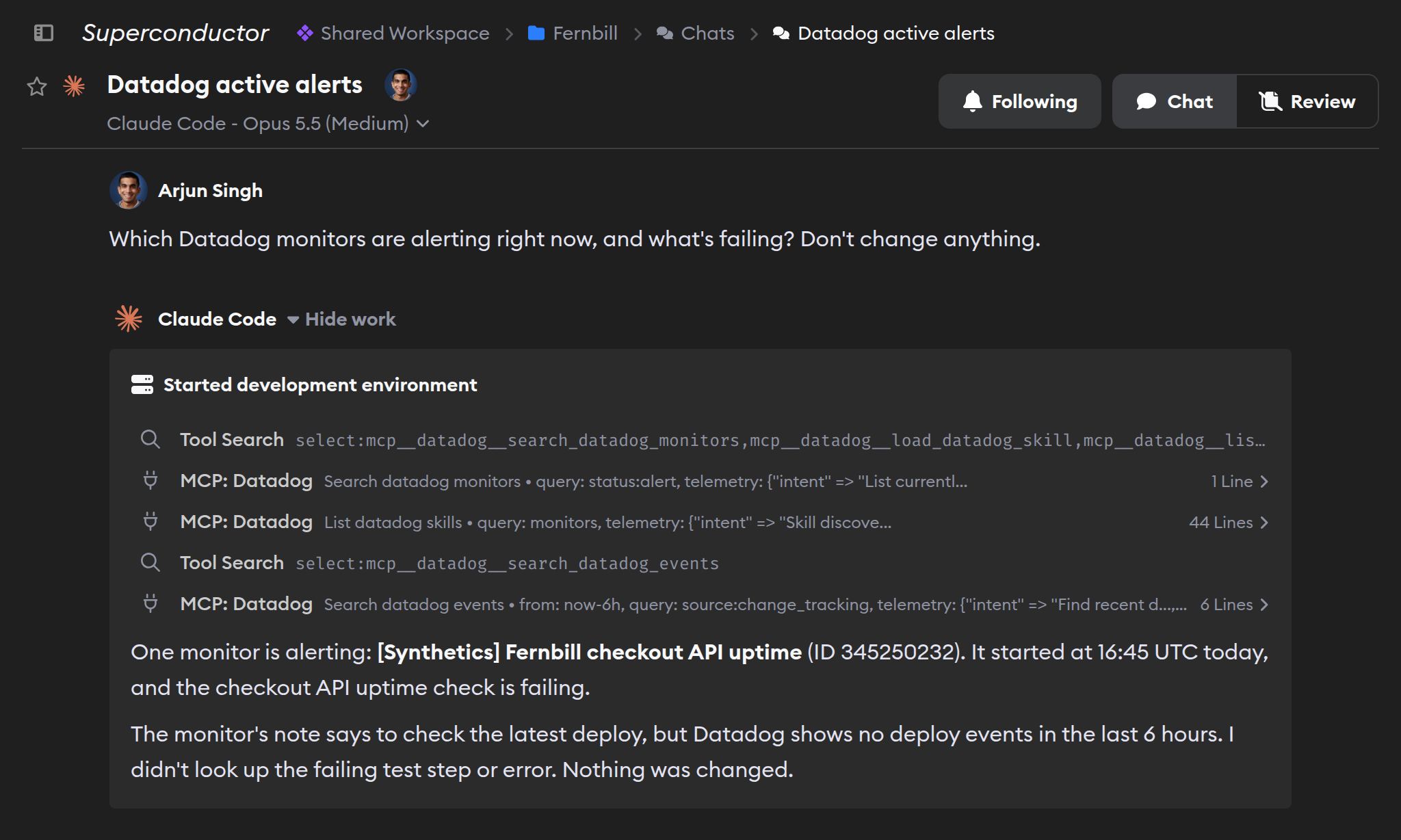
- Which Datadog monitors are alerting right now, and which services do they cover? Don't change anything.
- Create a Datadog notebook that summarizes last week's incidents, with links to the dashboards for each one.
Technical details
- Agents can
- Search logs, metrics, traces, monitors, incidents; change dashboards and notebooks
- Access
- The permissions of the Datadog account that owns the token
- Needs
- A Datadog personal or service access token
- Server
- Datadog's hosted MCP server
Example
Questions
- Can Claude Code and Codex use the Datadog MCP server?
- Yes. Once you connect Datadog in Superconductor, every coding agent you run there, including Claude Code and Codex, gets its MCP tools. There's nothing to install.
- How do I connect Datadog?
- Create a personal or service access token in Datadog and paste it into the Datadog card in Workspace Settings → Connectors. Signing in with your Datadog account isn't supported.
- Can agents change things in Datadog?
- They can create, edit, and delete notebooks and create or update dashboards if the token has write scopes and a Datadog admin turns on MCP Write Access, which is off by default.