
Keep Loops emails connected to Superconductor coding agents
Connect Loops to Superconductor and your coding agents can now look up contacts and mailing lists, and check that the events your code sends match what Loops expects. With Superconductor, the fix happens in a shared session, so whoever owns the emails can review it with the engineer who changed the code.
Superconductor lets you and your team chat with coding agents such as Claude Code, Codex, Pi, and more in shared, secure cloud sessions.
With our Loops integration, you can
- Check that a new signup event matches what Loops expects
- Look up a contact's properties while debugging an email
- Review mailing lists before changing signup code
Technical details
- Agents can
- Read and update contacts; send events and transactional email
- Access
- Your Loops account's permissions; no open or click rates
- Needs
- Sign in with Loops; API keys aren't supported
- Server
- Loops' own MCP server
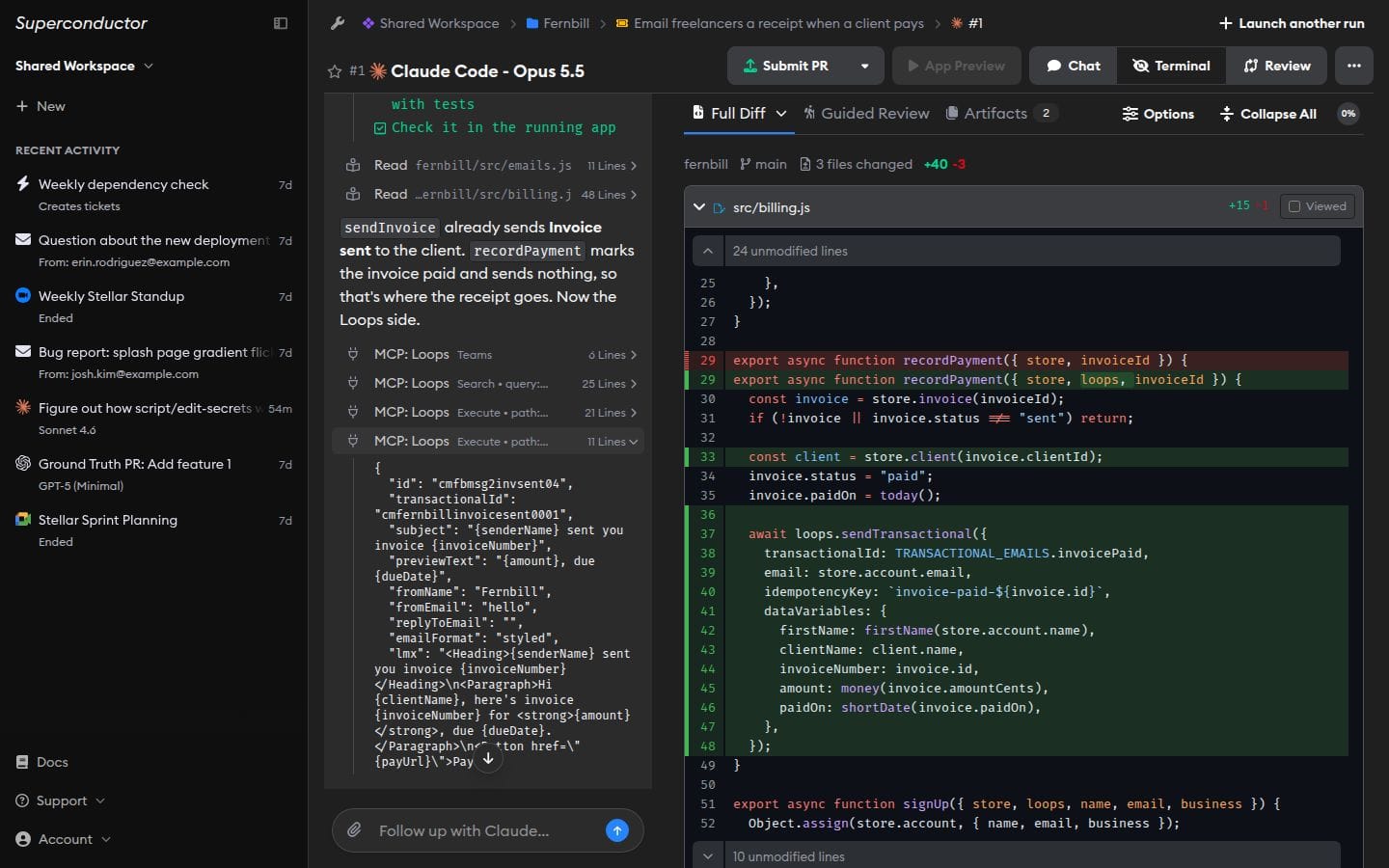
Example
Questions
- Does it use the Loops MCP server?
- Yes. You connect by signing in with Loops; its MCP server doesn't accept API keys.
- Can agents send email through Loops?
- They can. Agents can call any endpoint in the Loops API, including sending events and transactional email, so tell agents when they should only read.
- Can agents see open and click rates?
- No. Loops' MCP server doesn't expose email analytics, so check those in Loops.