
Work with Ramp from Superconductor agents
Connect Ramp to Superconductor and your agents can now analyze spending, look up transactions, bills, and reimbursements, and work through approvals with your Ramp permissions. Check your own card spend privately in your personal assistant, or run a finance review in a shared chat your team can follow.
Superconductor lets you and your team chat with coding agents such as Claude Code, Codex, Pi, and more in shared, secure cloud sessions.
With our Ramp integration, you can
- Prepare a spending report with the vendors driving changes
- Gather outstanding bills and expenses for a finance review
- Find transactions missing receipts or memos before month-end
Try asking
- Check Ramp for our software spending and compare it with the budget in Notion. Draft a variance report for our next finance meeting.
- List the reimbursements waiting for my approval and flag anything that needs a closer look. Don't approve or reject anything.
- Find my upcoming business trips in Ramp and put the flights and hotels into a travel brief.
Technical details
- Agents can
- Analyze spending, look up bills and vendors, and manage expenses and approvals
- Access
- Your Ramp permissions, with read-only or full access chosen at sign-in
- Needs
- A Ramp account allowed to connect AI tools
- Server
- Ramp's official hosted MCP server
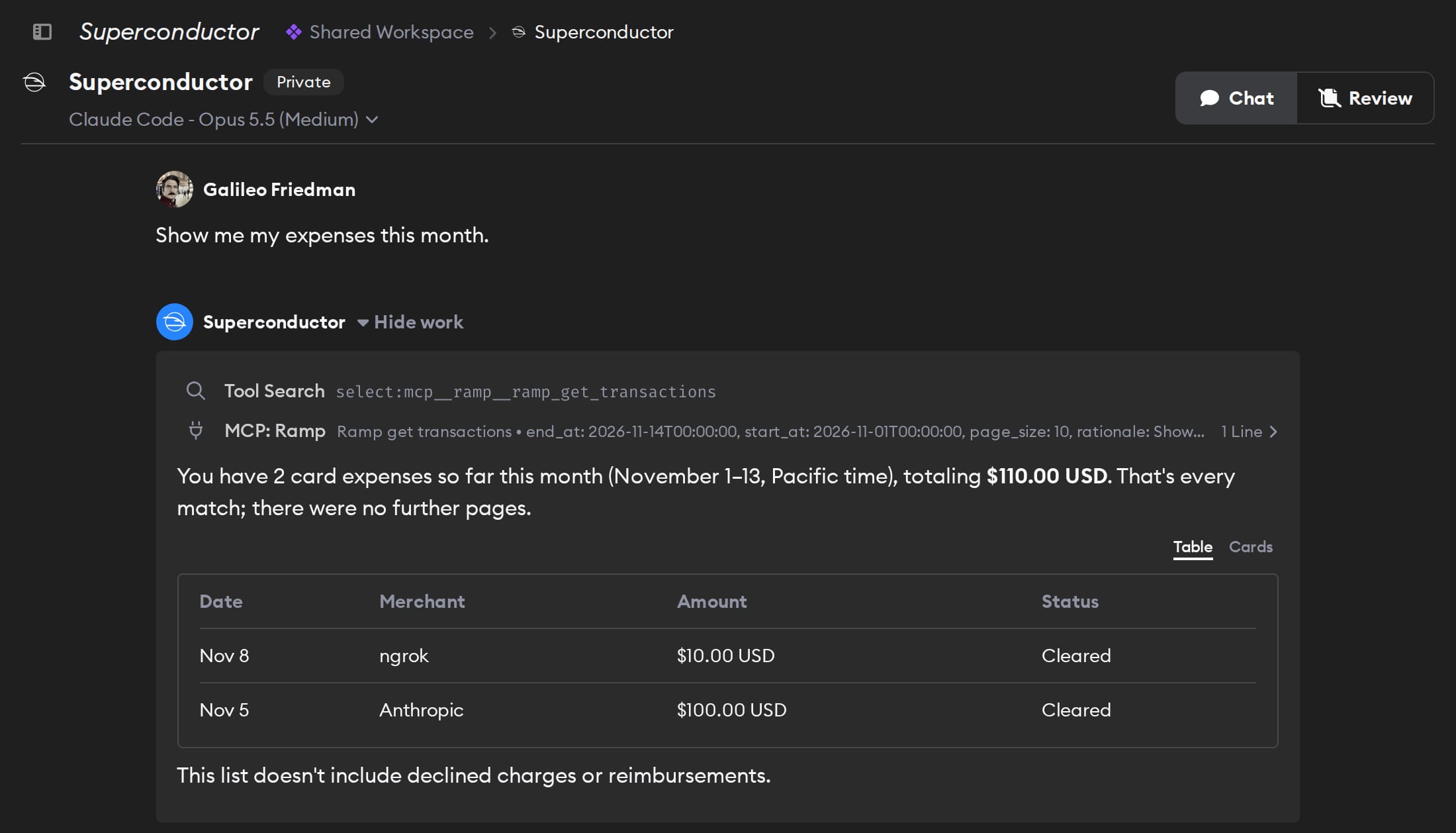
Example
Questions
- Can Claude Code use the Ramp MCP server?
- Yes. Once you connect Ramp in Superconductor, Claude Code agents with access to the connection can use Ramp's hosted MCP server, with nothing to install.
- How do I connect Ramp to Superconductor?
- Open Workspace Settings → Connectors, choose Ramp, and sign in. Choose read-only or full access.
- Can agents approve bills in Ramp?
- With full access and the right Ramp role, agents can approve bills. An approval may send a bill to payment. Choose read-only access if you only need reporting.