
Deploy to Vercel with Superconductor coding agents
Connect Vercel to Superconductor and your coding agents can now deploy the code they just wrote, check the preview, and read the build logs behind a failed deployment. Superconductor runs that work in a shared session, so a teammate can review the fix and the preview together before it ships.
Superconductor lets you and your team chat with coding agents such as Claude Code, Codex, Pi, and more in shared, secure cloud sessions.
With our Vercel integration, you can
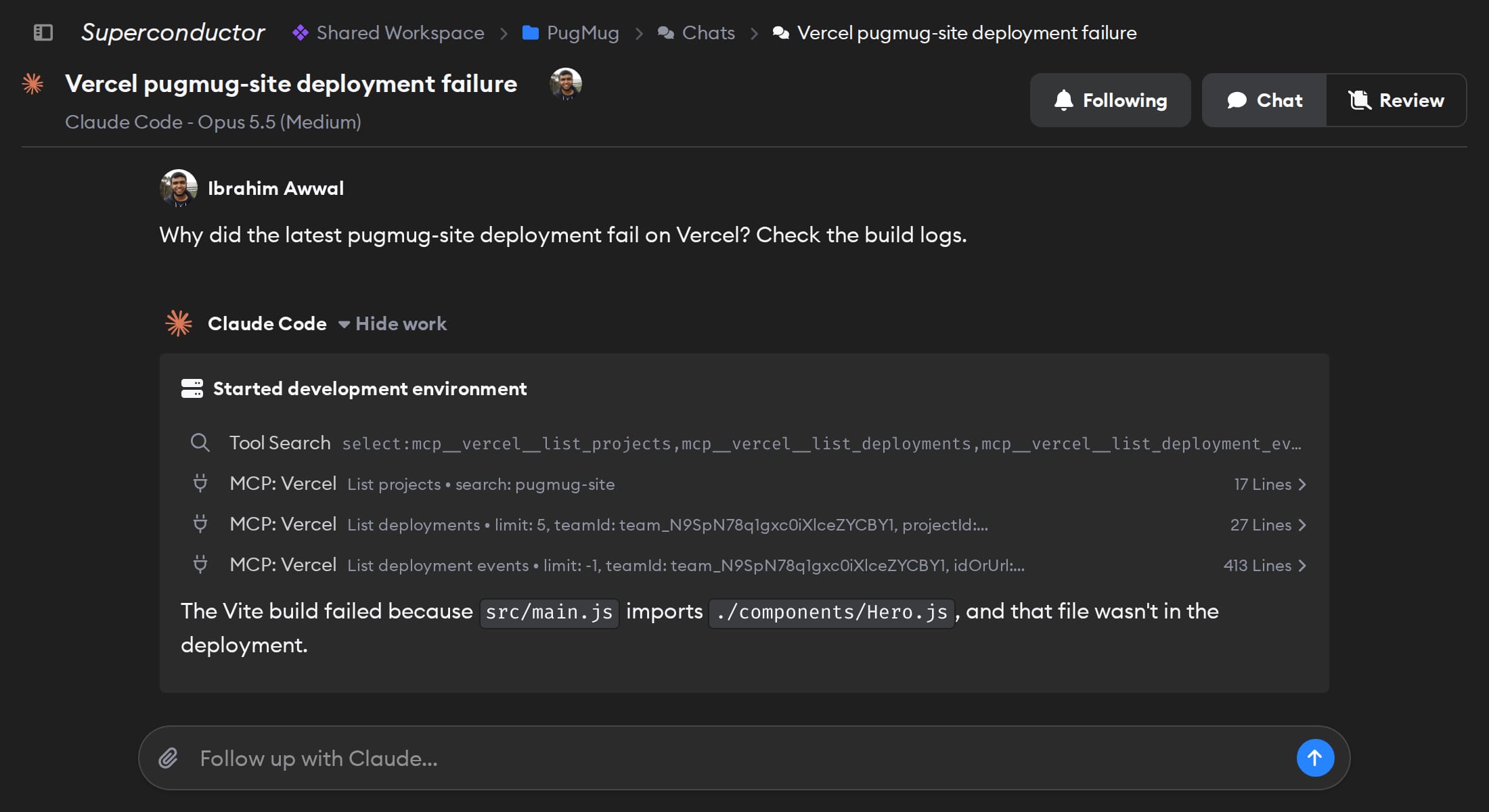
- Read a failed deployment's build logs and fix the build
- Check a protected preview deployment before merging
- Deploy a prototype and share the link with your team
Try asking
- Search the Vercel docs for how redirects work, add one from /blog to /news, and deploy a preview so I can check it.
- List this week's deployments of our marketing site on Vercel and tell me which ones failed and why. Don't redeploy anything yet.
- Pause our old demo project on Vercel and confirm the site is offline.
Technical details
- Agents can
- List teams, projects, and deployments; deploy; read build logs; pause projects; search Vercel docs
- Access
- The Vercel teams and projects you authorize when you sign in
- Needs
- Sign in with Vercel
- Server
- Vercel's official hosted MCP server
Example
Questions
- Can Claude Code use the Vercel MCP server?
- Yes. Once you connect Vercel in Superconductor, Claude Code agents you run there can use Vercel's hosted MCP server at
mcp.vercel.com. There's nothing to install locally. - How do I connect Vercel?
- Click Connect on the Vercel card in Workspace Settings → Connectors and sign in with Vercel. On Vercel's screen, authorize each team agents should work in.
- Can agents change my live sites?
- They can. Agents can deploy to production and pause projects, and Vercel's permissions include buying domains, so tell agents when they should only read.