
Here's a summary of all user-facing changes on Superconductor from July 26-August 1:
Major Changes
See who's in the chat with you

Conversation pages now show who else is viewing the same implementation. Avatars at the top of the chat update with live status dots, and a typing indicator appears above the message input when a teammate is composing a reply. See our guide on collaborating with teammates for more details.
Desktop app previews now live in the main layout
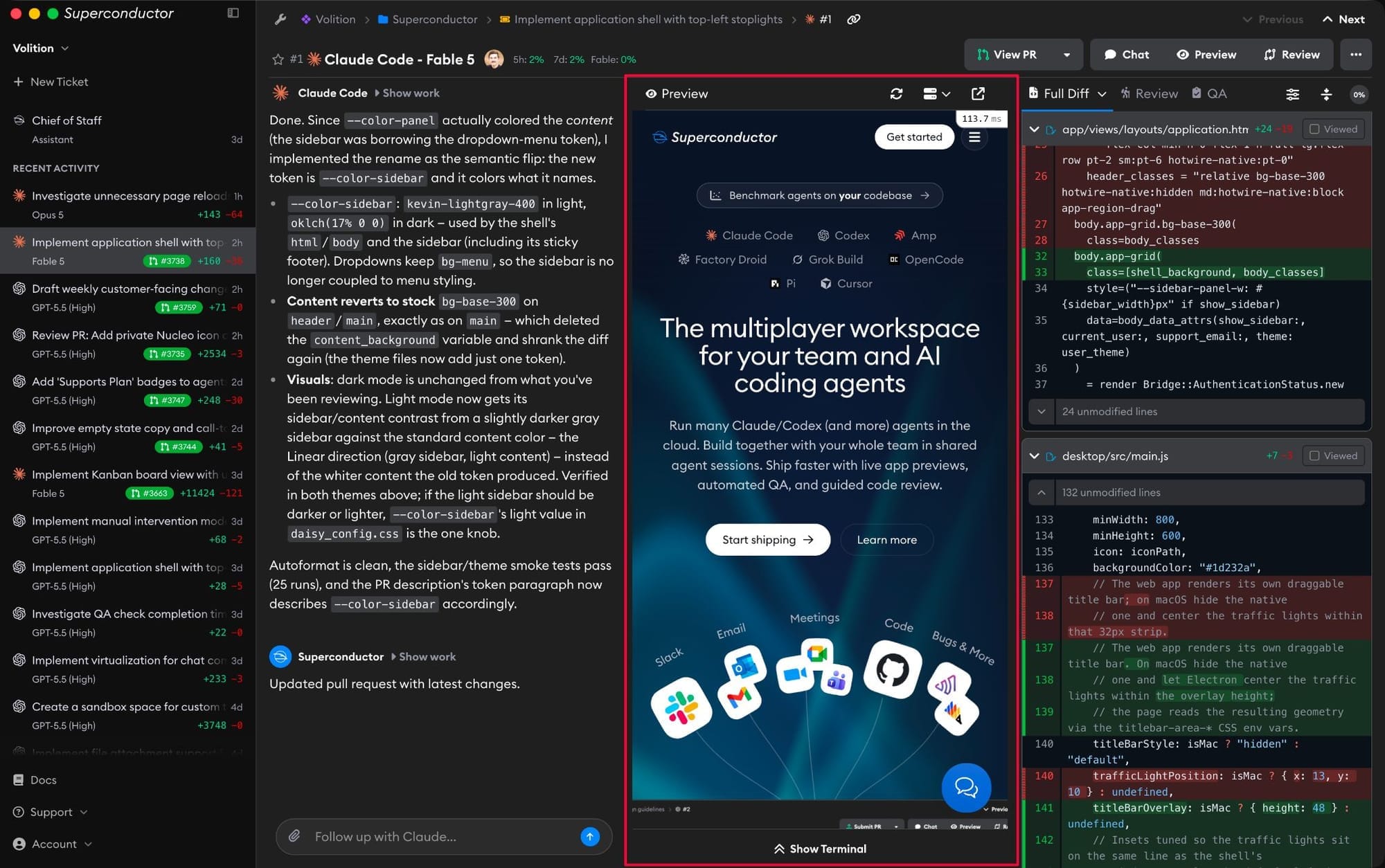
The desktop app now shows live app previews directly inside the implementation page, alongside chat and review. The preview uses a native browser surface instead of an embedded frame, so desktop users get the same three-pane workflow as the web app without juggling a separate preview window.
Other Changes
QA check results appear in chat
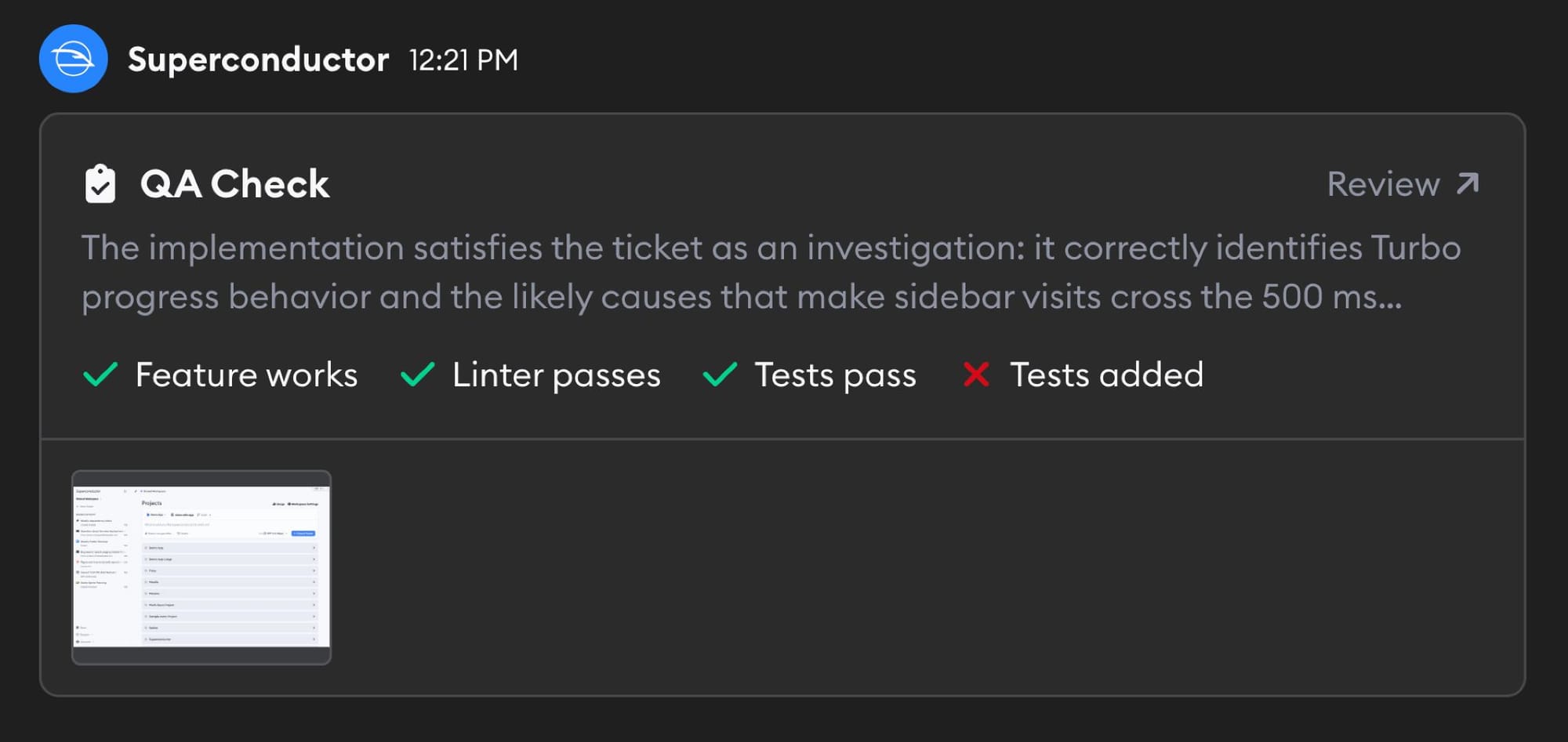
When QA Check (beta) is enabled in a project, completed QA checks now post a rich card into the implementation chat, including the QA summary, feature/test/linter metrics, screenshot thumbnails, and a link back to that exact QA run in the review pane.
See more recent activity
The sidebar Recent Activity list now automatically loads older tickets, implementations, automations, meetings, and other followed work as you scroll, so you can go deeper without leaving the current page.
Benchmark specs are easier to refine
Benchmark ticket descriptions now have a Regenerate spec button. Use it when the generated benchmark spec misses important context from the original PR or needs a cleaner task description before running agent comparisons.
Larger diffs render inline
The diff view on an implementation can now render up to 200 changed files before falling back to raw file links, making large PRs easier to inspect without leaving Superconductor.
Fixed Issues
Slack messages handle files and links better
Slack now responds with a clear message when an uploaded file is too large, and long project names no longer break Slack project selection.
Have feedback or ideas for things you'd like to see on Superconductor? Let us know!