
Manage Runpod from Superconductor coding agents
Connect Runpod to Superconductor and your coding agents can find out why a Serverless job is stuck, read logs, and manage your Pods and endpoints. Superconductor runs that work in a shared session, so a teammate can weigh in before the agent changes an endpoint.
Superconductor lets you and your team chat with coding agents such as Claude Code, Codex, Pi, and more in shared, secure cloud sessions.
With our Runpod integration, you can
- Find out why a Serverless job is stuck in the queue
- Read worker and Pod logs while debugging a failed run
- Start and stop Pods without opening the Runpod console
Try asking
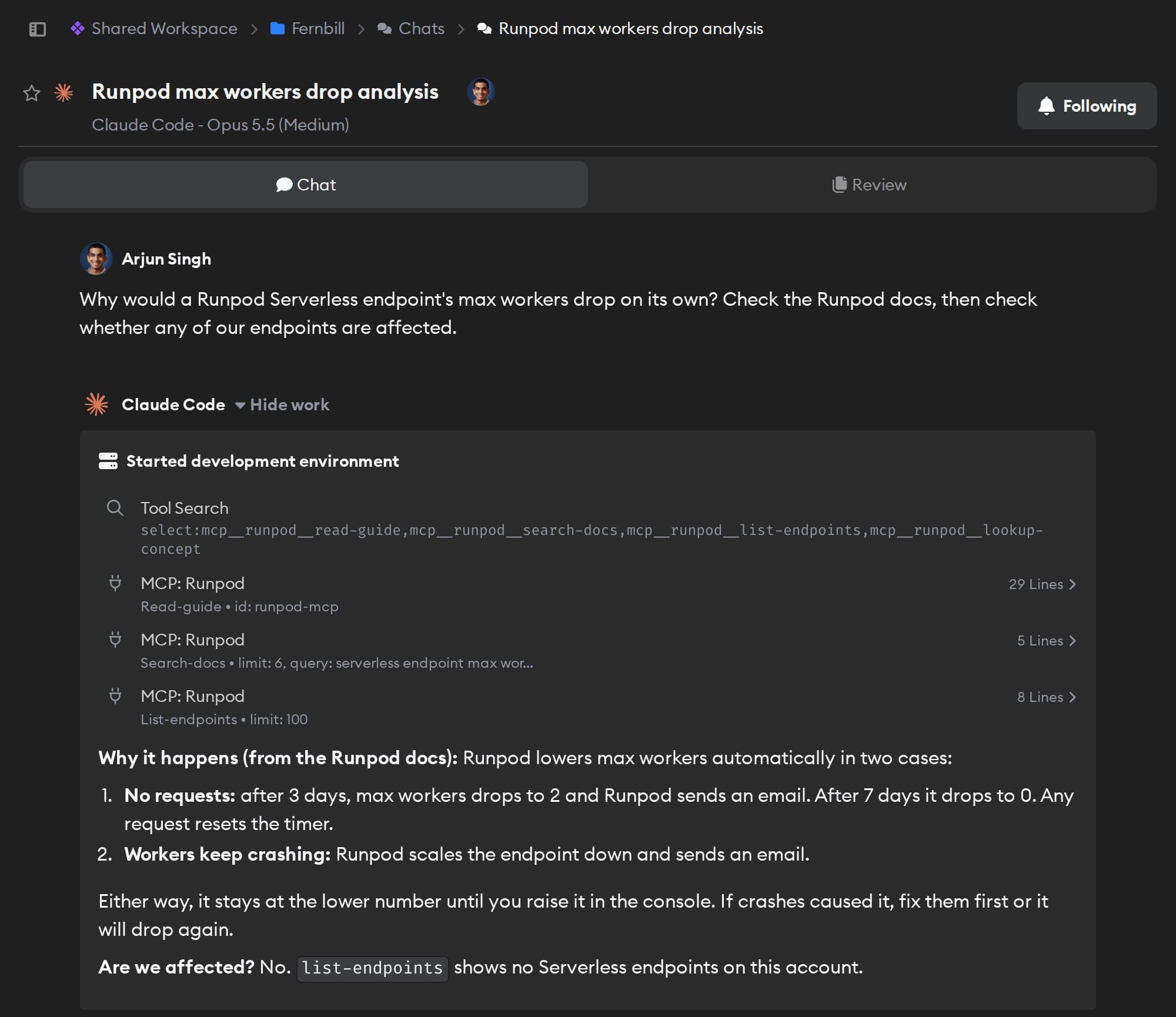
- Our image jobs have been stuck since this morning. Check Sentry for the error, then look at the Runpod endpoint's max workers and tell me if it was scaled down. Don't change anything yet.
- List every running Runpod Pod and what Pods cost us last week, so we can decide what to stop.
- Create a Runpod template from this Docker image, and show me its settings before you use it anywhere.
Technical details
- Agents can
- Manage Pods, Serverless endpoints, jobs, clusters, templates, volumes, and secrets; read logs and billing history; search Runpod docs
- Access
- Whatever the Runpod API key you connect allows
- Needs
- A Runpod API key
- Server
- Runpod's official hosted MCP server
Example
Questions
- Can Claude Code use the Runpod MCP server?
- Yes. Once you connect Runpod in Superconductor, Claude Code agents you run there can use Runpod's hosted MCP server at
mcp.runpod.io. There's nothing to install locally. - How do I connect Runpod?
- Create an API key in the Runpod console, then click Connect on the Runpod card in Workspace Settings → Connectors and paste it.
- Can agents delete my Pods or spend money on Runpod?
- With a key that allows it, yes. Running resources cost money, so use a Read Only key if agents should only look.