

We’re excited to introduce the Superconductor API! Create a personal access token, hand it to your local agent or script, and it can read the Superconductor projects you have access to, create new tickets in them, and send messages to the agents working on them. If you want, it can also start an agent on a new ticket right away.
What the API can do
- Read your Superconductor projects and tickets. List the projects you can access, across all your workspaces or in just one, and their tickets, with each ticket's description, status, and implementations.
- Read an implementation in full. Get an implementation's status, agent, and pull requests, the whole conversation between your team and the agent, and its code changes for each repo.
- Read chats. List a project's chats and read their conversations, including plans your teammates worked out with an agent.
- Create tickets and launch implementations. File a ticket with a Markdown description and up to 10 attached files, like a screenshot of a bug or an error log.
- To work from a branch other than the default, like a release branch, choose base branches.
- To get work going immediately, start an implementation with your default agent profile in the same request.
- Send messages to agents. Send a message to an implementation or chat, the same as typing it into the conversation in Superconductor. The agent picks it up and responds the way it would to a message you sent in the app.
Tickets and messages you create through the API show up in Superconductor from you, like any others, so your teammates can follow the agent's progress and jump in.
The API can't yet start new implementations on existing tickets, launch agents other than your default agent profile, or open PRs. Do those in Superconductor for now.
Get started
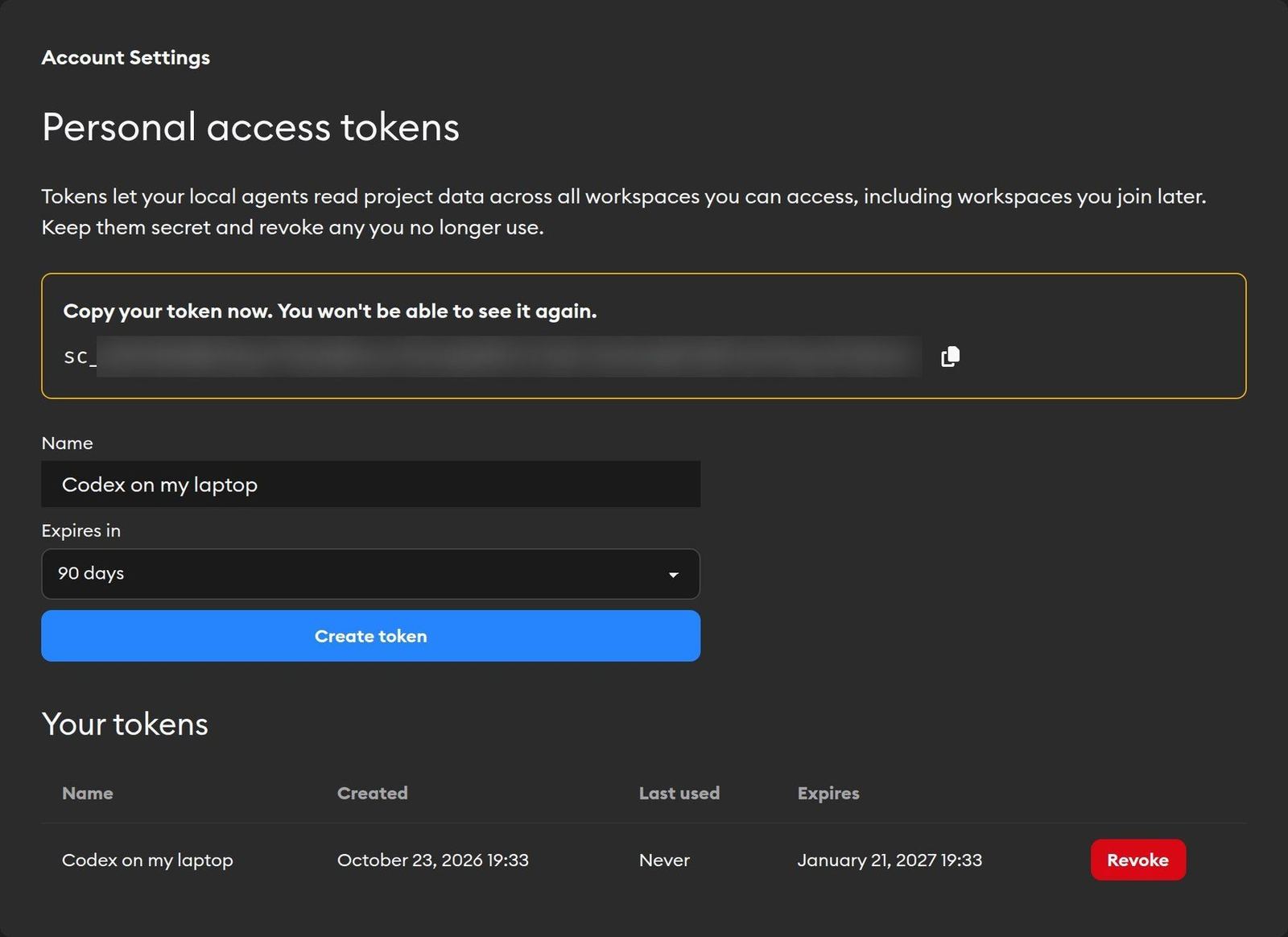
- Go to Account Settings and click Personal access tokens under Developer.
- Name the token after the tool you'll use it in, like "local Claude Code", and choose when it expires: 30, 60, or 90 days, or never.
- Click Create token and copy it right away. You won't be able to see it again.
- Give the token to your tool, for example as a
SUPERCONDUCTOR_TOKENenvironment variable, and check that it works:
curl https://www.superconductor.com/api/v1/user \
  -H "Authorization: Bearer $SUPERCONDUCTOR_TOKEN"
A token acts as you. It can read everything you can see in Superconductor, across all your workspaces, and create tickets and send messages wherever your workspace role lets you do that in the app.
You can have up to 20 tokens. We recommend giving each tool its own token, so you can revoke one without breaking the others.
A playground for trying API requests
Every endpoint has its own page in the API reference, listing its parameters, example requests and responses, and errors.
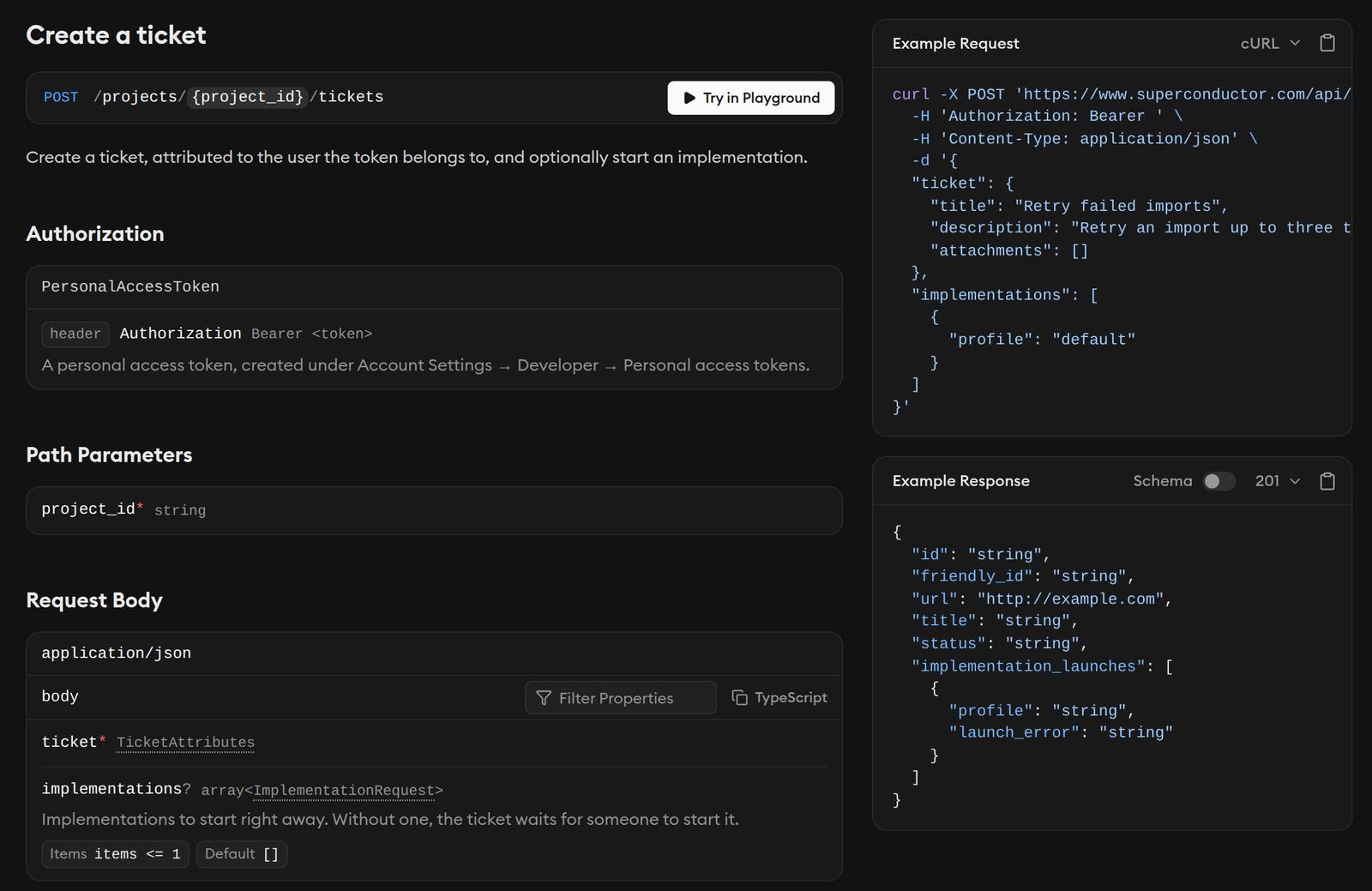
Click Try in Playground on any endpoint, paste your token, and send a real request from your browser. This is a great way to quickly check what a response looks like before you write a script around it.
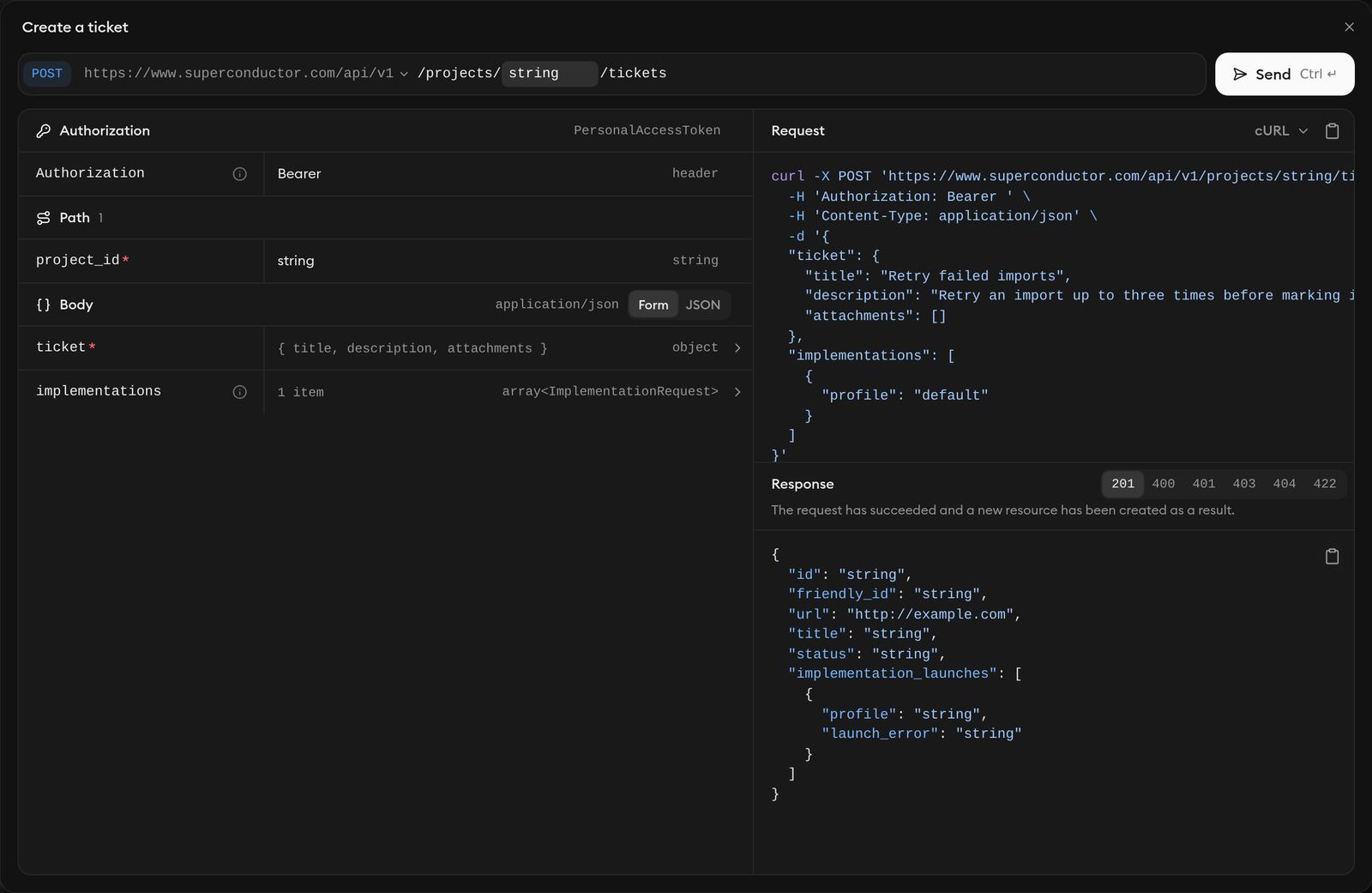
You can also download the OpenAPI document, a machine-readable description of every endpoint. Use it to generate a client, or give the link to your agent so it knows exactly which requests to make.
Some cool API use cases
-
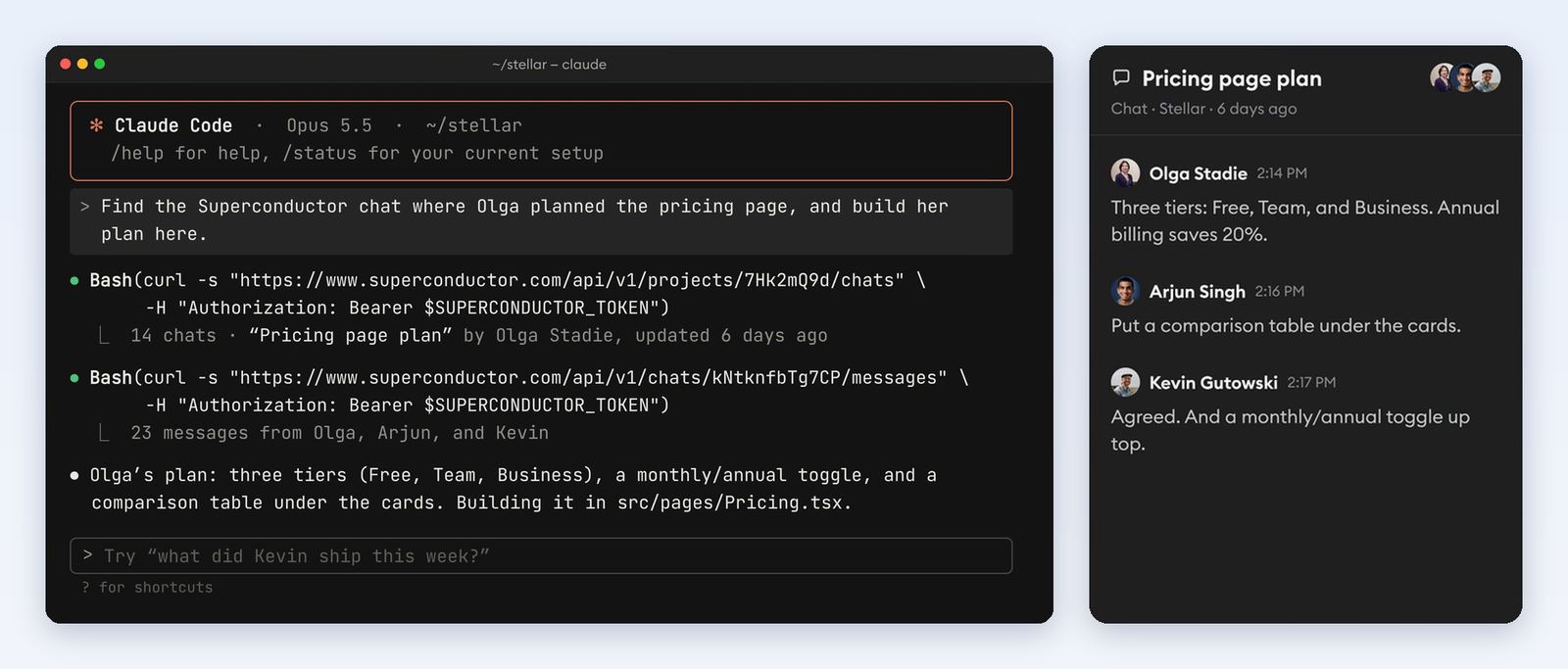
Build on a plan your team made in a chat. If a teammate worked out a plan with an agent in a chat, your local agent can find that chat, read the whole conversation, and build the plan in your local repo.
Find the Superconductor chat where Olga planned the pricing page, and build her plan here.
-
File tickets without leaving your terminal. Noticed a flaky test while you're in the middle of something else? Ask your local agent to file a ticket for it and start an agent, then get back to what you were doing.
The week view test keeps flaking. File a Superconductor ticket for it and start an agent on it.
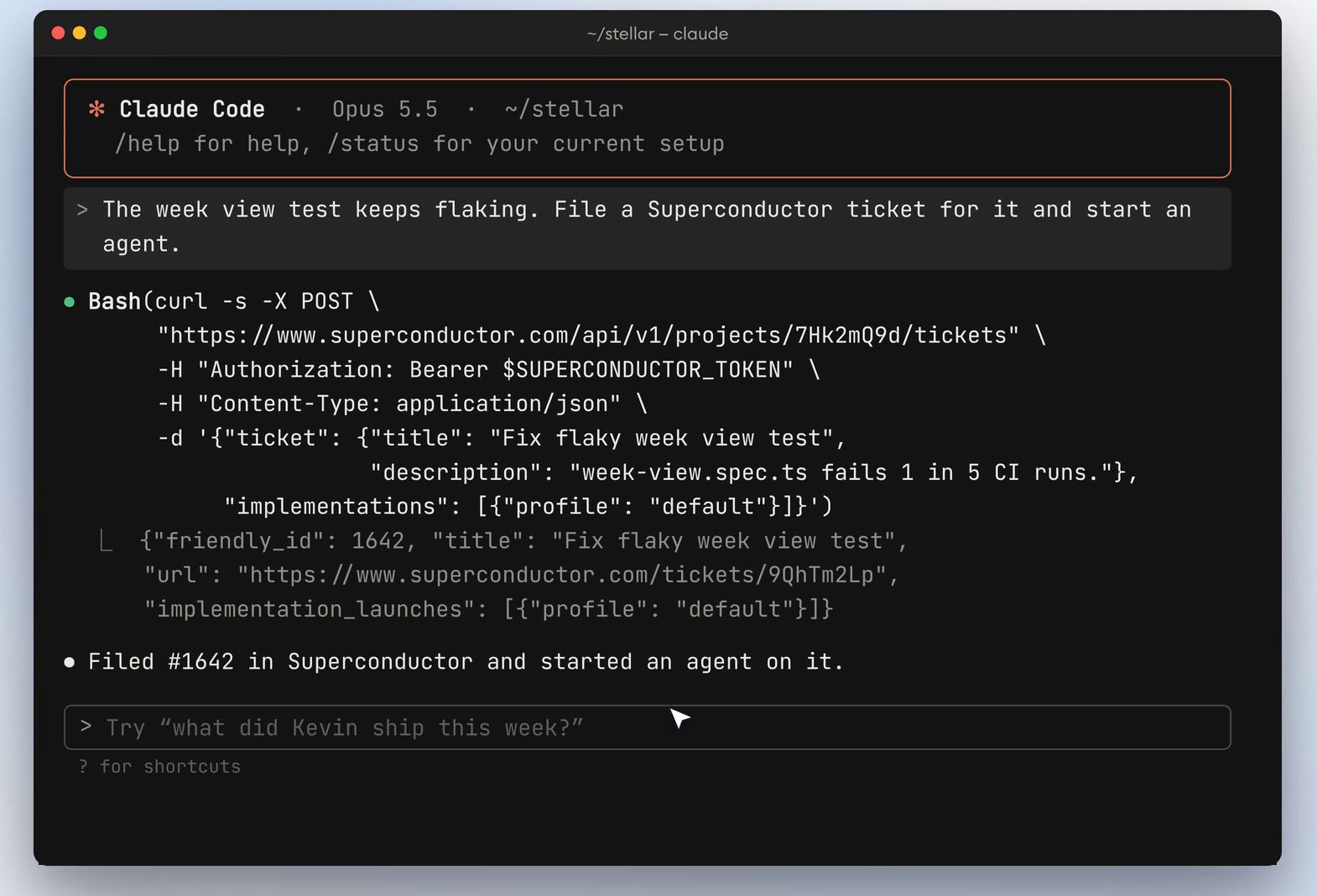
The ticket lands in your team's project with an agent already working on it, where anyone on your team can follow along and jump in.
-
Follow up with an agent from anywhere. When something an agent was waiting on gets fixed, tell it from your terminal or a script instead of switching to Superconductor.
Tell the agent on the checkout ticket that staging is fixed, and ask it to rerun the end-to-end tests and update the PR.
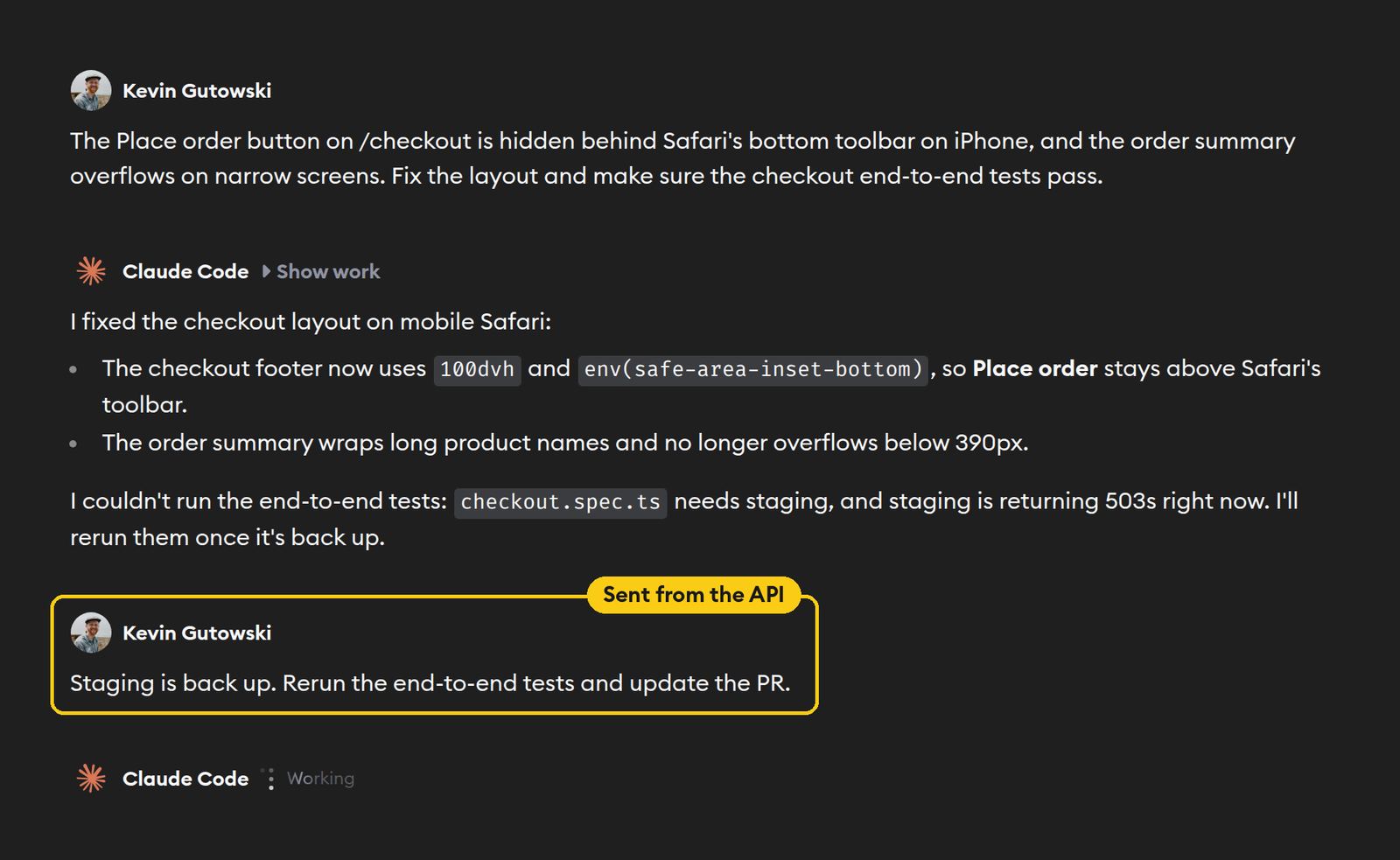
The message shows up in the conversation from you, and the agent gets back to work. Its reply stays in the conversation, so open it in Superconductor or read it later through the API.
-
Backport a fix. Start a ticket from a release branch instead of the default branch, so the agent works on the code you actually shipped.
File a ticket to backport the webhook retry fix to the release-2.4 branch of the api repo, and start an agent.
-
Hand CI failures to an agent. Add a step to your CI job that files a ticket when the main branch fails, with a link to the failed run, and starts an agent on the fix. Here's what that looks like in GitHub Actions:
- name: Hand failures to Superconductor
  if: failure() && github.ref == 'refs/heads/main'
  env:
    SUPERCONDUCTOR_TOKEN: ${{ secrets.SUPERCONDUCTOR_TOKEN }}
  run: |
    curl -s -X POST "https://www.superconductor.com/api/v1/projects/<project id>/tickets" \
      -H "Authorization: Bearer $SUPERCONDUCTOR_TOKEN" \
      -H "Content-Type: application/json" \
      -d '{"ticket": {"description": "CI is failing on main: ${{ github.server_url }}/${{ github.repository }}/actions/runs/${{ github.run_id }}. Find out why and fix it."},
           "implementations": [{"profile": "default"}]}'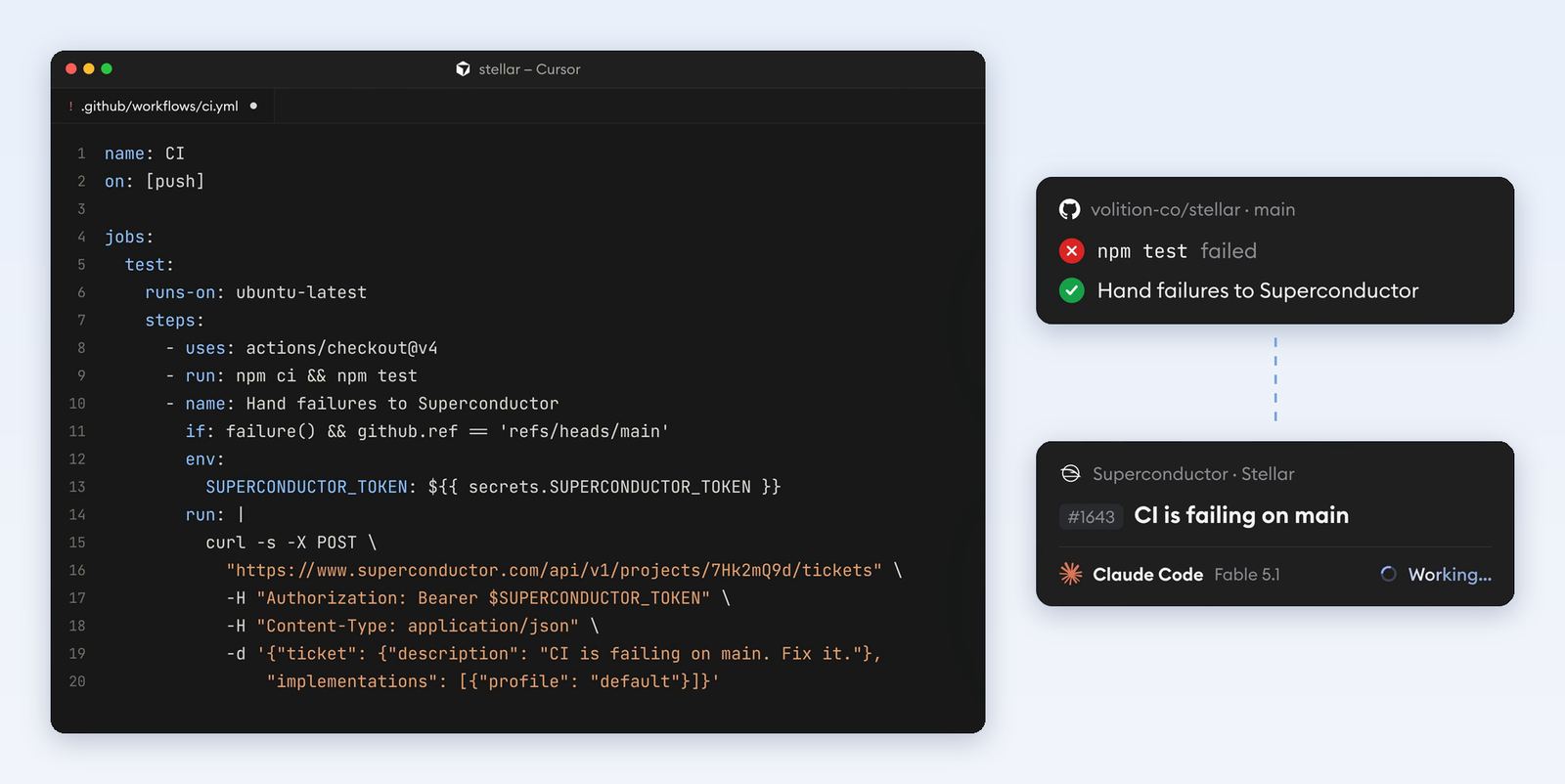
-
Turn reports into tickets. Have your error tracker or support inbox file a ticket for each new production error or bug report, with the stack trace or the customer's screenshot attached, so an agent can start on the fix before anyone has triaged it.
Pro tip: Agents inside Superconductor can use the API too, by default. Ask an agent in an implementation or chat to file a follow-up ticket, like a bug it noticed along the way, or to send a message to another agent, like telling the implementation working on checkout that a component it uses was renamed.
What other API capabilities would be helpful for your team? Let us know!