
Here's a summary of all user-facing changes on Superconductor from June 21-27:
Major changes
Benchmark quality heatmaps
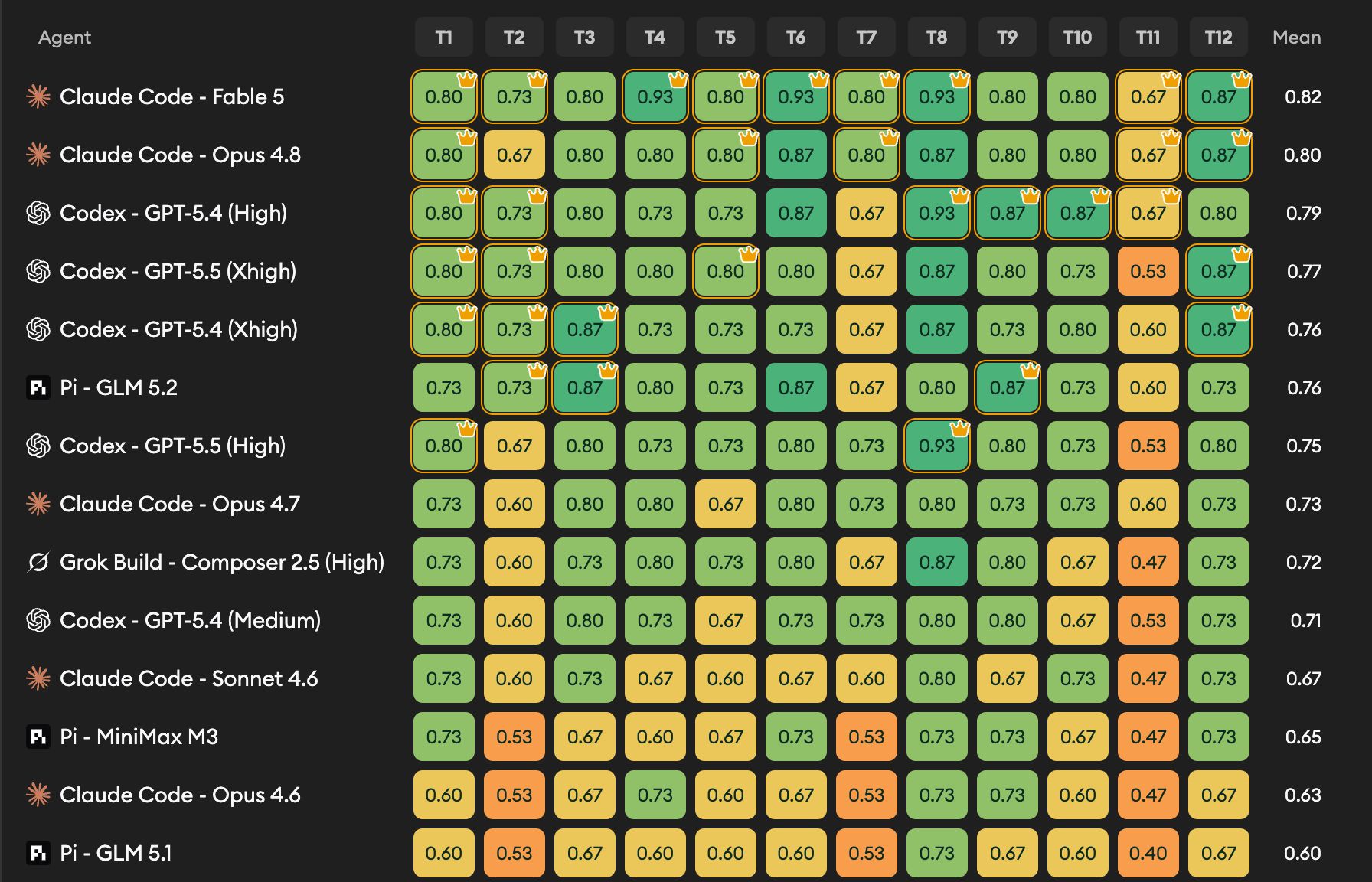
Benchmark results now include a quality heatmap, making it easier to see how every agent performed on every benchmark ticket. Each row is an agent, each column is a ticket, and crown markers highlight the top-scoring agents for each ticket.
Cursor and Factory Droid agents
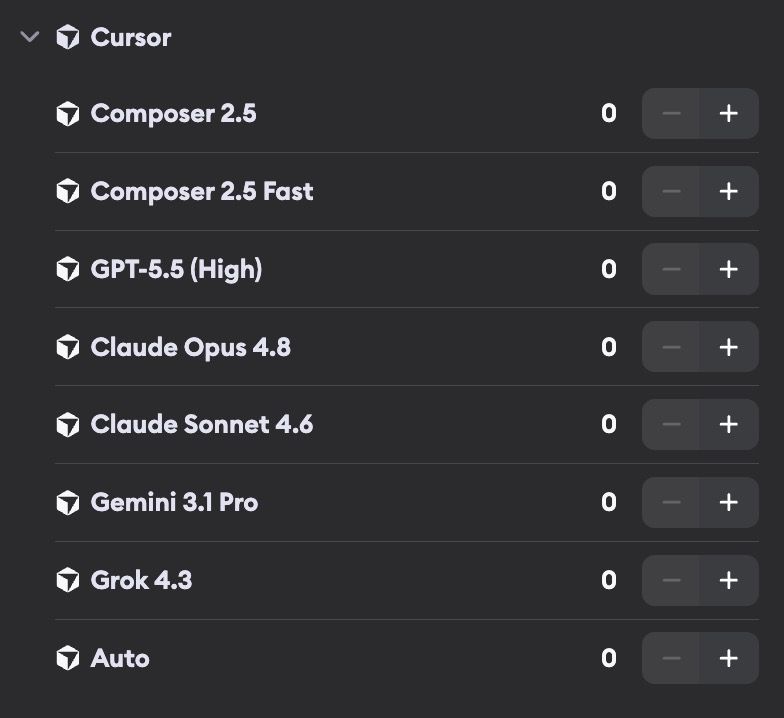
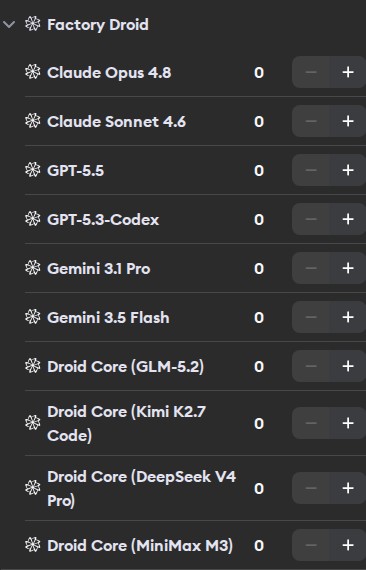
Cursor and Factory Droid are now available as first-class coding agents in Superconductor. Add their API keys in Project Settings or Workspace Settings -> Agent Credentials, then launch them from tickets and benchmarks alongside your other agents.
Automations are available to everyone

Automations are no longer in beta. Every project now has access to Automations by default, so you can create recurring tickets, launch implementations for starred tickets, and send scheduled messages to starred implementations without asking us to enable the feature first.
New pricing page
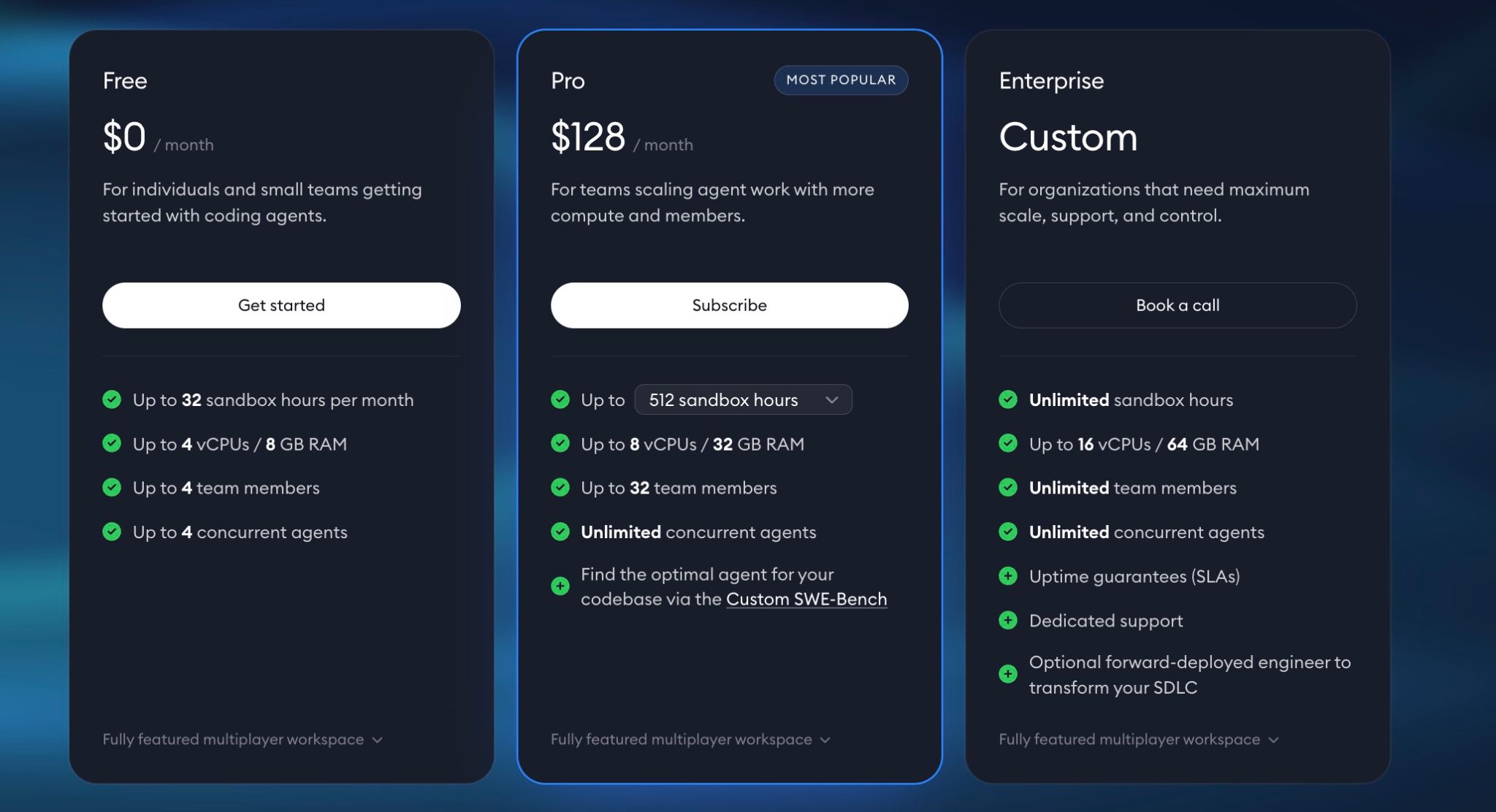
We added a dedicated Pricing page with Free, Pro, and Enterprise plan details. Reach out to us if you'd like more details on custom pricing for your team.
Other changes
More info on ticket cards

Ticket lists now show richer origin information, including creator avatars and whether a ticket came from Slack, GitHub, email, a meeting, an environment setup, or an automation.
More model options
Pi and OpenCode now support GLM 5.2. OpenCode also supports GPT-5.5 and GPT-5.5 Pro, while older Haiku 4.5, GLM 5.1, and Codex Spark profiles are no longer shown as active launch options.
Benchmarking improvements
Benchmark pages now have a cleaner Results section, inline default-run results, clearer empty states while implementations are still running, and a pending-implementation count before you start a new run. Benchmark breadcrumbs are clearer too, and benchmark ticket pages now show the launch button so you can start implementations directly from the benchmark ticket page.
Email triage improvements
Email conversations within the Email Assistant (beta) now use the same two-pane layout as other implementation-style workflows: chat on one side, email body and attachments on the other. Forwarded emails from configured forwarding addresses are also cleaned up automatically, so Superconductor can show the original sender, recipients, subject, and body instead of the forwarding wrapper.
Meeting titles are editable
You can now edit a Meeting Assistant (beta) session title inline, just like ticket titles.
Environment setups appear in the Recent Activity Sidebar
Environment setup runs now appear in the Recent Activity Sidebar and can send notifications when they need user input or fail, making setup problems easier to notice without having to keep the setup page open.
Fixed issues
Environment setup waits for requested secrets
When automatic environment setup asks for a secret, Superconductor now keeps the setup in the waiting-for-user state instead of prematurely accepting and applying the environment configuration.
Long chat messages wrap correctly
Very long unbroken strings in chat messages now wrap inside the conversation pane instead of overflowing the layout.
Closing an unmerged PR does not bump Recent Activity
Closing an unmerged pull request now updates the PR status without reordering Recent Activity sidebar or sending follow activity notifications.
Errored Claude runs can resume with prior context
When a Claude run errors after a session has started, Superconductor now keeps the session ID so your next message can resume the same run context instead of starting over.
OpenCode work logs show more output
OpenCode work logs now render intermediate text events and newer read-tool output formats, making current OpenCode sessions easier to follow.
Other announcements

We'll be at the AI Engineer World's Fair this week. Stop by our booth and come to our talk on Thursday - we'd love to meet you there.
Have feedback or ideas for things you'd like to see on Superconductor? Let us know!