Factory Droid
Run Factory Droid agents in Superconductor.
Factory Droid is Factory's coding agent. Superconductor lets you run Factory Droid alongside the rest of your agents, so you can compare approaches on the same ticket without switching tools.
Credentials
Factory Droid runs through your Factory API key. Add the key in Workspace Settings → Agent Credentials or Project Settings → Agent Credentials.
Create a Factory API key from the Factory API keys settings page, then paste it into Superconductor.
Models
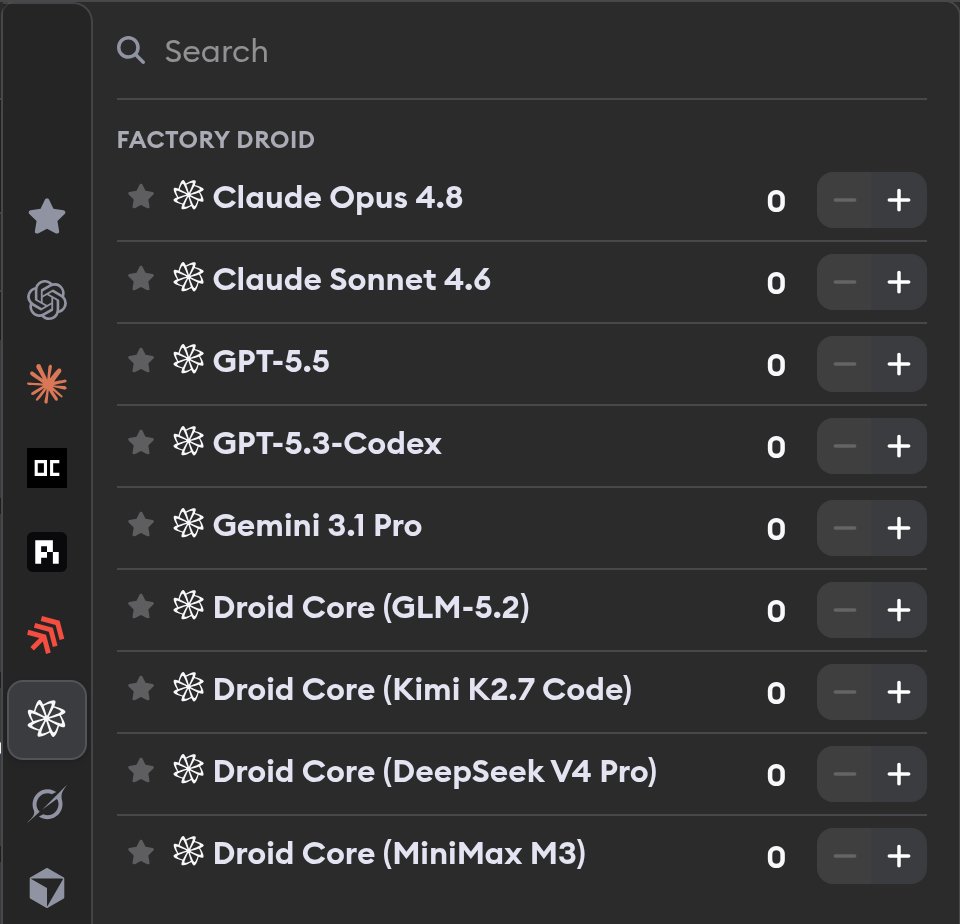
Superconductor exposes Factory Droid profiles for the models Factory supports:
- Claude Opus 4.8 - Most capable available model from Anthropic for complex reasoning
- Claude Sonnet 4.6 - Anthropic model for balanced performance and capability
- GPT-5.5 - OpenAI's newer general coding model
- GPT-5.3-Codex - An earlier model from OpenAI's Codex line
- Gemini 3.1 Pro - Advanced reasoning and code generation
- Droid Core (GLM-5.2) - Z.ai's coding model, served by Factory
- Droid Core (Kimi K2.7 Code) - Moonshot AI's coding model, served by Factory
- Droid Core (DeepSeek V4 Pro) - DeepSeek's highest-capability model, served by Factory
- Droid Core (MiniMax M3) - Efficient general-purpose model, served by Factory
Factory manages model access behind your Factory API key. In Superconductor, you just choose the Factory Droid profile you want when launching a ticket.