Agent credentials
Configure API keys and connected plans for coding agents.
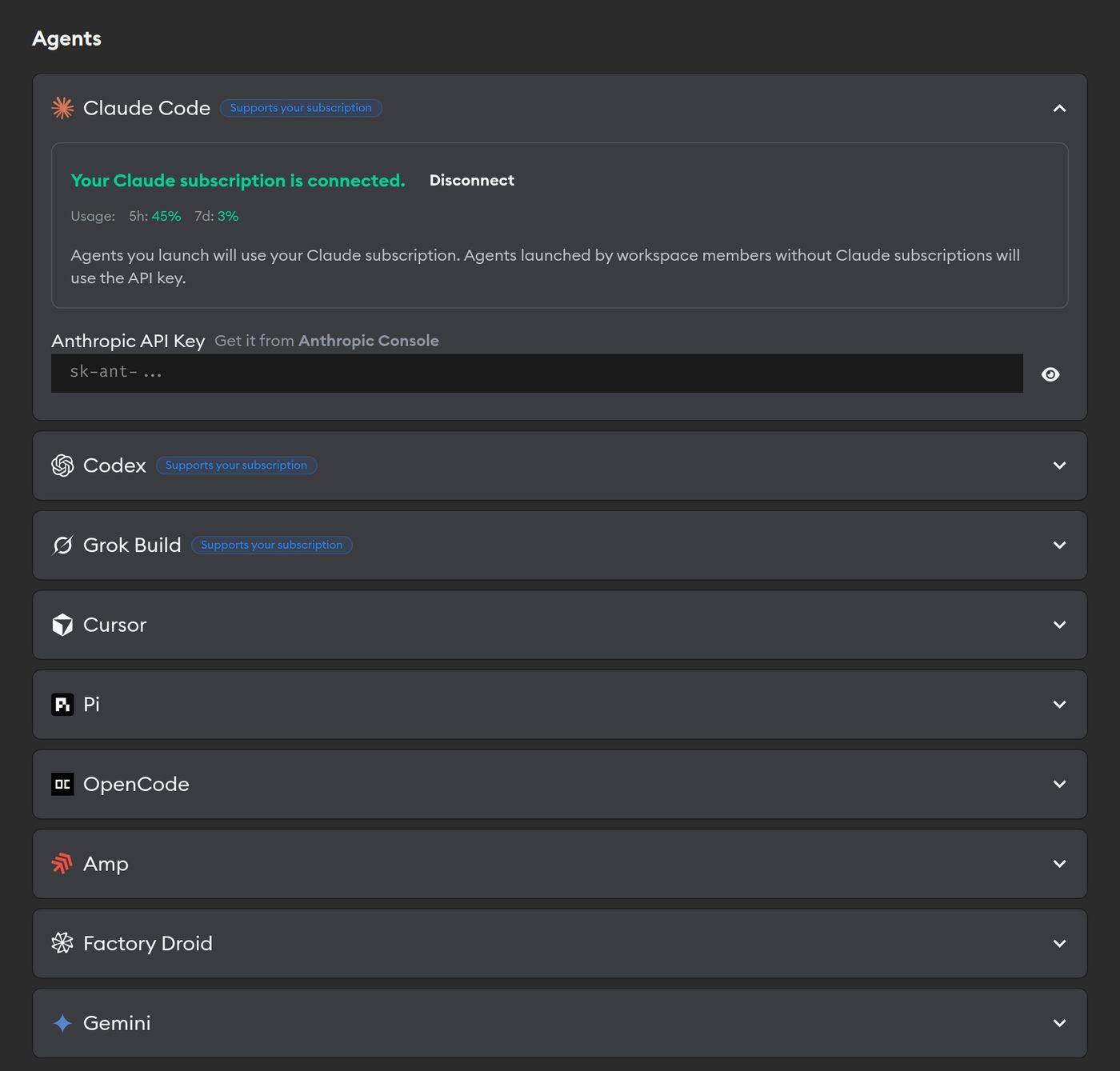
Superconductor primarily works on a BYOK (bring-your-own-keys) basis, meaning that coding agents use your own keys or connected plans.
Connecting credentials
Add agent API keys in Workspace Settings → Agent Credentials or in Project Settings → Agent Credentials.
For Claude Code, Codex, and Grok Build agents, we additionally support individual users connecting their Claude, ChatGPT, and SuperGrok premium plans instead of using API keys. These agents show a Supports your subscription badge in the credentials list. This can be done either in Workspace settings, Project settings, or Account settings.
See the Usage dashboard to track agent spend across your workspace and spot metered-API spend a connected plan could cover.
How do I track usage? If an implementation uses an API key, the implementation card's Cost value estimates the API spend for that run. If an implementation uses a connected Claude or ChatGPT plan, use the usage stats shown next to the agent name instead. For plan-covered runs, the card shows $0 followed by a faded token value in parentheses — an API-price estimate of the tokens used, not a charge on your plan.
How are Gemini API keys used? Gemini API keys configured in Workspace or Project Settings are used only for Superconductor Skills, such as Video Understanding and Image Generation. To run coding agents and/or benchmarks with Gemini models, use OpenCode, Factory Droid, or Cursor.
Deciding which credentials to use
If an implementation agent is launched through an integration (e.g. by an external PR, Slack, Linear, Email triage, or the Meeting assistant), Superconductor can use the associated user's connected plan when one is available for the selected agent. Otherwise, we use Project API keys and then Workspace API keys.
If the agent is launched manually by a user, we follow this precedence order:
- That user's connected plan (if any)
- Project API key (if any)
- Workspace API key
- Another workspace member's connected plan, for benchmark runs
What if my connected plan hits its usage limit? Superconductor does not automatically fall back on an API key mid-run. The implementation will stop, and you'll see a message in the chat indicating that your plan's limit has been reached and when it resets. For future runs, you can disconnect your plan in your settings and use an API key instead until the limit resets.
Best available credentials
Some features don't ask you which agent to use — they automatically run with the best coding agent you have credentials configured for. Superconductor tries them in this order and uses the first one with a working credential:
- Codex (GPT-6.1 Sol, extra high reasoning)
- Codex (GPT-6 Astra, extra high reasoning)
- Claude Code (Opus 5.5, medium reasoning)
- Amp
- OpenCode (GPT-5.6 Sol, extra high reasoning)
- Pi (Kimi K3, max reasoning)
- Grok Build (Grok 4.7, high reasoning)
- Cursor (Composer 2.5)
Features that use this fallback:
- QA Checks [Beta]
- Email triage [Beta]
- Meeting assistant [Beta]
- The fallback default selection in the profile selector when you launch an implementation, if your Default agent profile is unset or unavailable for the project
Guided review picks differently
Guided review runs at moderate reasoning effort instead of the highest one, so it tries a shorter list first:
- Codex (GPT-6.1 Sol, medium reasoning)
- Claude Code (Opus 5.5, medium reasoning)
- Amp
- Grok Build (Grok 4.7, medium reasoning)
- Cursor (Composer 2.5)
OpenCode and Pi aren't on this list because they don't offer a moderate-effort profile. If you don't have a credential for any of these five, guided review falls back to the full order above.