Mobile apps
Use Superconductor from the iOS, iPad, and Android apps.
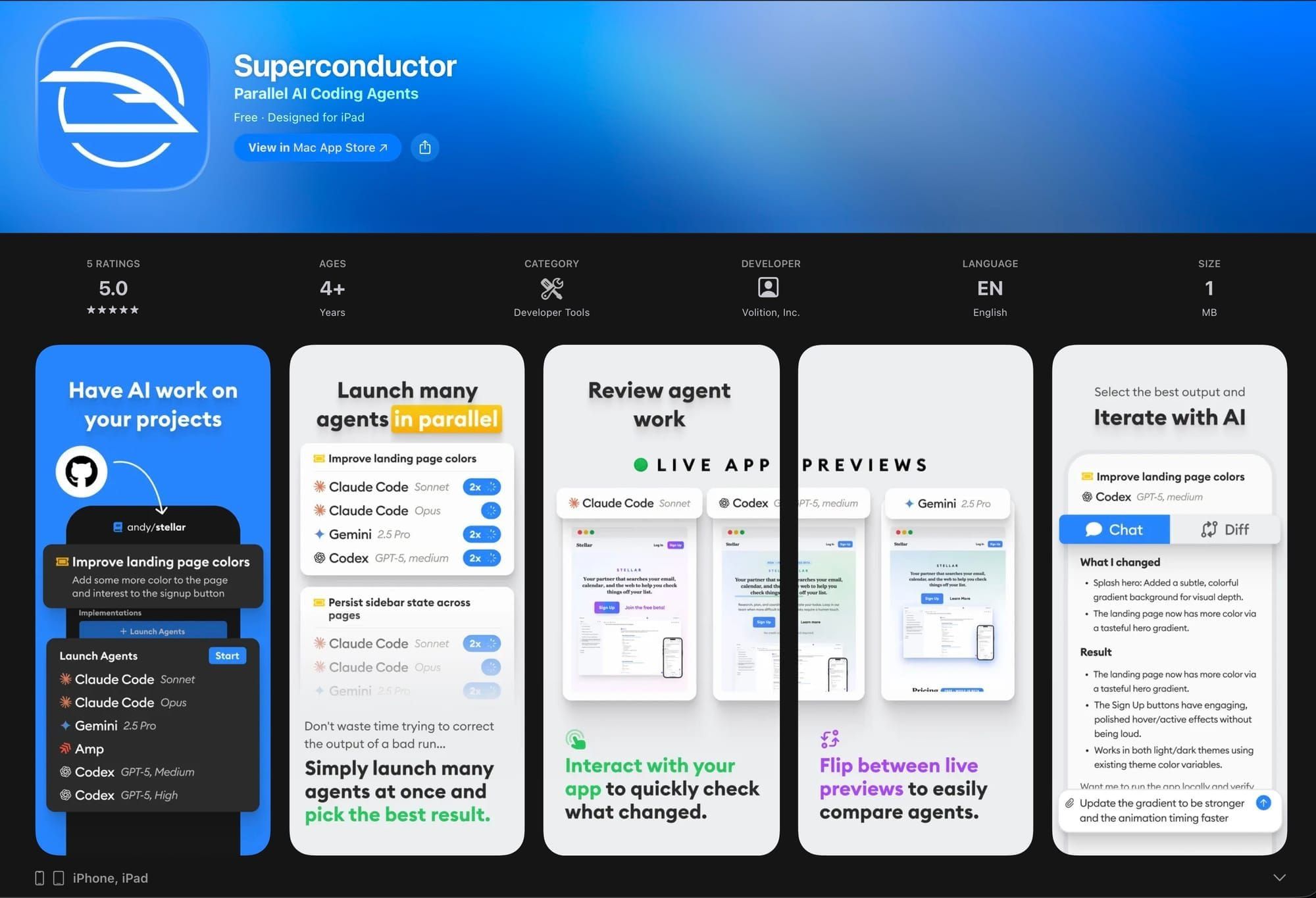
Superconductor's mobile apps let you create tickets, monitor agent work, review diffs, chat, and reply to notifications away from your desk.
iOS / iPad apps
Download the Superconductor iOS app from the App Store.
On iPhone and iPad, you can:
- See your recently active tickets at a glance from the Home tab
- Create and manage tickets
- Launch multiple agents in parallel
- Chat with agents
- Review diffs and live previews
- Access all workspace and project settings
- Create PRs from Superconductor tickets on GitHub and open them in the GitHub app
Pro tip: Use the voice dictation feature on your phone's keyboard to quickly create Superconductor tickets on the go. Just tap the microphone icon on your keyboard and describe what you need — it's a fast way to capture ideas without typing.
Navigation
Use the tab bar at the bottom of the screen to move between the main views.
Home tab
Home is where you land when you open the app. It shows the implementations and chats you're following across all projects in the current workspace, so you can quickly pick up where you left off. This is the mobile equivalent of the Recent Activity sidebar on desktop.
Projects tab
Projects lists every project in the current workspace. Tap one to open its tickets and implementations. The Actions menu in a project's header links to its other pages: Chats, Benchmark, Automations, and Settings.
Workspace switcher
Tap the workspace name in the title bar when you need to switch context. The dropdown shows every workspace you belong to.
From the workspace switcher, you can also open workspace-level pages like Usage, Settings, and Members without leaving the mobile app.
Siri & Shortcuts
Siri and Shortcuts can create tickets or open projects for you, which is useful when you're away from your keyboard.
Available shortcuts
- Create Ticket — Create a new ticket in a project. Siri will ask you which project and what the ticket should say, then create it for you. Example phrases:
- "Create a ticket with Superconductor"
- "Create a Superconductor ticket in [project name]"
- Open Project — Open a project directly in the app. Example phrases:
- "Open [project name] in Superconductor"
You may need to allow Superconductor access the first time you use a shortcut. These shortcuts also appear in the Shortcuts app, where you can incorporate them into custom automations.
Push notifications
Push notifications keep you in the loop while agents work on your tickets. You can enable or disable both mobile and browser push notifications from Account Settings.
What you'll get notified about
You'll receive a notification whenever an agent or a teammate sends a message in an implementation or chat you're following. Each notification includes the ticket or chat title and a preview of the message; messages from a teammate are labeled with their name. Tapping a notification takes you straight to the relevant conversation in the app.
Getting @mentioned both follows you into a conversation and notifies you, so a teammate can pull you into an implementation you weren't watching.
You can reply to agent messages directly from a notification without opening the app — just long-press or pull down on the notification and tap Reply.
Notifications are grouped by ticket or chat, so your notification center stays organized. If you're already viewing the conversation that a notification is about, the app automatically suppresses it to avoid interrupting you.
Your app badge updates to show the count of unread notifications, and it resets as you read your messages.
Enabling notifications
Push notifications are not enabled by default — you need to opt in:
- Open the Superconductor app on your iOS or iPad device
- Go to your account settings
- Toggle Enable Notifications on under the Push Notifications section
- When prompted by iOS, tap Allow to grant notification permissions (alerts, sounds, and badges)
You can disable notifications at any time by toggling the setting back off. You can also manage notification permissions in your device's Settings > Superconductor page.
Android app
On Android, install Superconductor as a Progressive Web App (PWA):
- Open superconductor.com in Chrome on your Android device
- Tap the menu button (three dots) in the top right
- Tap Add to Home screen or Install app
- The app will be installed and available from your home screen