Account settings
Manage your profile, security, subscriptions, and notifications from your account settings.
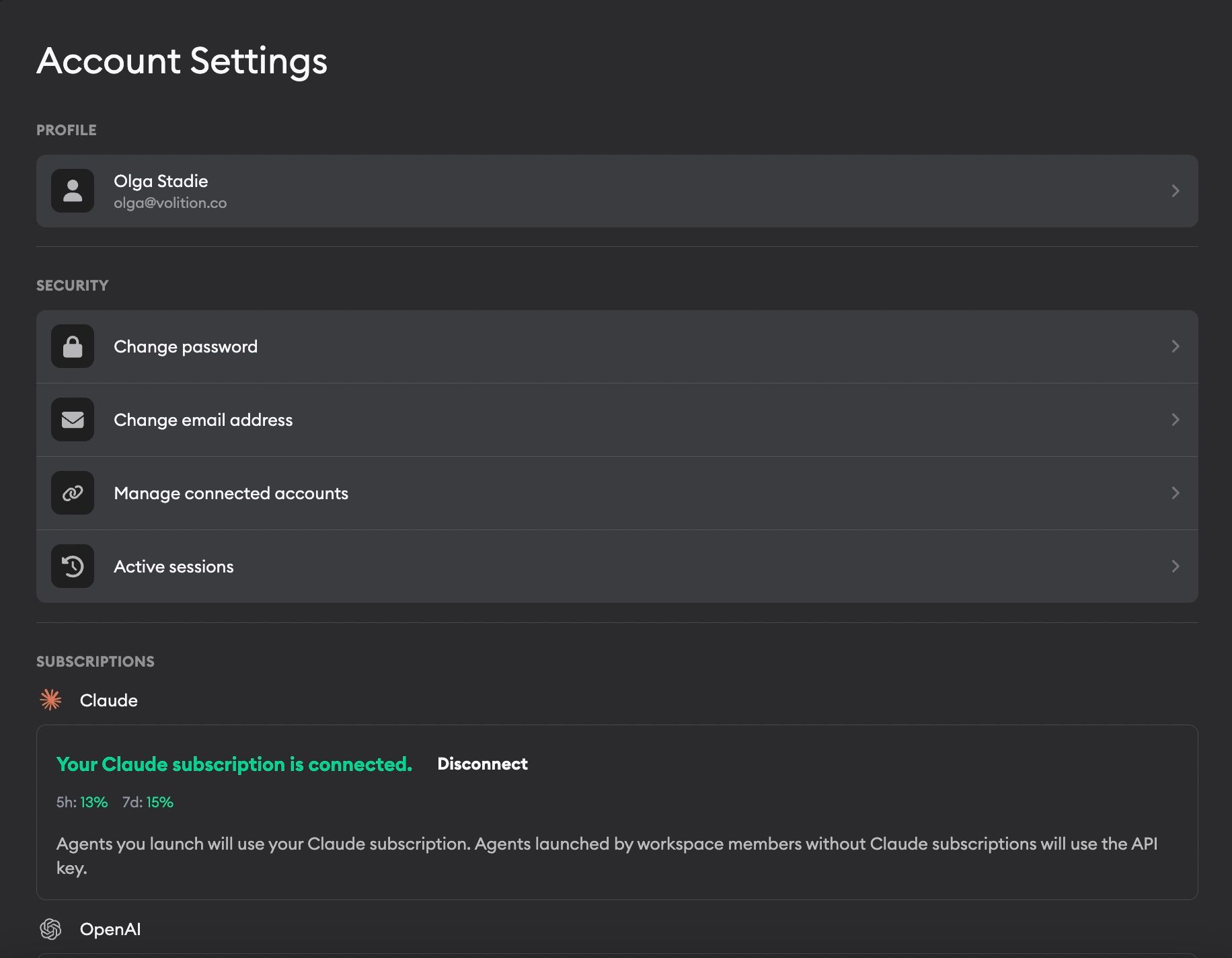
Your account settings let you manage everything tied to your personal Superconductor account. To get there, click on Account in the bottom-left corner of the sidebar.
Profile
Click your name and email to edit your account details:
- Profile picture — Upload an image for your account, preview it before saving, or remove it later. This picture is shown as your avatar across Superconductor. If you sign in with Google or GitHub and haven't uploaded one, Superconductor uses your profile photo from that account.
- Name — Update your display name
- Theme — Choose System, Dark, or Light. System follows your device's theme setting.
Agent profiles
Default agent profile

Pick the agent profile Superconductor uses when you launch implementations in Superconductor, or when you trigger an agent from Slack, GitHub, or Linear without specifying a model. Changes save automatically.
For example, if an @Superconductor mention doesn't include model:..., Superconductor uses this default. When you create a ticket in Superconductor, it also preselects one run of this agent so you can submit right away.
If your saved default isn't configured for the project the request targets — for example, the project doesn't have the required API key — Superconductor falls back to the best available profile for that project.
Security
- Change password — Update your account password
- Change email address — Update the email associated with your account
- Manage connected accounts — Link or unlink third-party login providers (e.g., Google, GitHub)
- Active sessions — View and manage devices where you're currently signed in and log out of sessions
Subscriptions
Connect your Claude, ChatGPT, or SuperGrok plans to use them when running agents. This is an alternative to workspace-level API keys — see Agent credentials for the full details on how Superconductor decides which credentials to use.
- Claude — Connect your Claude Pro, Max, or Team subscription via OAuth
- OpenAI — Connect your ChatGPT subscription
- Grok Build — Connect your SuperGrok subscription
Notifications
Toggle push notifications for the mobile app and for your web browser. When enabled, you'll get notified whenever an agent sends a message in an implementation or chat you're following.
Browser push notifications
Browser push notifications let Superconductor notify you on the web, even when you don't have the app tab focused. Each notification includes the ticket or chat title and a short message preview. If the agent message includes an embedded image, the browser notification can include that image too.
To enable browser notifications:
- Open Account Settings in the browser where you want notifications
- Toggle Push notifications on in the Notifications section
- Allow notifications when your browser asks for permission
Browser notification permissions are per browser and device. If you use Superconductor in multiple browsers or on multiple computers, enable notifications from each one where you want alerts.
Help & Resources
- Docs — Opens the Superconductor documentation
- Support — Opens a support request form
Delete account
At the bottom of the page you'll find the Danger Zone. Deleting your account permanently removes your user and all related data. This action cannot be undone.