Keyboard shortcuts
Every keyboard shortcut in Superconductor, grouped by where you use it.
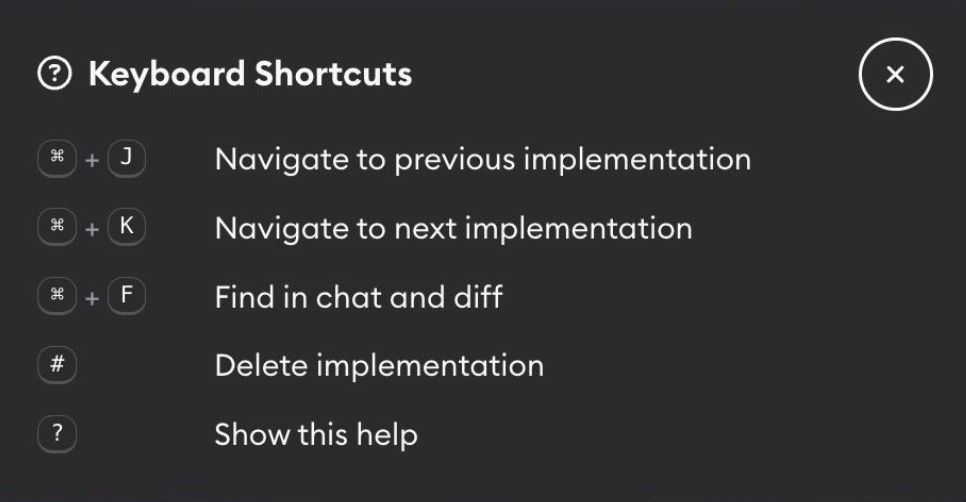
Superconductor has shortcuts for the things you do most: moving between implementations, searching a diff, and sending a message. Press ? on a ticket or implementation to see the relevant ones without leaving the page.
The implementation shortcuts below don't apply on a Chats page, which has no diff and no sibling implementations to move between. Message shortcuts work the same everywhere.
Everything here works the same in a web browser and in the desktop app, except where noted. The desktop app adds a few of its own for managing the window.
Implementations
Available with an implementation open.
| Shortcut | What it does |
|---|---|
Cmd/Ctrl+J | Go to the previous implementation |
Cmd/Ctrl+K | Go to the next implementation |
Cmd/Ctrl+F | Search the chat and diff at once |
# | Delete the current implementation |
? | Show keyboard shortcuts list in app |
Cmd/Ctrl+J and Cmd/Ctrl+K only do something when the ticket has more than one implementation.
Tickets
Available with a ticket open.
| Shortcut | What it does |
|---|---|
# | Delete the current ticket |
? | Show keyboard shortcuts list in app |
Writing messages
| Shortcut | What it does |
|---|---|
Cmd/Ctrl+Enter | Send a message in an implementation's chat box, in a project chat, or an inline diff comment |
Cmd/Ctrl+V | Paste an image from your clipboard into the chat |
Esc | Leave the message box, so single-key shortcuts work again |
Search results
Available while the implementation search bar is open.
| Shortcut | What it does |
|---|---|
Enter | Jump to the next match |
Shift+Enter | Jump to the previous match |
Esc | Close the search bar |
Moving around the app
These jump straight to items in your Recent Activity sidebar. Hold the key to reveal a number beside each item, then press that number.
| Shortcut | What it does |
|---|---|
Hold ` then 1–9 (browser), or Cmd/Ctrl+1 – Cmd/Ctrl+9 (desktop app) | Open one of the nine most recent items |
Hold ` then 0 (browser), or Cmd/Ctrl+0 (desktop app) | Open your private workspace chat |
Cmd/Ctrl+N | Open the new ticket or chat form — desktop app only, since browsers reserve this |
The modifier differs because browsers reserve Cmd/Ctrl plus a digit for switching tabs. These need a desktop-width window, and holding the key temporarily opens a collapsed sidebar so you can see which number belongs to each item.
Image gallery
Available after clicking an image artifact to open it full size.
| Shortcut | What it does |
|---|---|
← and → | Move to the previous or next image |
Esc | Close the gallery |
Desktop app
The desktop app adds shortcuts for navigating and managing the window.
| Shortcut | What it does |
|---|---|
Cmd/Ctrl+N | Open the new ticket or chat form from anywhere |
Cmd/Ctrl+Shift+H | Go to your projects |
Cmd+[ and Cmd+] (macOS), Alt+Left and Alt+Right (Linux) | Go back and forward |
Cmd/Ctrl+R | Reload |
Cmd/Ctrl+Shift+C | Copy a link to the current page |
Cmd/Ctrl+Alt+0, Cmd/Ctrl+-, Cmd/Ctrl+= | Reset, decrease, or increase zoom |
Back, forward, reload, and copy link act on whichever window is in front, including a live preview you've opened in its own window.
When shortcuts don't fire
Single-key shortcuts like # and ? are ignored whenever your cursor is in a text box, so they never interrupt you mid-message. Shortcuts that use Cmd/Ctrl still work while you're typing.