Muse Code
Run Meta's Muse Code agents with Muse Wonder and Muse Spark models in Superconductor.
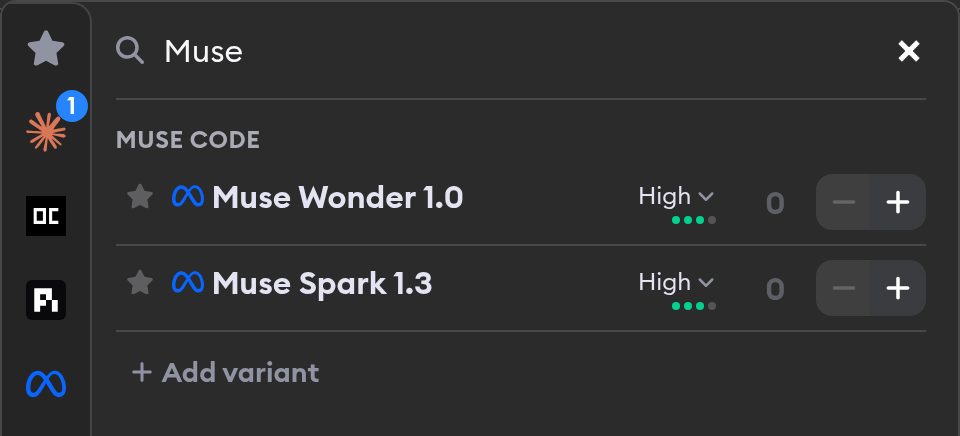
Muse Code is Meta's terminal coding agent, powered by the Muse Wonder and Muse Spark models. Superconductor lets you run Muse Code alongside the rest of your agents, so you can compare approaches on the same ticket without switching tools.
Credentials
Muse Code runs on your Muse Code subscription or a Meta API key.
Subscription: In Account Settings → Subscriptions (or in the Muse Code section of your workspace or project agent credentials), click Connect your Muse Code Subscription and approve the request on Meta's site. Agents you launch then run on your subscription instead of pay-as-you-go billing, and their cost shows as covered by your plan.
If your subscription lapses, Muse Code agents stop running on it and the subscription shows as no longer active. After renewing it with Meta, connect it again, or connect a Meta account that has an active subscription.
API key: Create a Meta API key on the Meta Developer Platform, then add it in Workspace Settings → Agent Credentials or Project Settings → Agent Credentials. Meta bills keys you create there per token.
When both are available, your connected subscription is used first.
Models
Superconductor exposes these Muse Code profiles:
- Muse Wonder 1.0 (Medium) - Meta's most capable coding model at moderate reasoning effort
- Muse Wonder 1.0 (High) - Muse Wonder 1.0 with more reasoning for harder tickets
- Muse Wonder 1.0 (Extra High) - Muse Wonder 1.0 for complex, long-horizon work
- Muse Wonder 1.0 (Max) - Muse Wonder 1.0 at its highest reasoning effort
- Muse Spark 1.3 (Medium) - Meta's faster, lower-cost coding model at moderate reasoning effort
- Muse Spark 1.3 (High) - Muse Spark 1.3 with more reasoning for harder tickets
- Muse Spark 1.3 (Extra High) - Muse Spark 1.3 for complex, long-horizon work
- Muse Spark 1.3 (Max) - Muse Spark 1.3 at its highest reasoning effort
Meta manages model access behind your subscription or API key. In Superconductor, you just choose the Muse Code profile you want when launching a ticket.