Claude Code
Superconductor is the best place to run Claude Code in the cloud.
Credentials
Superconductor supports two ways to authenticate Claude Code:
- Claude Pro, Max, or Team plan: Connect your Claude.ai account via OAuth in your Account, Project, or Workspace settings. Your connected plan is used when you launch an implementation directly.
- API Keys: Configure your Anthropic API key at the Project or Workspace level. API keys are used when a connected Claude plan isn't available for the launch.
See Agent credentials for details on precedence rules.
Models
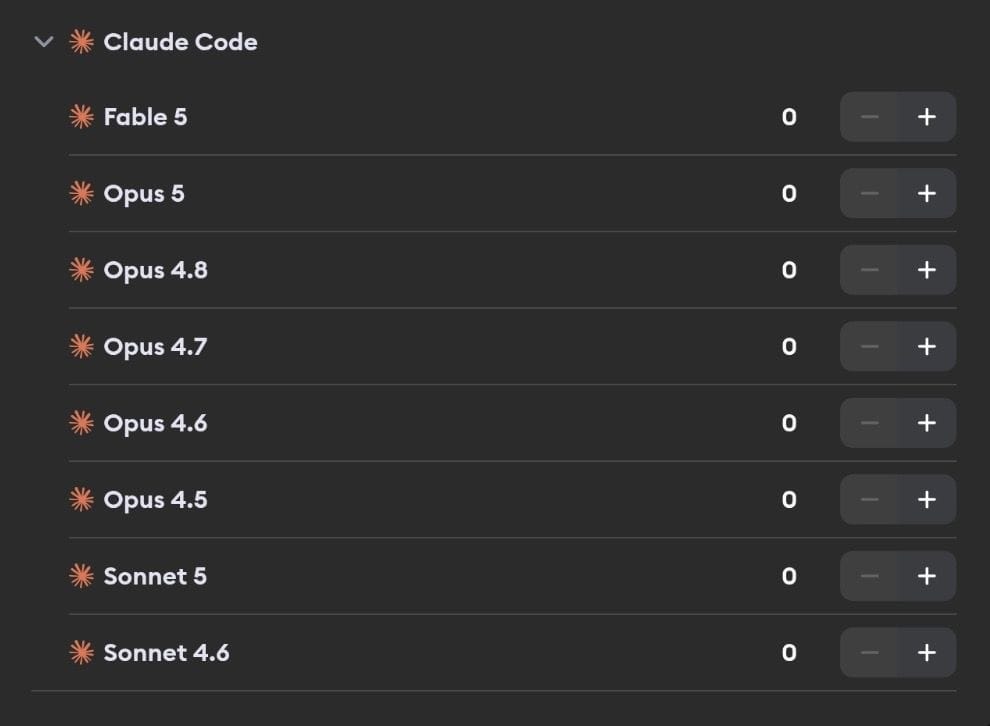
Claude Code supports the following models:
- Fable 5 - Claude's most capable widely released model, designed for larger and longer-running coding work
- Opus 5 - Most capable Opus-tier model for complex reasoning
- Opus 4.8 - Previous-generation Opus, still available
- Opus 4.7 - Earlier Opus model, still available
- Opus 4.6 - Earlier Opus model, still available
- Opus 4.5 - Earlier Opus model, still available
- Sonnet 5 - Latest Sonnet model with strong coding performance
- Sonnet 4.6 - Balanced performance and capability
Learn more about these models in the Anthropic documentation.
Steering a running agent

Claude Code takes new messages in the middle of a turn. If it's heading somewhere you didn't intend, or you thought of something it should know, you can just say so — no need to wait for it to finish or stop it and start over.
While Claude Code is working, the chat placeholder changes to Message the running agent.... That's your cue that steering is available. Send your message the way you normally would, and Superconductor hands it to the turn that's already in flight. You'll see Delivering your message to the running agent... in the work log while it's on its way, and Claude Code picks it up at its next opportunity.
Attachments work too, so you can steer with a screenshot of the bug you're seeing rather than describing it.
Steering is the right move when you want to add context or change direction but keep the work so far. When you'd rather throw out what the agent is doing entirely, stop it instead.
If the agent isn't mid-turn when you hit send, your message simply starts its next run. And if steering isn't available for a particular run, your message is queued and picked up as soon as the current turn ends — either way, nothing gets dropped.
Usage stats
If you've connected your Claude Pro, Max, or Team plan, Superconductor shows your rate limit utilization. Fable 5 has its own weekly limit, shown as a separate Fable number. See Usage stats for details.
Known issues
- We currently do not support the
AskUserQuestiontool.