Notion Skill
Let agents search, read, and create pages in your Notion workspace.
The Notion skill lets agents work with your Notion workspace through the Notion API. Agents can find the docs they need for context while implementing tickets, and create or update pages when you ask them to.
What agents can do
Once you connect Notion, agents can:
- Search pages and databases in your workspace
- Read page content, including nested blocks
- Query database rows
- Create new pages and append content to existing ones
Agents can only see the pages and teamspaces you grant to the connection.
Setup
Follow the steps below to choose which Notion pages agents can read and which Superconductor projects can use them.
1. Create a Notion connection
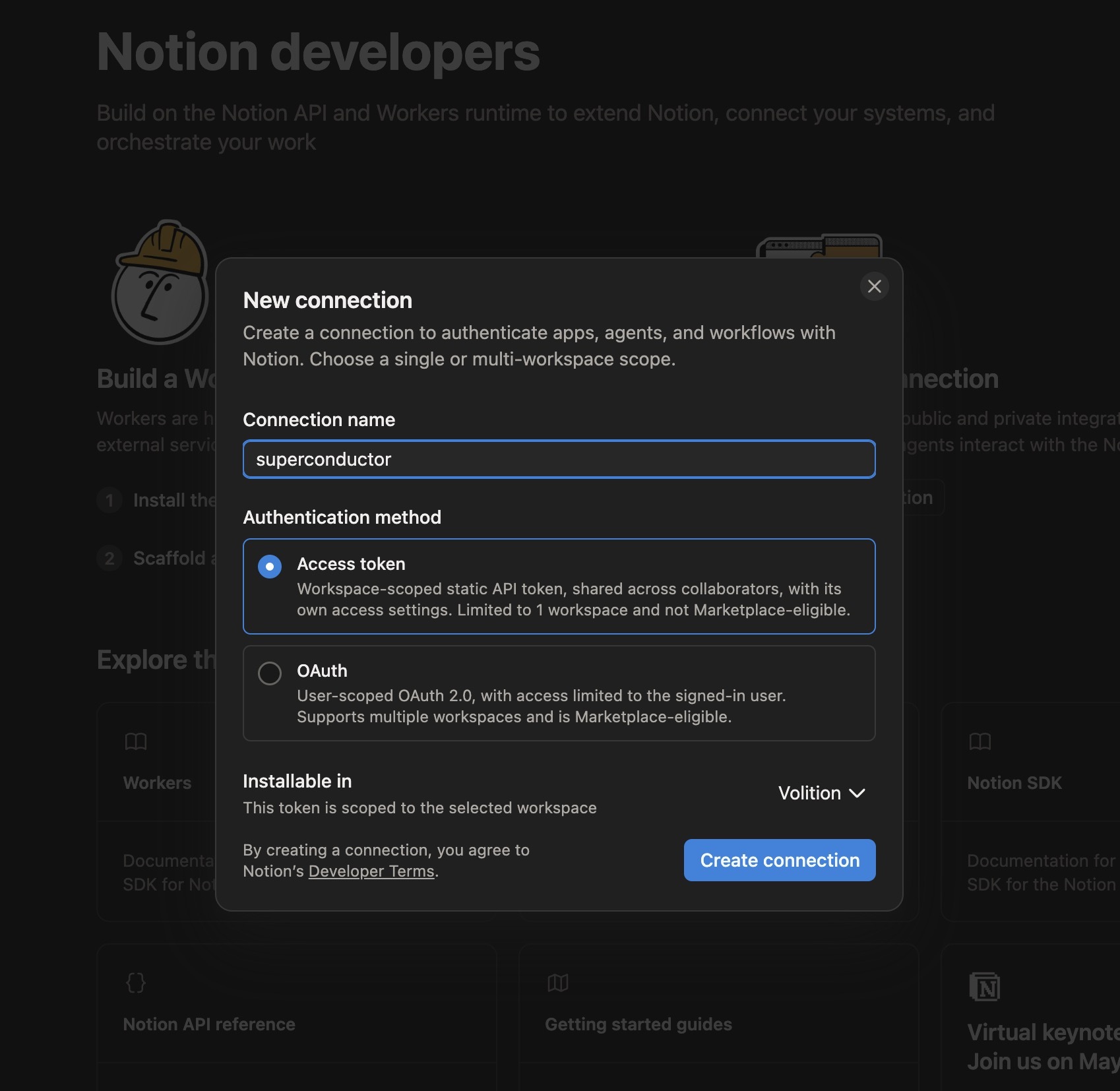
Go to notion.so/developers/connections and click New connection. Give it a name (e.g. "Superconductor"), choose the Access token authentication method, and pick the workspace it should be installed in.
2. Copy the access token
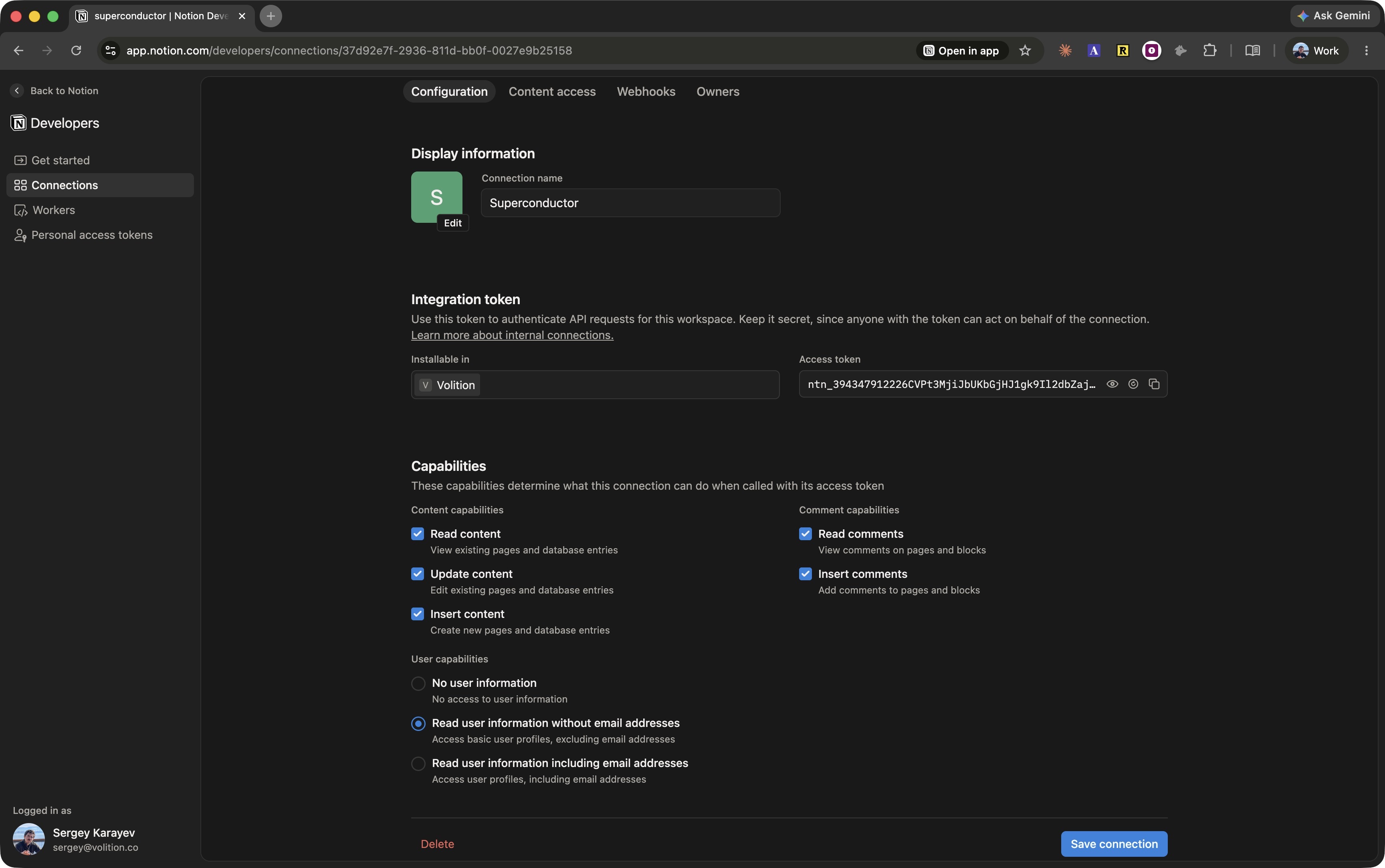
On the connection's Configuration tab, copy the access token (it starts with ntn_). This is the API key you'll give Superconductor.
While you're here, check the capabilities. Agents need Read content for search and reading; add Insert content and Update content if you want them to create and edit pages.
3. Select the content it can access
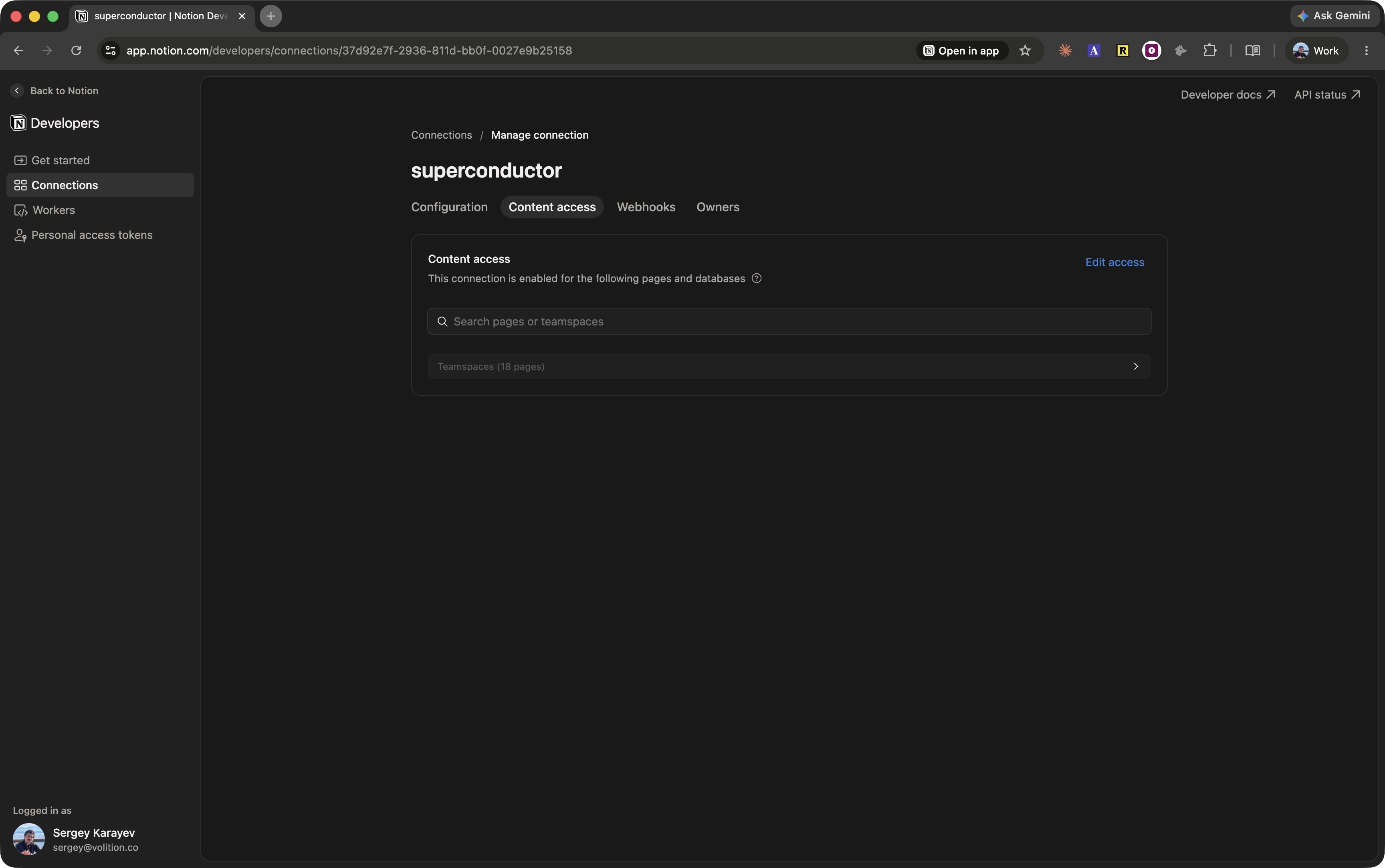
On the Content access tab, choose the pages and teamspaces the connection can see. Agents can only access what you select here.
4. Connect Notion in Superconductor
- Go to Workspace Settings → Connectors.
- Find Notion, click Connect (or Connect another to add another account), and paste the access token.
- Choose Workspace Service Account to share the connection with your team, or Personal Account for a connection that belongs to you.
- Choose Specific projects and select the projects that need it, or Any project in the workspace.
- For a personal account, choose Only agents I launch or Anyone's agents. See connection options for details.
- Click Connect Notion.
When to use it
Ask agents to use Notion when a ticket references specs, runbooks, incident reports, or other docs that live in your workspace — or when you want an agent to write its findings back to a Notion page.
Troubleshooting
Agents can't find a page
The connection only sees content selected on its Content access tab.
To fix:
- Open your connection at notion.so/developers/connections
- On the Content access tab, add the missing pages or teamspaces
Agents can't create or edit pages
The connection's capabilities are read-only by default in some setups.
To fix:
- Open the connection's Configuration tab
- Enable Insert content and Update content, then save