
Keep Asana tasks in sync with Superconductor's coding agents
Connect Asana to Superconductor and your coding agents can now read the task behind a ticket, file follow-up work, and comment on tasks as they go. Superconductor runs that work in a shared session, so your team can see what the agent read in Asana and what it changed.
Superconductor lets you and your team chat with coding agents such as Claude Code, Codex, Pi, and more in shared, secure cloud sessions.
With our Asana integration, you can
- Start work from an Asana task without pasting in its details
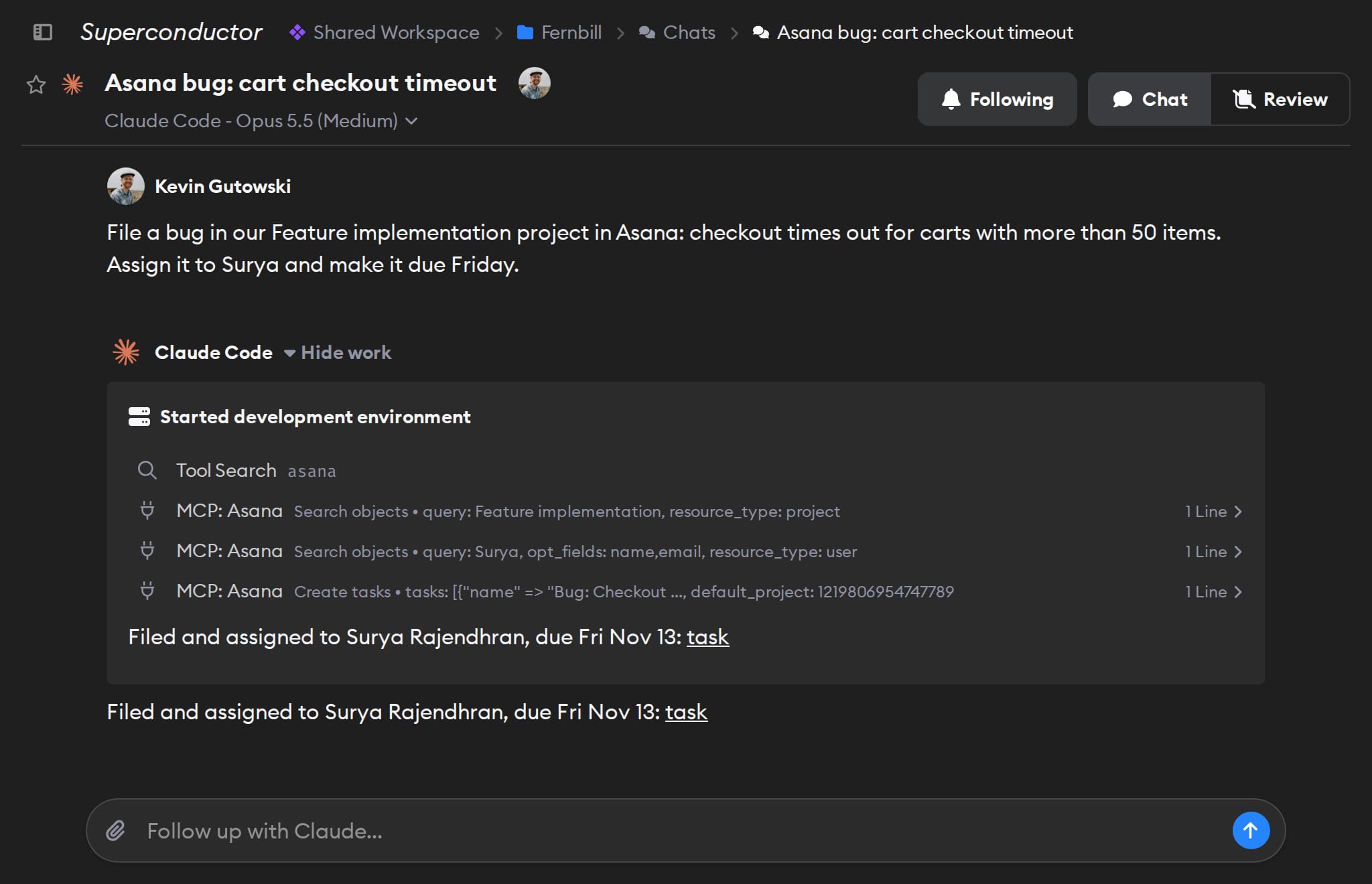
- File follow-up tasks with an owner and a due date
- Comment on a task when the work is done
Try asking
- Post a status update on our Website Refresh project in Asana listing each overdue task and its owner.
- Turn the action items in this meeting summary into tasks in our Q4 Launch project in Asana, each with an owner and a due date.
- List the Asana tasks assigned to me that are due this week. Don't change anything.
Technical details
- Agents can
- Search, create, update, and delete tasks; comment; manage projects and post status updates
- Access
- What your Asana account can see and change, in the one workspace chosen at sign-in
- Needs
- Sign in with Asana; personal access tokens aren't supported
- Server
- Asana's official V2 MCP server
Example
Questions
- Can Claude Code use the Asana MCP server?
- Yes. Once you connect Asana, agents with access to the connection can use it, with nothing to install.
- How do I connect Asana?
- Click Connect on the Asana card in Workspace Settings → Connectors and sign in with Asana. Asana's MCP server doesn't accept personal access tokens.
- Can agents delete Asana tasks?
- Yes, and what they create or post shows up under the signed-in person's name. Tell agents when they should only read.