
Start coding agents from Slack threads with Superconductor
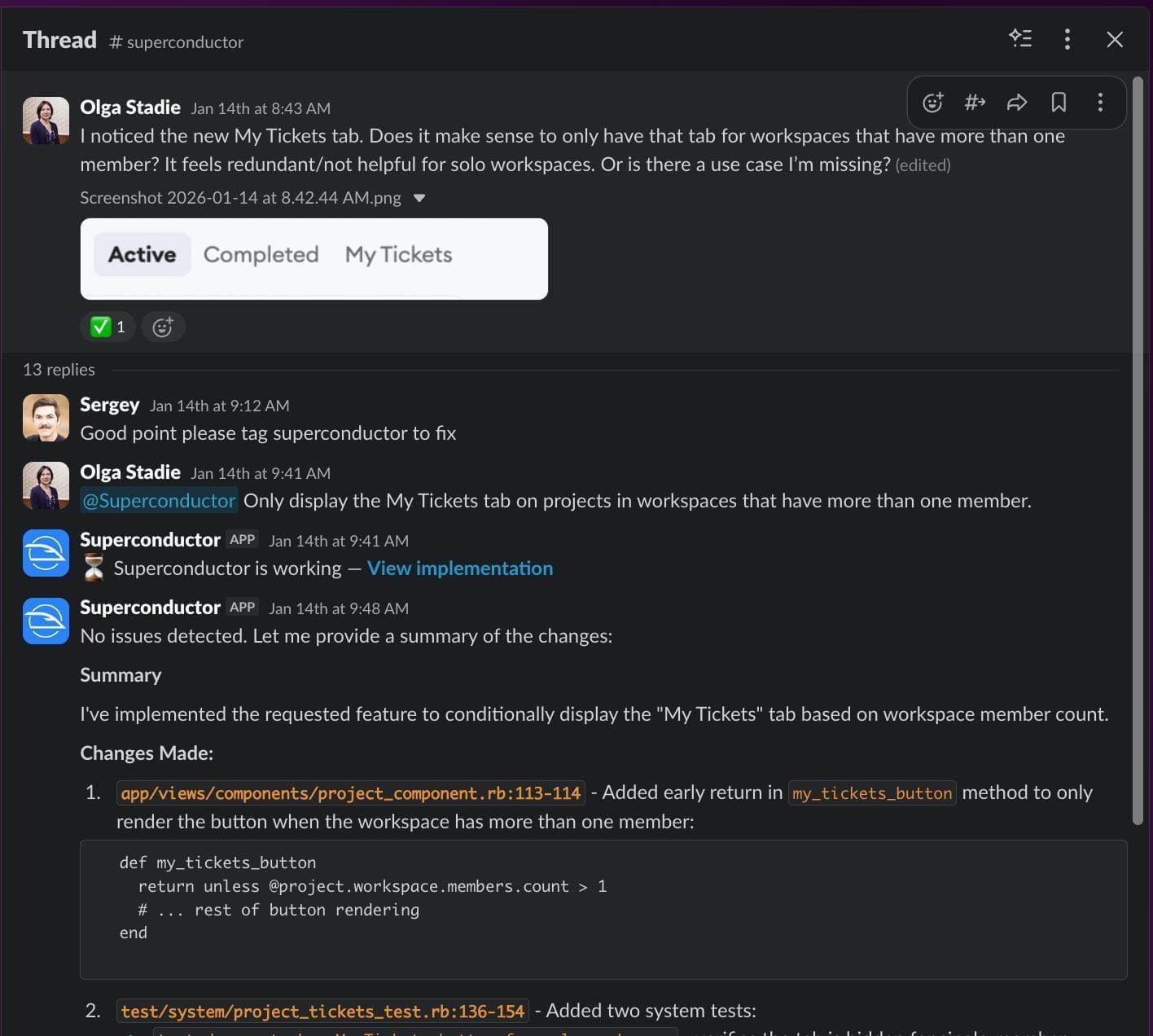
Connect Slack to Superconductor and any teammate can tag @Superconductor in a thread to have a coding agent pick up the request. Superconductor posts replies, screenshots, and pull request links back to the thread, so teammates in the channel can review and steer the work.
Superconductor lets you and your team chat with coding agents such as Claude Code, Codex, Pi, and more in shared, secure cloud sessions.
With our Slack integration, you can
- Open a pull request from Slack: reply with
@Superconductor pr - Let teammates in the thread steer the agent by replying
- Set a default project for each channel where the agent will work
Technical details
- Trigger
@Superconductorin a channel or thread- Context
- The full thread, plus attached files and images
- Result
- Replies, screenshots, and PR links in the same conversation
- Needs
- Slack app from Workspace Settings; link your Slack account
Example
Questions
- Is Superconductor an approved Slack app?
- Yes. It's listed on the Slack Marketplace and has been reviewed by Slack, so most workspaces can install it without a custom app exception.
- Does everyone in the channel need a Superconductor account?
- Yes, to start or steer work. Slack accounts link automatically when the Slack email matches a member of your Superconductor workspace; anyone else gets a reply asking them to link their account.
- Can I close the ticket from Slack?
- Yes. Reply
@Superconductor closein the implementation thread, and Superconductor marks the ticket completed if you have permission to update it.