
Run Grok Build as a team in Superconductor
Connect your SuperGrok plan or Grok API key to Superconductor and your whole team can run Grok Build on cloud computers everyone can watch. With Superconductor, your team can watch each session and benchmark Grok Build on merged pull requests.
Superconductor lets you and your team chat with coding agents such as Claude Code, Codex, Pi, and more in shared, secure cloud sessions.
With our Grok Build integration, you can
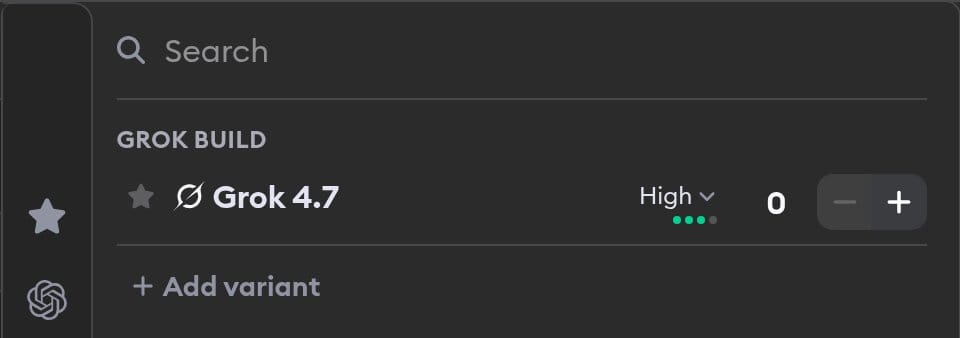
- Pick Grok 4.7's reasoning effort for each run
- Use your SuperGrok plan instead of paying per token
- Benchmark Grok Build on your own merged PRs
Technical details
- Runs on
- SuperGrok plan or Grok API key
- Models
- Grok 4.7 at Low, Medium, High, Extra High
- Repo config
.mcp.jsonplus skills, commands, plugins in.grok/
Example
Questions
- How do I connect my SuperGrok plan?
- Click Connect in the SuperGrok Plan Connection modal and approve the request on x.ai; there's nothing to install. If the browser flow doesn't work for your account, run
grok loginlocally and paste the contents of~/.grok/auth.jsoninstead. - Whose SuperGrok plan does a run use?
- The plan of the person who launched it. If they haven't connected one, Superconductor uses the project's Grok API key, then the workspace key.
- Can I use workspace credits with Grok Build?
- No. Grok Build needs a connected SuperGrok plan or a Grok API key.