
Bring customer conversations from Intercom to Superconductor agents
Connect Intercom to Superconductor and your agents can now search customer conversations, look up contacts and companies, and update Help Center articles. Agents work in a shared Superconductor session, so your support and product teams can turn what customers say into fixes and articles together.
Superconductor lets you and your team chat with coding agents such as Claude Code, Codex, Pi, and more in shared, secure cloud sessions.
With our Intercom integration, you can
- Summarize what customers are asking for across recent conversations
- Read a customer's conversation before fixing the bug they reported
- Update a Help Center article to answer a common question
Try asking
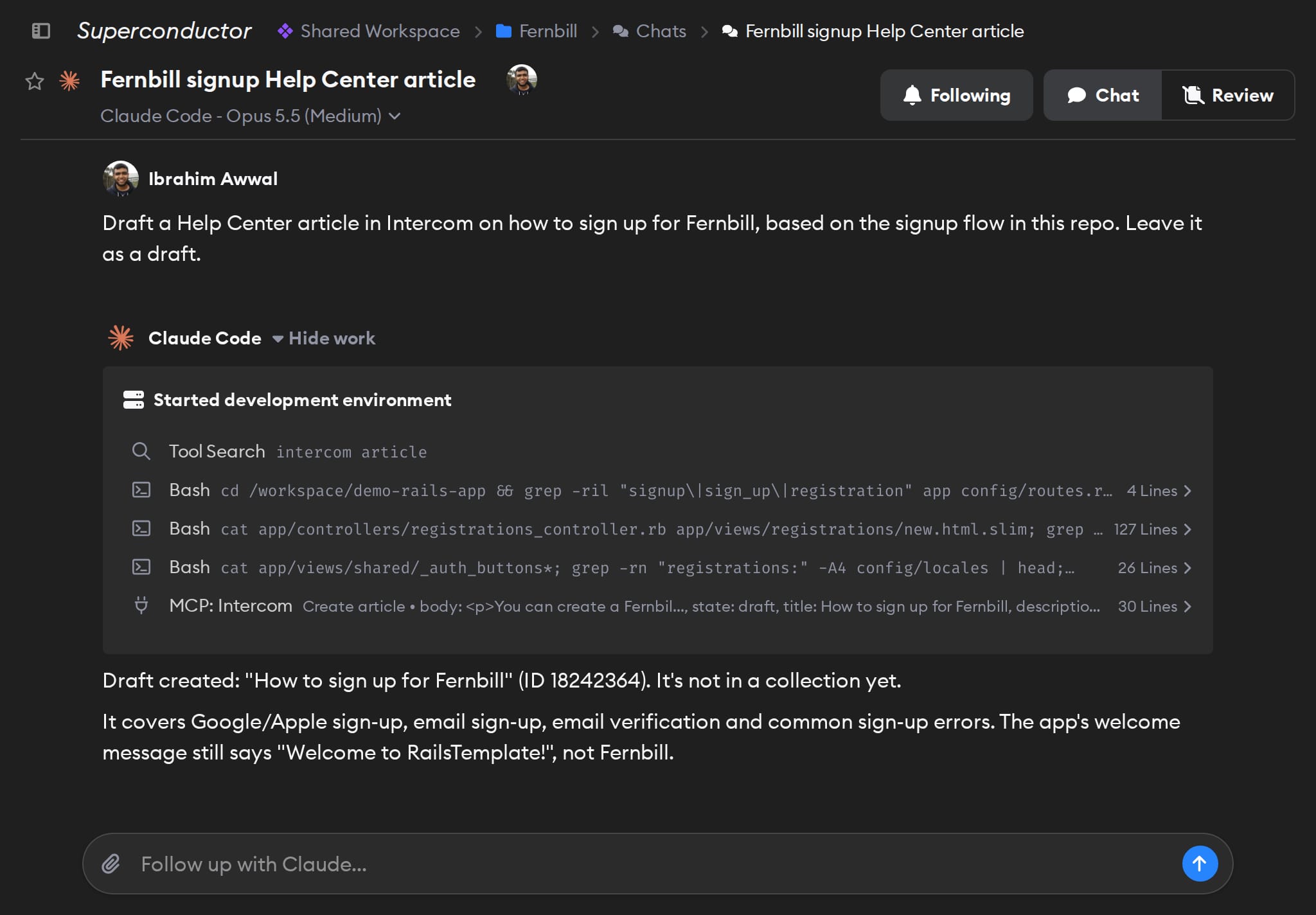
- Find Intercom conversations from the last two weeks that mention CSV export, then draft a Help Center article that answers the question customers ask most. Leave it as a draft.
- Read the Intercom conversation linked in this ticket, fix the bug the customer hit, and add an internal note to the conversation saying the fix is in review.
- List the Help Center articles in Intercom that still mention our old pricing, with links. Don't change anything.
Technical details
- Agents can
- Search conversations, contacts, and articles; create and update articles; add internal notes
- Access
- The signed-in Intercom user's permissions
- Needs
- Sign in with Intercom, for a US-hosted workspace
- Server
- Intercom's hosted MCP server
Example
Questions
- Can Claude Code use the Intercom MCP server?
- Yes. Once you connect Intercom in Superconductor, every coding agent you run there, including Claude Code, can use Intercom's hosted MCP server at
mcp.intercom.com. There's nothing to install locally. - How do I connect Intercom?
- Click Connect on the Intercom card in Workspace Settings → Connectors and sign in with Intercom. There's no token to create; Intercom doesn't allow apps to ask for your access token.
- Does it work with EU-hosted Intercom workspaces?
- No. The connector uses Intercom's US-hosted MCP server, so it works only with workspaces hosted in the US.