
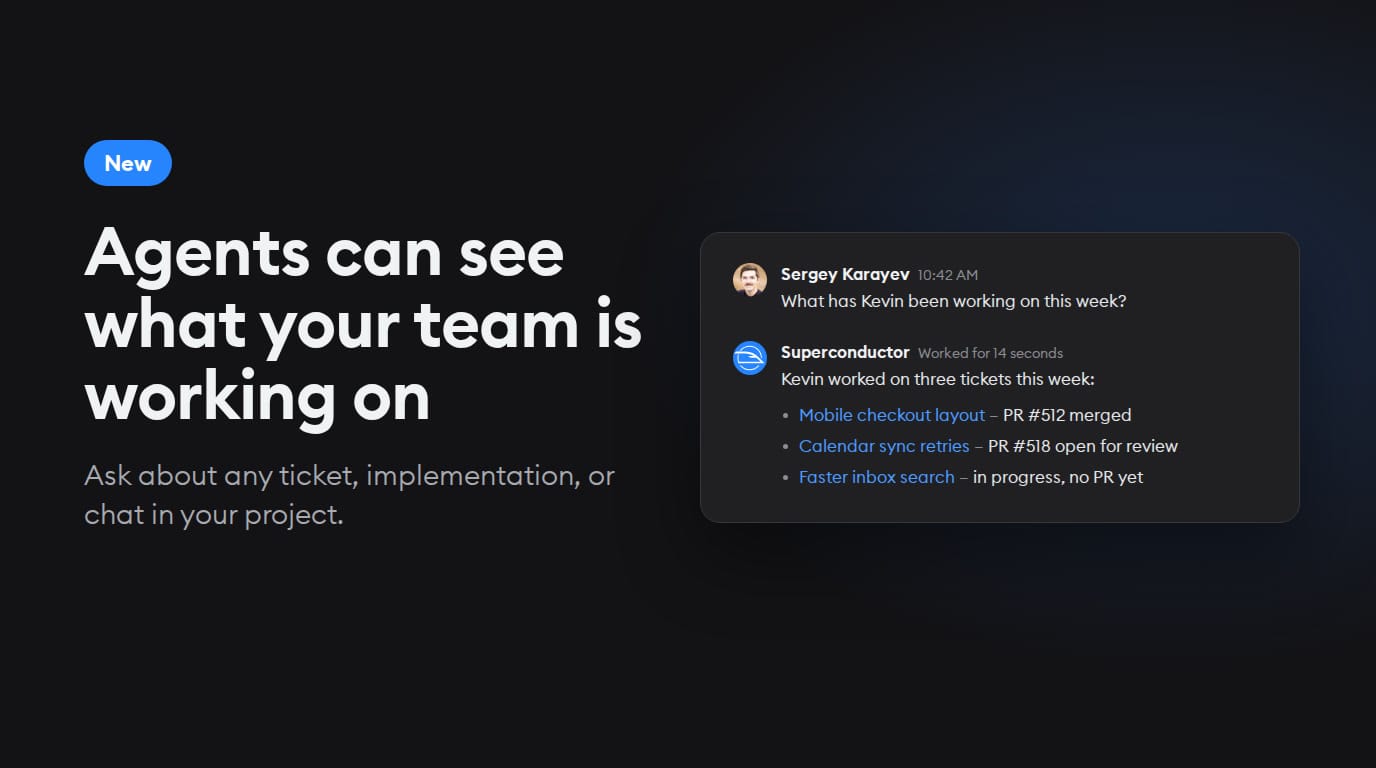
When you and your team are working with agents on a shared project, lots of people are doing lots of different things in parallel.
Previously, the work your teammates were doing in their own Superconductor implementations was siloed. Let’s say you wanted to find out if someone on your team was already on top of fixing a bug, what progress was made on a feature while you were out of the office, or whether anyone else on the team had brainstormed a new onboarding flow with their agent. In the past, you’d have to track down the teammate’s agent session or ping them to find out and wait for them to answer.
Now, every agent in Superconductor can look up the tickets, implementations, and chats in your project on its own. Ask it what your team is working on, or tell it which teammate's work to build on, and it goes and reads it and fetches all the relevant context.
What agents can do
- Catch up on project activity. List recent tickets with their implementations, who started them, and where each pull request stands, or list the project's recent chats.
- Read an implementation in full. Its ticket, its pull requests, and the whole conversation between your team and the agent, including who said what.
- Read an implementation's code changes. The latest diff for each repo, the same changes you see in the implementation's diff.
- Read a chat in full. The whole conversation between your team and the chat agent.
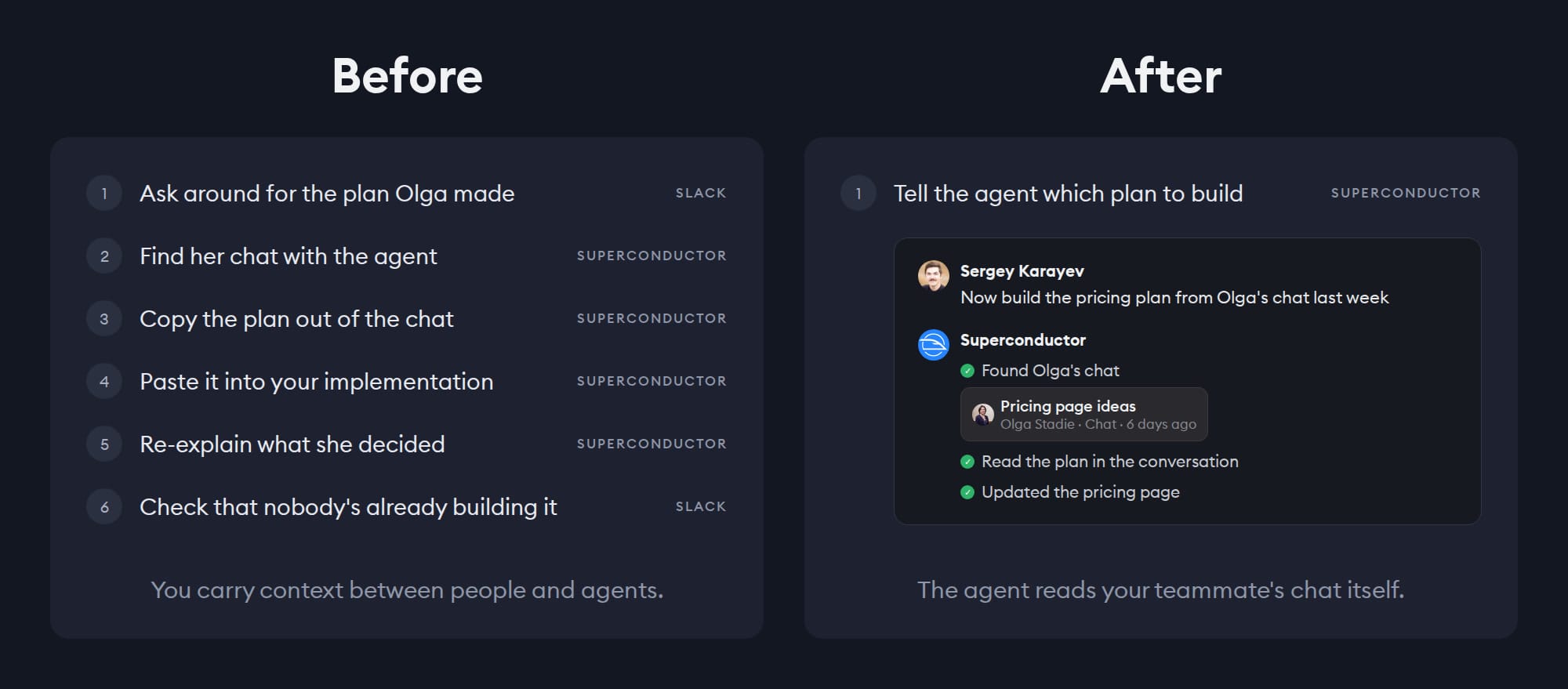
To point an agent at something, paste its link, or just describe it ("Olga's pricing chat from last week") and let the agent find it. This works from a ticket implementation, a chat, a meeting, or an email in Superconductor.
Some ways our team has been using this new skill
-
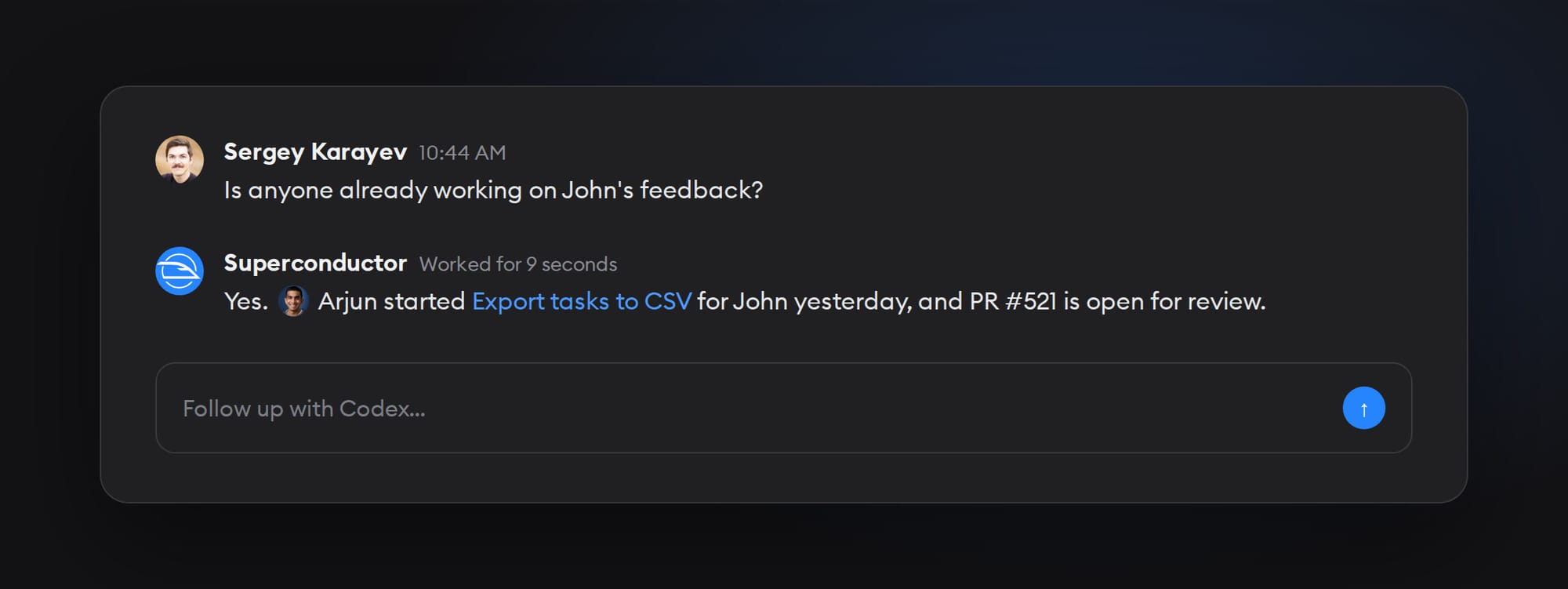
Check if anyone on the team is already working on a task. Before picking up a customer request or a bug fix, ask the agent whether anyone's already on it. The agent checks the project's tickets and chats and tells you who started what, and whether there's a pull request.
Is anyone already working on John's feedback?
-
Build on top of a teammate's (or your own) plan. If you have a brainstorming session with an agent in a chat, it’s now easier to hand over that context to a coding agent. Create a ticket and paste the chat's link in the description, and the agent reads the whole conversation before it starts.
Read the chat linked below and implement the plan we agreed on there.
-
Reuse a fix. If a teammate already solved a similar problem somewhere else, the agent can read their diff and do it the same way.
Read the diff from the login timeout implementation and apply the same fix to the admin app.
-
Get up to speed. Coming back from a few days off, or joining a project mid-flight? Ask the agent what's been happening.
What has Kevin been working on this week? And what has happened with work on voice input since last Thursday?
Pro tip: this pairs well with @ mentions. Pull a teammate into the chat to agree on the plan, then point the coding agent at that chat.
Is there anything else you’d like your agents to know about your team's work or any other places from which you’d like to pull context? Let us know!
More on multiplayer AI
Check out our Multiplayer AI Manifesto for the principles that we believe make AI truly multiplayer and how shared sessions change the way teams work with agents.