
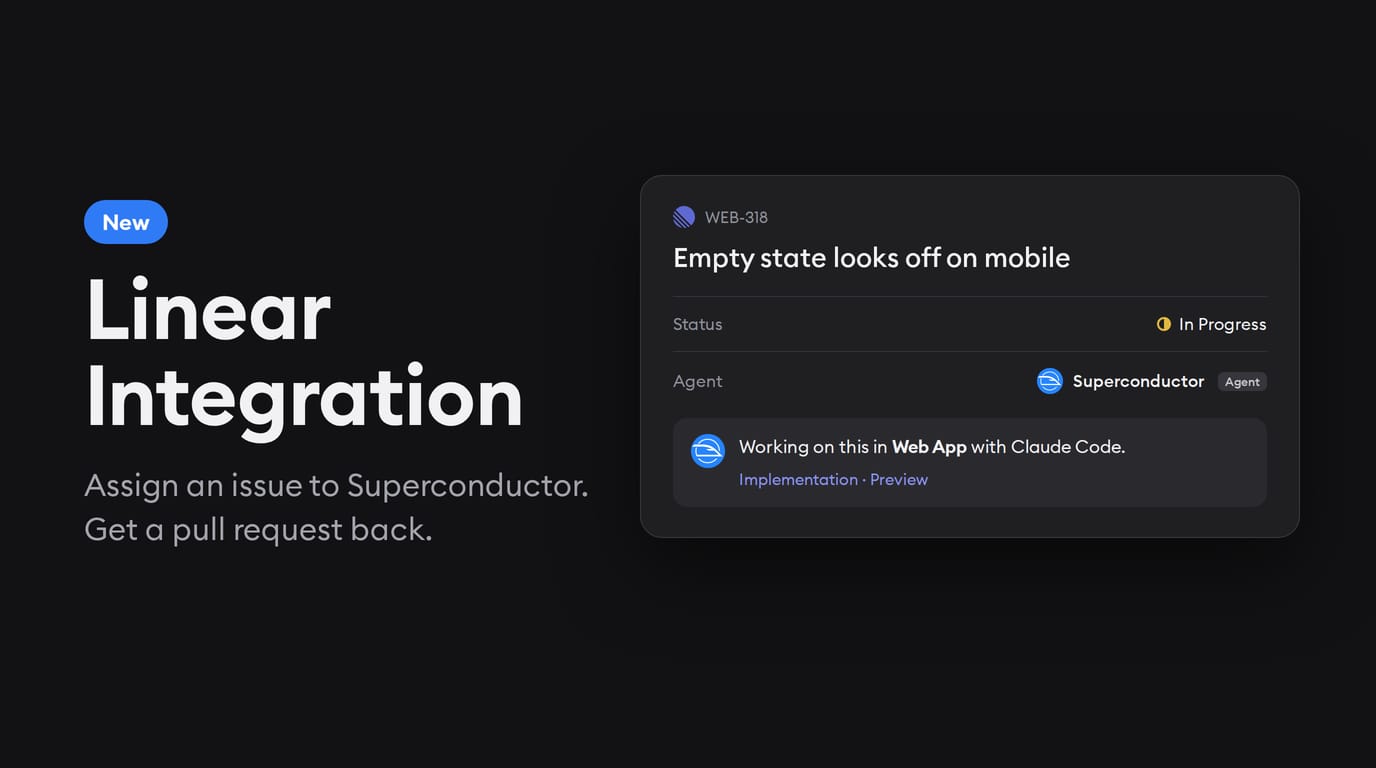
If your team organizes and prioritizes work in Linear, before today, getting a Superconductor agent to work on a Linear issue meant having to leave Linear.
You'd have to copy the issue into a Superconductor ticket, launch the agent, then go back and post the pull request on the issue back into Linear so the rest of the team knew it existed.
That's a lot of steps for a one-line fix, and it required the people who live in Linear, like a PM filing bugs or a designer flagging a layout issue, to jump back and forth between Linear and Superconductor to stay on top of what's happening with every ticket.
In fact, full Linear integration with Superconductor has been our customers' #1 feature request, and we're excited to announce that it's finally out!
What's new
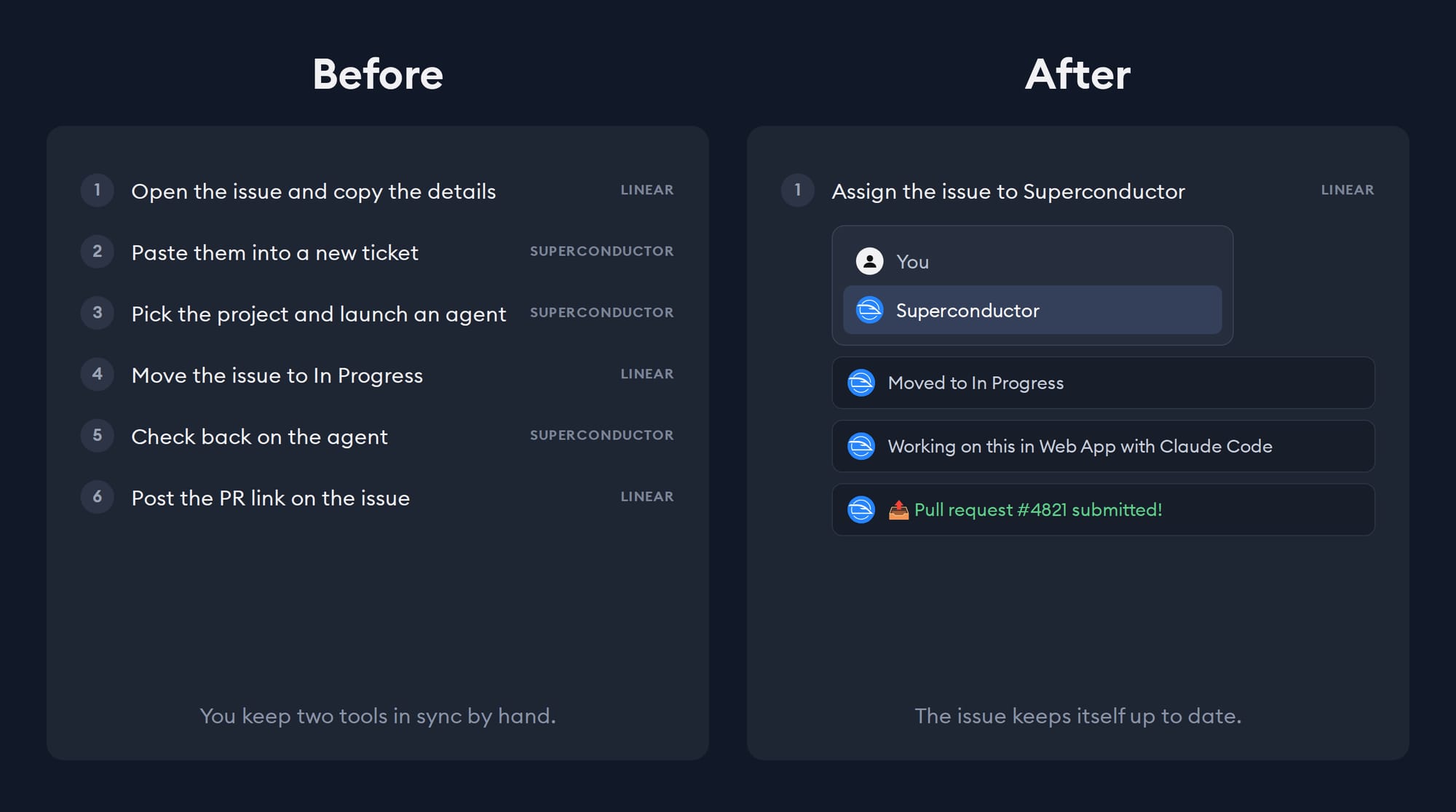
You can now hand an issue to Superconductor from Linear itself:
- Assign it. Pick Superconductor from the issue's assignee menu. You stay the assignee, and Superconductor works on your behalf.
- Mention it. Comment
@Superconductorin any Linear issue with instructions, like "The empty state looks off on mobile. Match the Figma design and add a test."
Superconductor creates a ticket linked to the issue and launches an agent with the issue's details. This works similar to how our existing Slack and GitHub integrations work.
From that point onwards, the issue on the Linear side shows what's happening: the status moves to In Progress, and the project and agent, the agent's reply, links to the implementation and its live preview, and the pull request all land in the issue's thread. You get a message when the pull request is submitted and again when it's merged. It all happens in Linear - no jumping between tools needed.
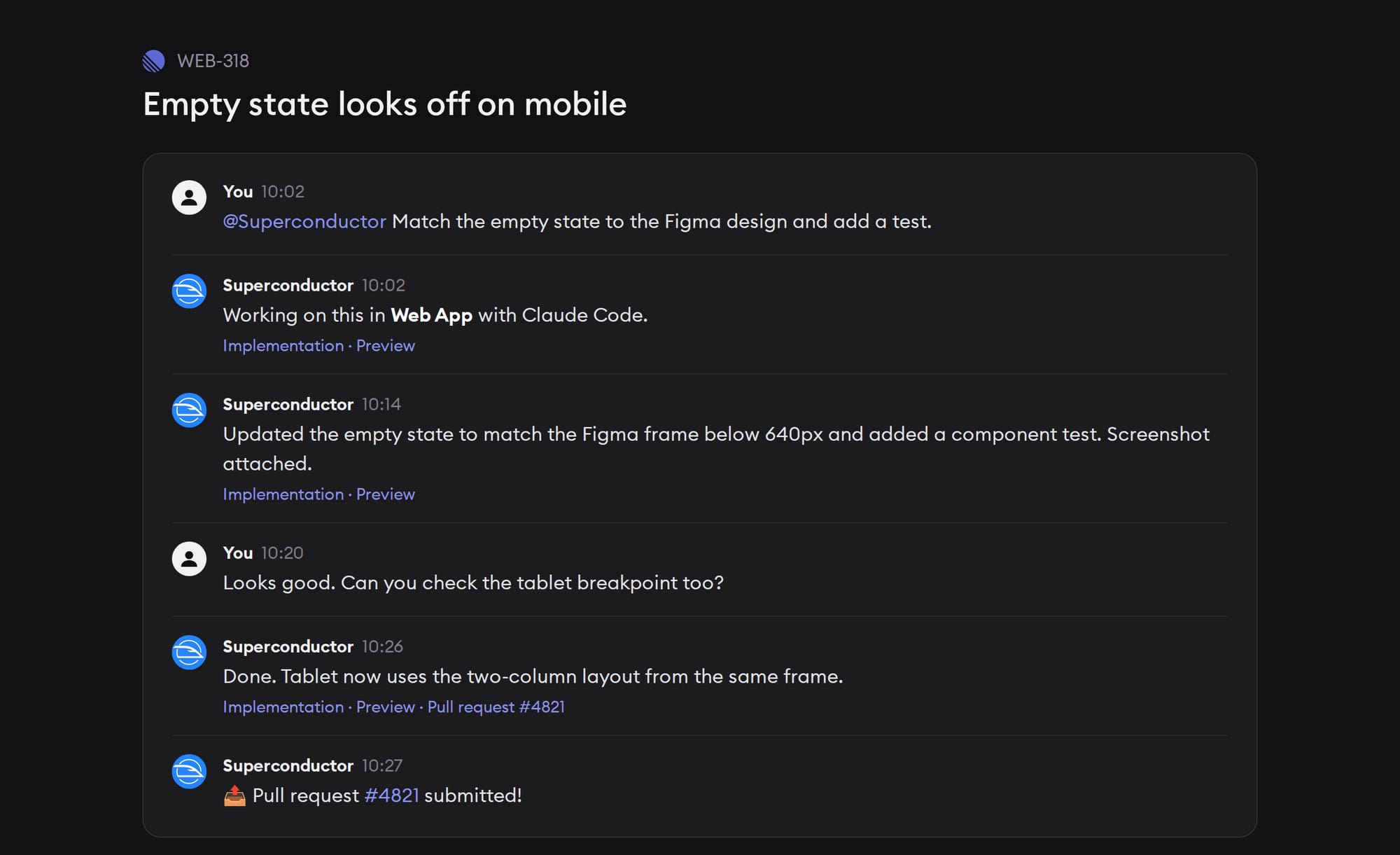
To ask for more changes, reply in that thread. Your message goes to the agent in Superconductor, and its answer comes back to Linear.
Some cool ways to use the Linear integration
- During a bug triage meeting, quickly assign five small bugs to Superconductor and come back to five pull requests ready for review.
- A PM files a copy change and @mentions Superconductor in the same comment, then checks the result on the preview link.
- Need a specific model? Add it to your mention:
@Superconductor model:opus Fix the flaky checkout test
Getting started
You only need to set up Linear Integration once per workspace - in Workspace Settings → Linear. After that, nobody else has to set anything up: anyone whose Linear email matches a member of your Superconductor workspace can assign issues to Superconductor. Read the Linear integration docs for the details.
Where else would you like to hand off work to agents? Let us know which integrations would be useful for your team!