
Build and test ElevenLabs voice-enabled agents with Superconductor
Connect ElevenLabs to Superconductor and your team's coding agents can now update your voice agents, run their tests, and generate speech in the same session as the code change. Superconductor keeps that work in a shared session your team can review, which matters because ElevenLabs puts agent changes live right away.
Superconductor lets you and your team chat with coding agents such as Claude Code, Codex, Pi, and more in shared, secure cloud sessions.
With our ElevenLabs integration, you can
- Update a voice agent's prompt, voice, language, or first message alongside the code that calls it
- Search conversation transcripts to find where a voice agent went off script, then fix the cause
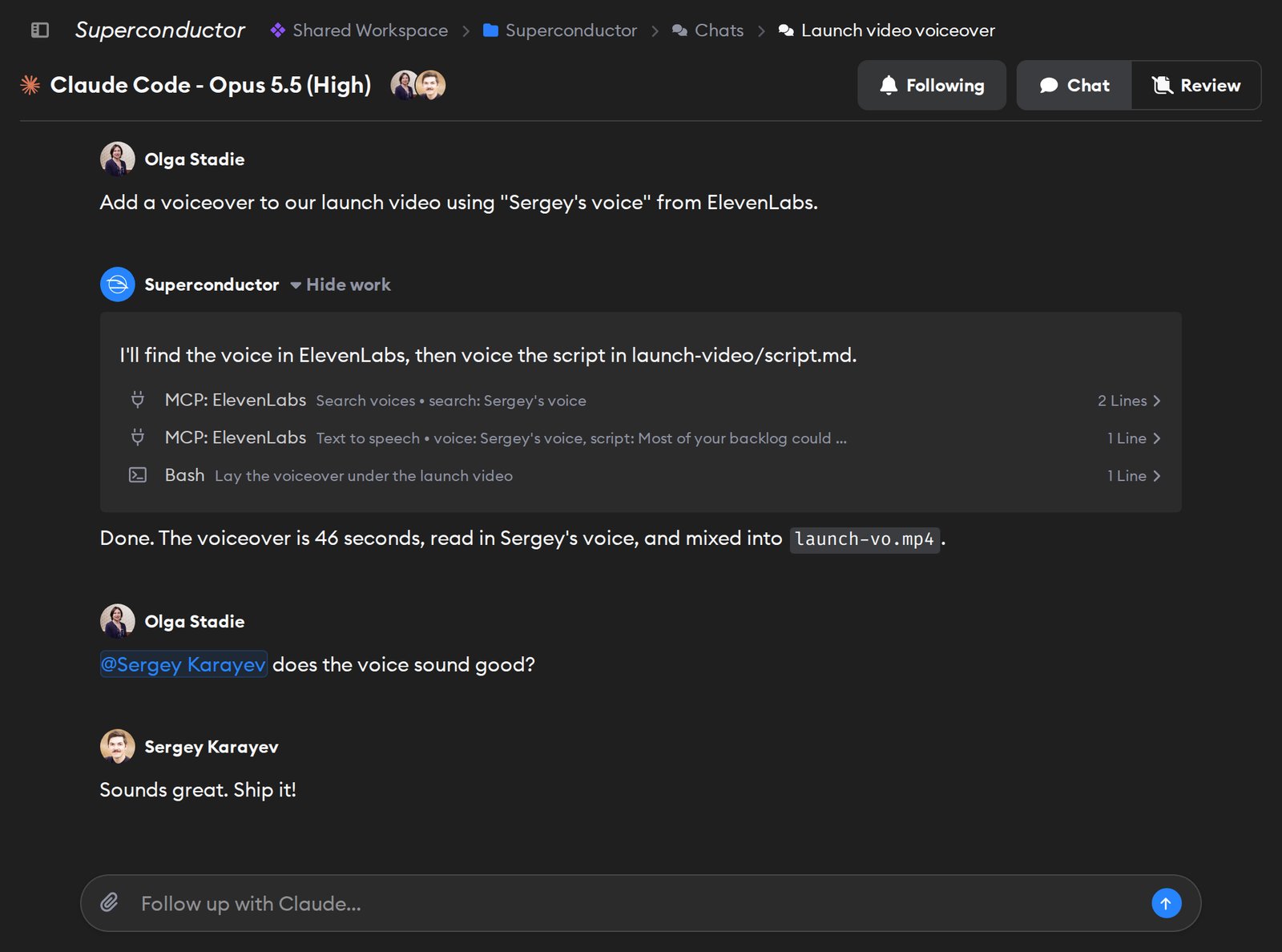
- Generate a voiceover for a demo or launch video, and have a teammate sign off on it in the same chat
Try asking
- Our refund policy changed last week. Update the support voice agent's prompt in ElevenLabs to match the new help center article, then run its tests and show me any that fail.
- Generate Spanish and French versions of our onboarding voiceover in ElevenLabs and attach them to this ticket for review.
- List every voice agent in our ElevenLabs workspace with its voice, language, and first message. Don't change anything.
Technical details
- Agents can
- Create and test voice agents, search transcripts, generate speech
- Access
- The ElevenLabs tools you approve; updates go live immediately
- Needs
- Sign in with ElevenLabs; API keys aren't supported
- Server
- ElevenLabs' hosted MCP server
Example
Questions
- Can Claude Code and Codex use the ElevenLabs MCP server?
- Yes. Once you connect ElevenLabs in Superconductor, every coding agent you run there, including Claude Code, Codex, and Pi, can use the ElevenLabs tools you approve. There's nothing to install locally.
- How do I connect ElevenLabs?
- Click Connect on the ElevenLabs card in Workspace Settings → Connectors and sign in with ElevenLabs. There's no API key to create, and ElevenLabs' hosted MCP server doesn't accept one.
- Do agent changes go live right away?
- Yes. Updates made through ElevenLabs' MCP server aren't saved as drafts, so tell agents when they should only read your setup.
- Does it use ElevenLabs credits?
- Yes. Generating speech uses your ElevenLabs credits.