
Run Factory Droid as a team in Superconductor
Connect your Factory API key to Superconductor and your whole team can run Factory Droid on cloud computers everyone can watch. With Superconductor, your team can compare Factory's own tool loop with other agents on the same ticket.
Superconductor lets you and your team chat with coding agents such as Claude Code, Codex, Pi, and more in shared, secure cloud sessions.
With our Factory Droid integration, you can
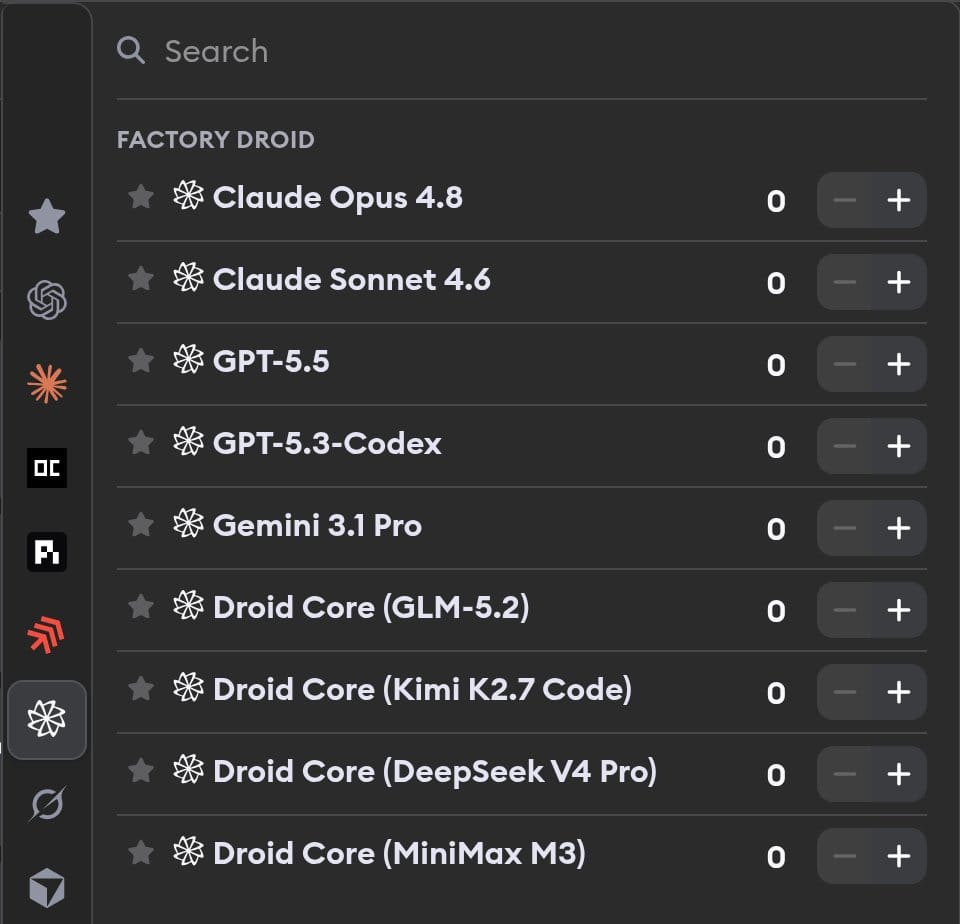
- Run Droid Core's open-weight models on real tickets
- Compare Factory's own tool loop with Claude Code on one ticket
- Use previews, automations, and workspace connectors
Technical details
- Runs on
- A Factory API key
- Models
- Claude, GPT, Gemini, and Droid Core open-weight models
- Harness
- Its own agent and tool loop, not a model swap
Example
Questions
- Do I need Anthropic or OpenAI keys for Droid's Claude and GPT models?
- No. Factory manages model access behind your Factory API key, so one key covers every Droid profile.
- What are Droid Core models?
- Open-weight models served by Factory: GLM-5.2, Kimi K2.7 Code, DeepSeek V4 Pro, and MiniMax M3.
- Can I use workspace credits with Factory Droid?
- No. Factory Droid needs a Factory API key, which you create in Factory's API keys settings and add in Project or Workspace settings.