
Bring customer conversations from Front to Superconductor agents
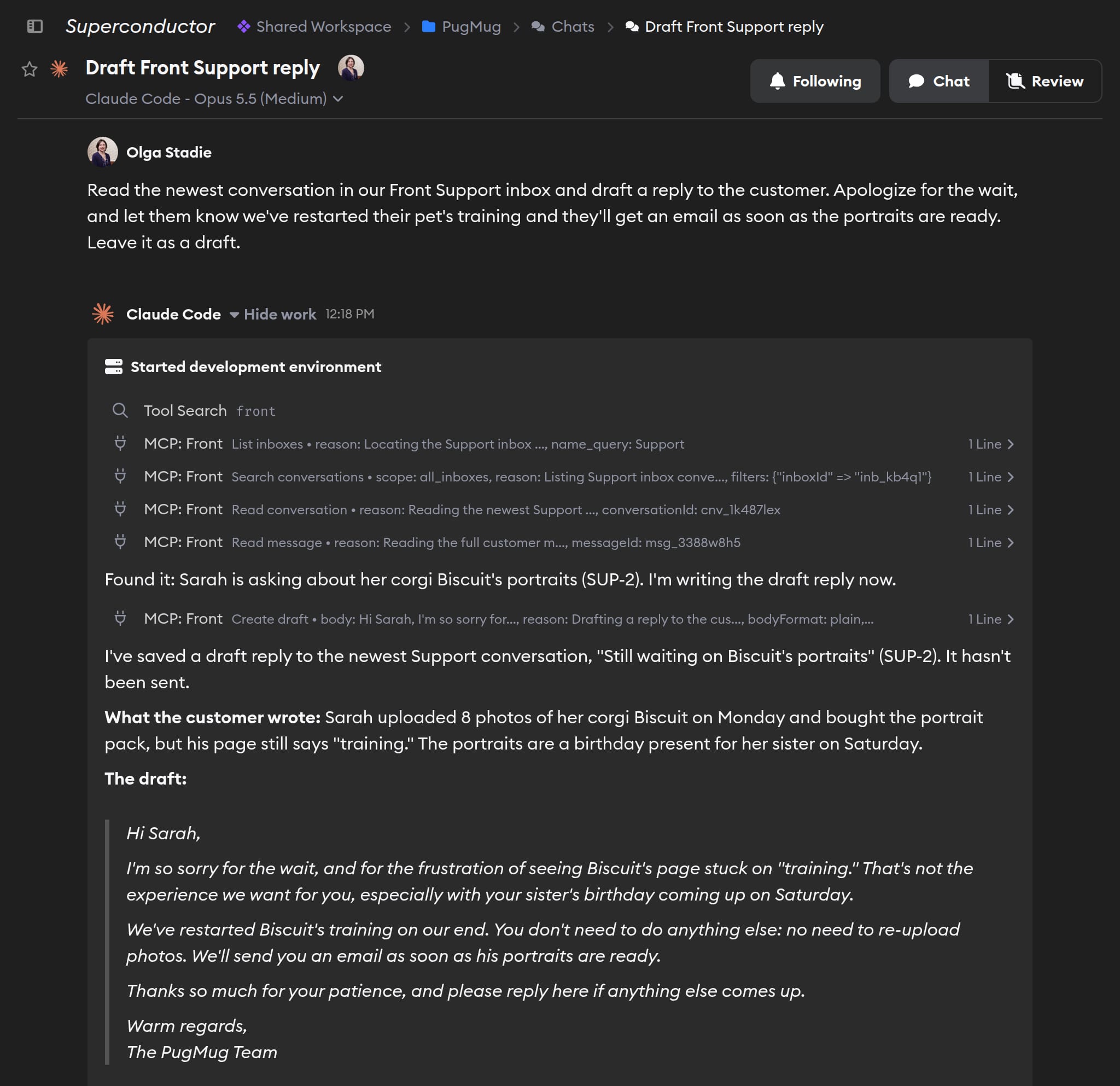
Connect Front to Superconductor and your agents can search customer conversations, draft replies, and add internal comments, all as you. Agents work in a shared Superconductor session, so your support and product teams can review what an agent found in Front and the replies it drafted before anyone sends them.
Superconductor lets you and your team chat with coding agents such as Claude Code, Codex, Pi, and more in shared, secure cloud sessions.
With our Front integration, you can
- Find out what customers are reporting before you fix a bug
- Draft replies for your team to review and send from Front
- Keep teammates up to date with internal comments and tasks
Try asking
- Go through this morning's unassigned conversations in our Front Support inbox, tag each one by topic, and show me the list before you assign anything.
- Find the Front conversation where a customer says checkout charged them twice, check our payment code for the cause, and add an internal comment with what you found for the support team.
- Once this fix is deployed, draft a reply to each Front conversation tagged "export bug" letting the customer know. Leave them as drafts for me to send.
Technical details
- Agents can
- Search and read conversations; draft replies; add comments, tags, and tasks
- Access
- The signed-in Front teammate's permissions
- Needs
- Sign in with Front
- Server
- Front's hosted MCP server
Example
Questions
- Can Claude Code use the Front MCP server?
- Yes. Once you connect Front in Superconductor, every coding agent you run there, including Claude Code, can use Front's hosted MCP server at
mcp.frontapp.com. There's nothing to install locally. - How do I connect Front?
- Click Connect on the Front card in Workspace Settings → Connectors, then sign in with Front and click Authorize. There's no token to create.
- Can agents send messages to customers from Front?
- Not through Superconductor. Our Front connection doesn't include permission to send, so agents draft replies and new messages, and a person sends them from Front.