
Here's a summary of all user-facing changes on Superconductor from August 30-September 5:
Major Changes
Chats: ask an agent about your project without opening a ticket
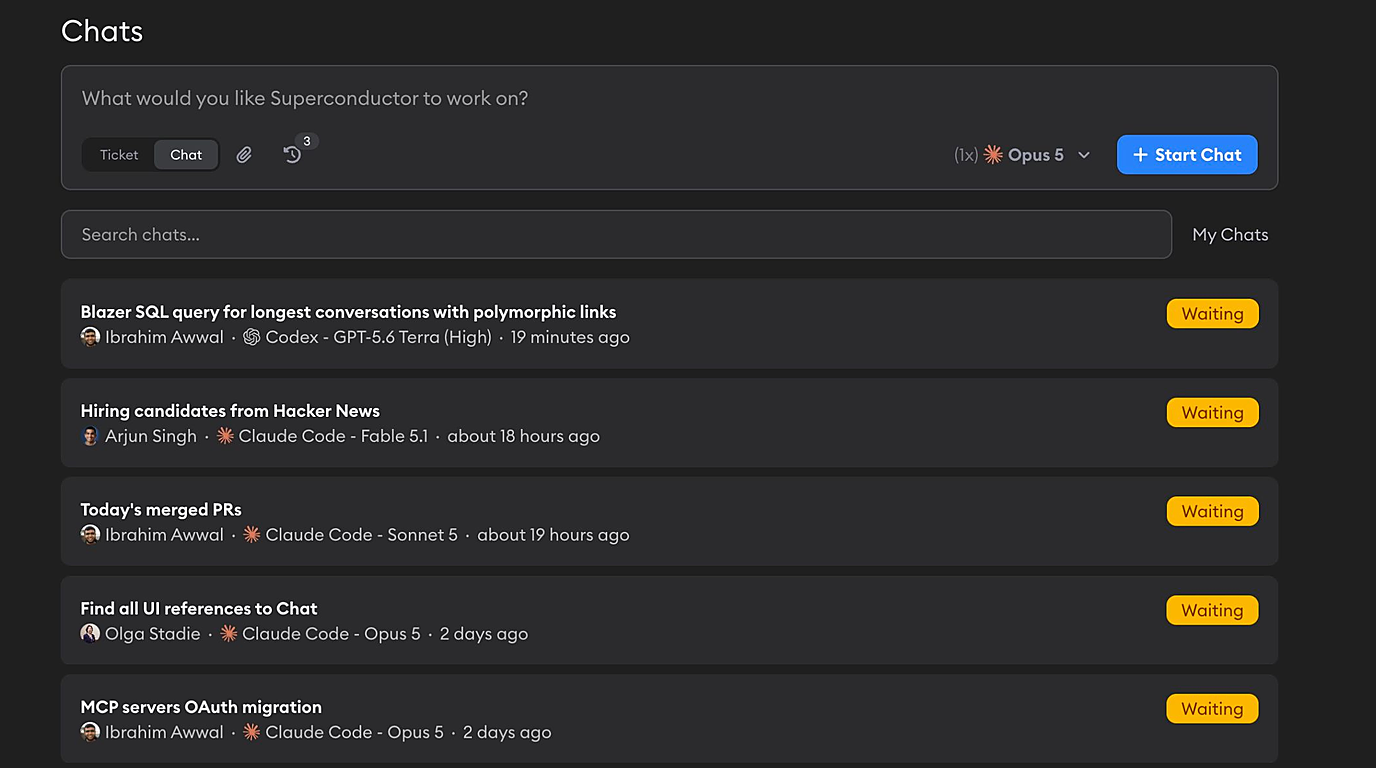
You can now start a chat from the same input box you use to create tickets. Flip the toggle from Ticket to Chat, type what you want to know, and click Start Chat.
The agent gets the same sandbox, skills, MCP servers, and network rules it would get on a ticket, so it can reach everything your project is already connected to. Have it track down why an endpoint got slow, draft a contract from your team's templates, or write up a customer-ready summary of the week — and start the same chat with up to 12 agents at once when you want to compare how they answer.
New model launches
Codex profiles now include OpenAI's GPT-6 Astra, with Medium, High, Extra High, and Max reasoning effort. Pick it from the agent selector on any ticket or chat, and its usage and cost show up in your Usage dashboard like every other model.
Claude Code profiles now include Claude Fable 5.1. Fable 5 is still available, so you can keep running work on it while you try the newer model. If you're on a connected Claude plan, note that Fable 5 and Fable 5.1 share a single weekly usage limit, so switching between them doesn't give you extra headroom — Superconductor's usage indicators now reflect that shared limit for both models.
Other Changes
Agents can tell your teammates apart
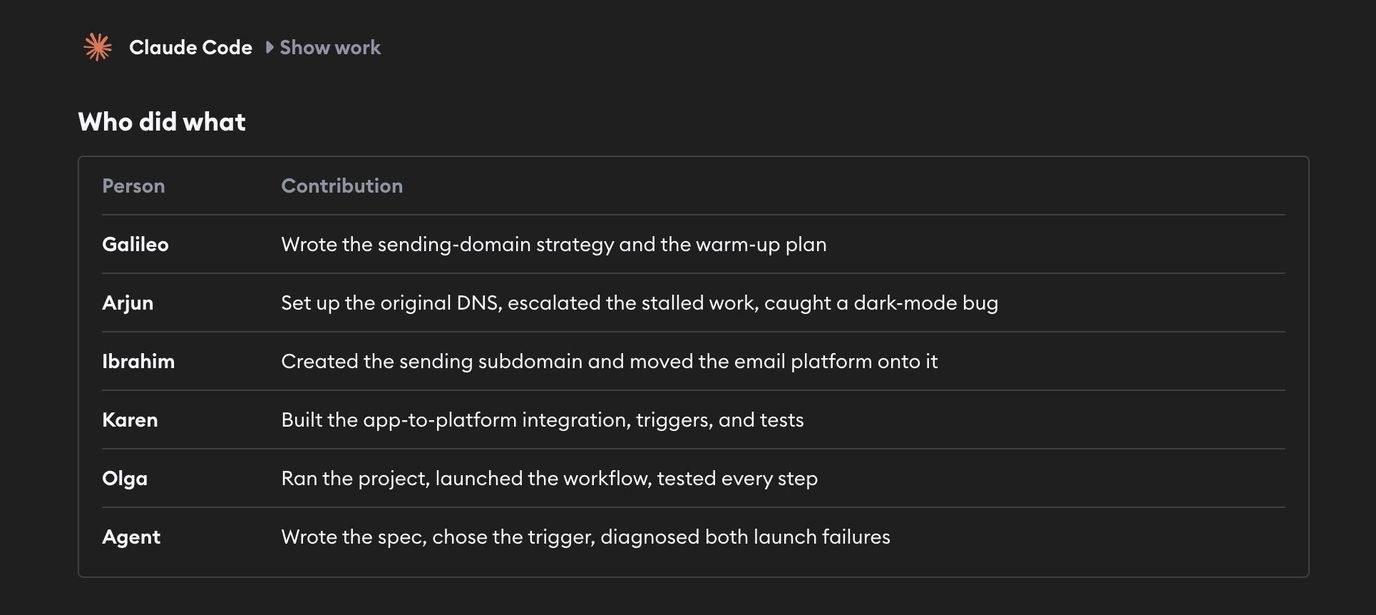
When several people work in the same conversation, the agent now knows who sent each message and when. It can tell requests apart, answer people individually by name, and keep track of who asked for what — whether the message came from the app, from Slack, or from a comment on a pull request.
SVG files now preview and read properly
SVG artifacts render inline in the Artifacts tab instead of falling back to "No preview available". SVGs you attach to a ticket or chat are now treated as documents rather than images too, which means they're passed to the agent as text and are no longer compressed on upload.
HTML artifacts open in a new tab
Clicking the external-link icon on an HTML artifact now opens the rendered page in a new browser tab instead of downloading the file.
Correct app icons on Linux
The Linux desktop app now ships a full set of launcher icons, so it shows the Superconductor icon in the app grid and dock instead of a placeholder.
Node.js 26 in development environments
Node.js 26 is now a supported runtime for development environment setup, so projects on the newest Node can have it installed automatically instead of pinning to an older version.
Fixed Issues
Switching panes no longer lags in long conversations
Moving between the chat and review panes on a very long conversation used to stall while the whole thread re-laid itself out. It's now quick regardless of thread length, and the same change takes another pass at the input box typing lag we improved last week, so both should feel steadier on your longest threads.
Agents no longer look stuck when their sandbox dies
If the cloud sandbox behind a run errors out or gets terminated, you now see a banner explaining what happened, with a way to recover, instead of an agent that appears to keep working forever.
Work logs no longer error when you steer an agent
Sending a follow-up while a Claude agent was running could produce an error in place of the work log when the queued message came from an agent rather than a person. Those messages now render correctly.
Secrets no longer save with stray whitespace
Leading and trailing spaces, tabs, and newlines are now stripped from secret values before they're saved, so a value pasted with an extra newline no longer breaks the environment that uses it.
Other News
The Multiplayer AI Manifesto
We published The Multiplayer AI Manifesto: five principles for making AI something your whole team does together, instead of everyone working in their own private chat and pasting the results to each other. It comes out of our own experience with building Superconductor and talking to a lot of teams who noticed that all those individual AI wins weren't adding up to a faster company.
Head to multiplayer-ai.com to read it, and request the platform comparison report while you're there — a side-by-side look at how seven multiplayer solutions, including Superconductor, measure up against the principles. Want to learn more about the behind the scenes of how we created this manifesto? Check out our founder Sergey's video.
Have feedback or ideas for things you'd like to see on Superconductor? Let us know!