
Here's a summary of all user-facing changes on Superconductor from November 1-7:
Major Changes
Personal assistant agent

Every Owner, Admin, and Collaborator in your workspace now gets a personal assistant: a private conversation with an agent that works across every project in your workspace. Ask what your team shipped this week, find an older ticket or chat, read an implementation's conversation and code changes, or have it create tickets in any project and launch work right away.
Your assistant is pinned under Personal Assistants at the top of your Recent Activity sidebar. It's private: teammates, including workspace Owners and Admins, can't open it, and other agents can't read it. Tickets it creates are regular tickets that your team can see.
Switch models within the same implementation or agent chat
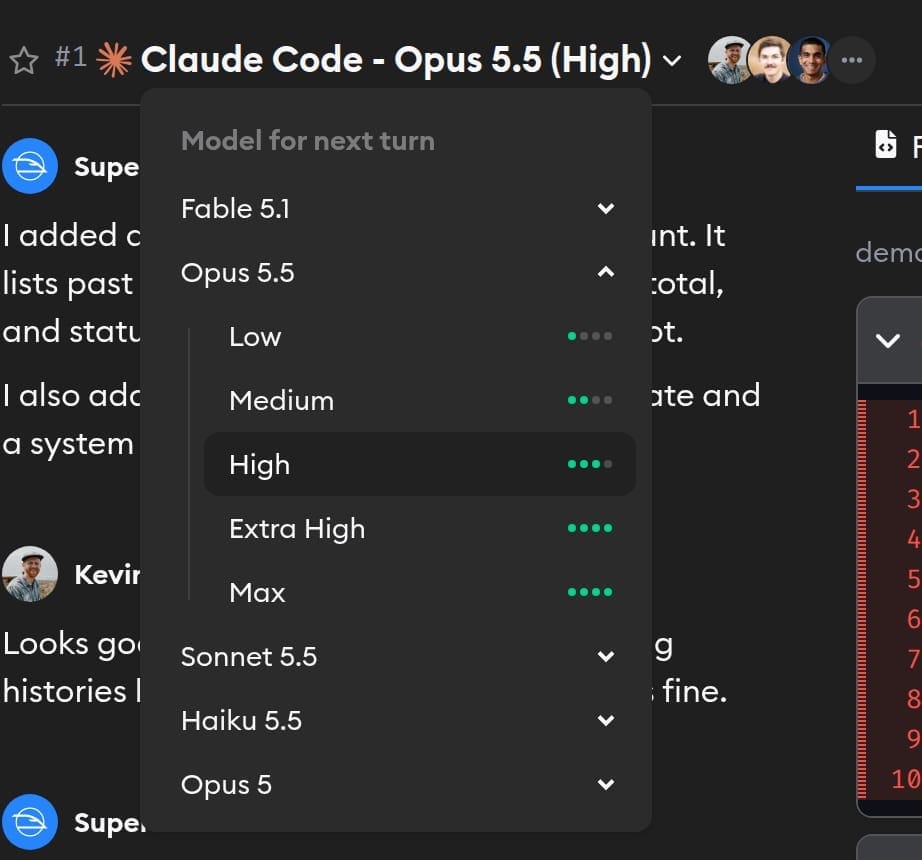
You can now click the model name in an implementation, project chat, or personal assistant to change the model and reasoning effort for the agent's next turn. Move to a stronger model for a difficult problem, or use a faster one for a small follow-up, while keeping the conversation and work so far.
Model switching works with Claude Code, Codex, and Pi, using models available within the same coding agent. A turn that's already running finishes with its original model; your new choice takes effect on the next turn.
Ask agents to create tickets and send messages
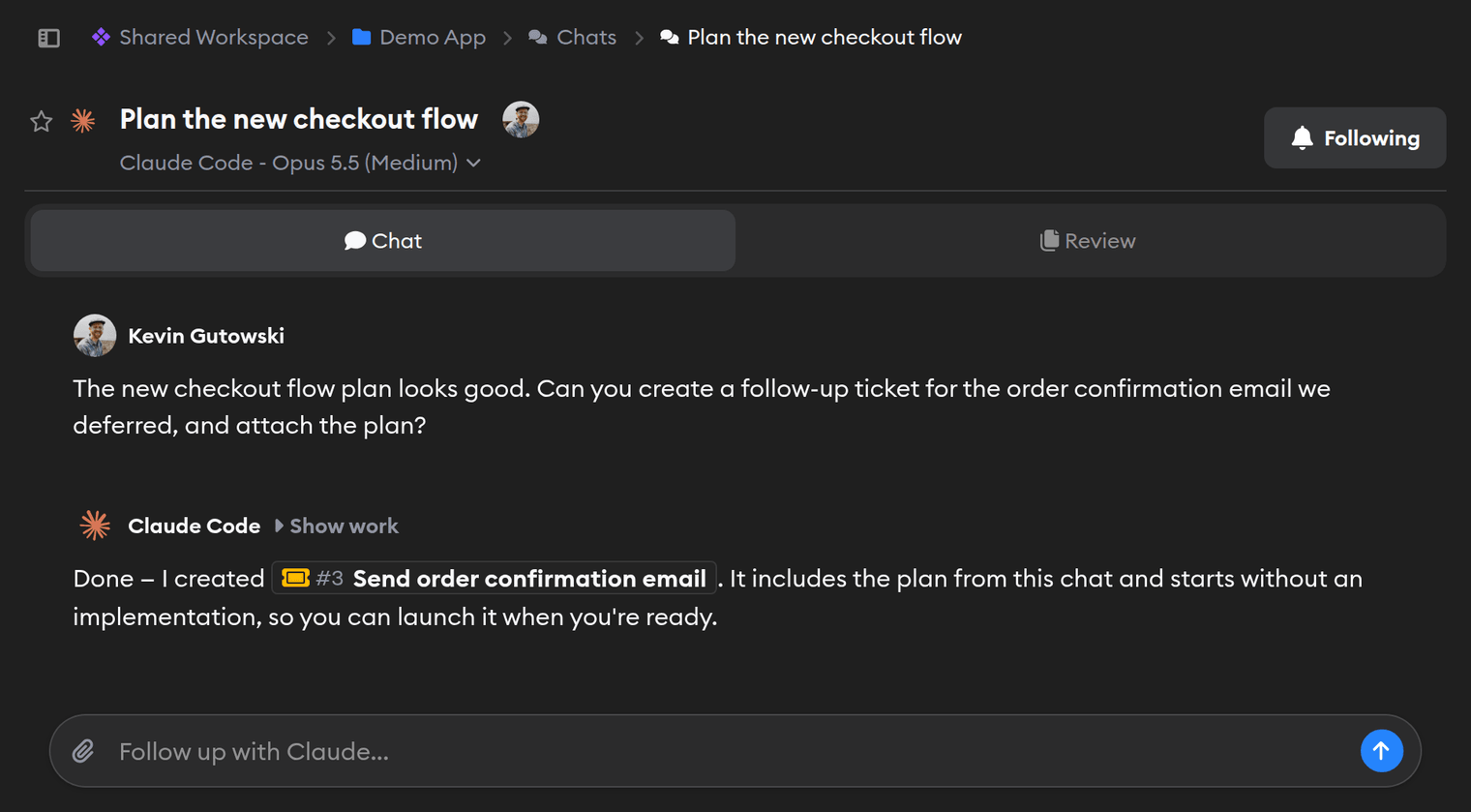
You can now ask an agent to create a ticket in the project you're working in. Turn a plan from a chat into an actionable ticket, or capture a bug that's outside the current implementation's scope. The agent can include a description and attach up to ten files, and the ticket links back to the conversation it came from.
Tickets start without an implementation unless you ask the agent to launch one too. When you do, Superconductor uses the default agent profile of the person who started the conversation, or the best available agent if they haven't set one.
You can also ask an agent to send an update or a request to another chat or implementation in the same project. Messages link back to the sending conversation, so you can follow the handoff without copying messages between agents yourself.
Six new connectors for your agents
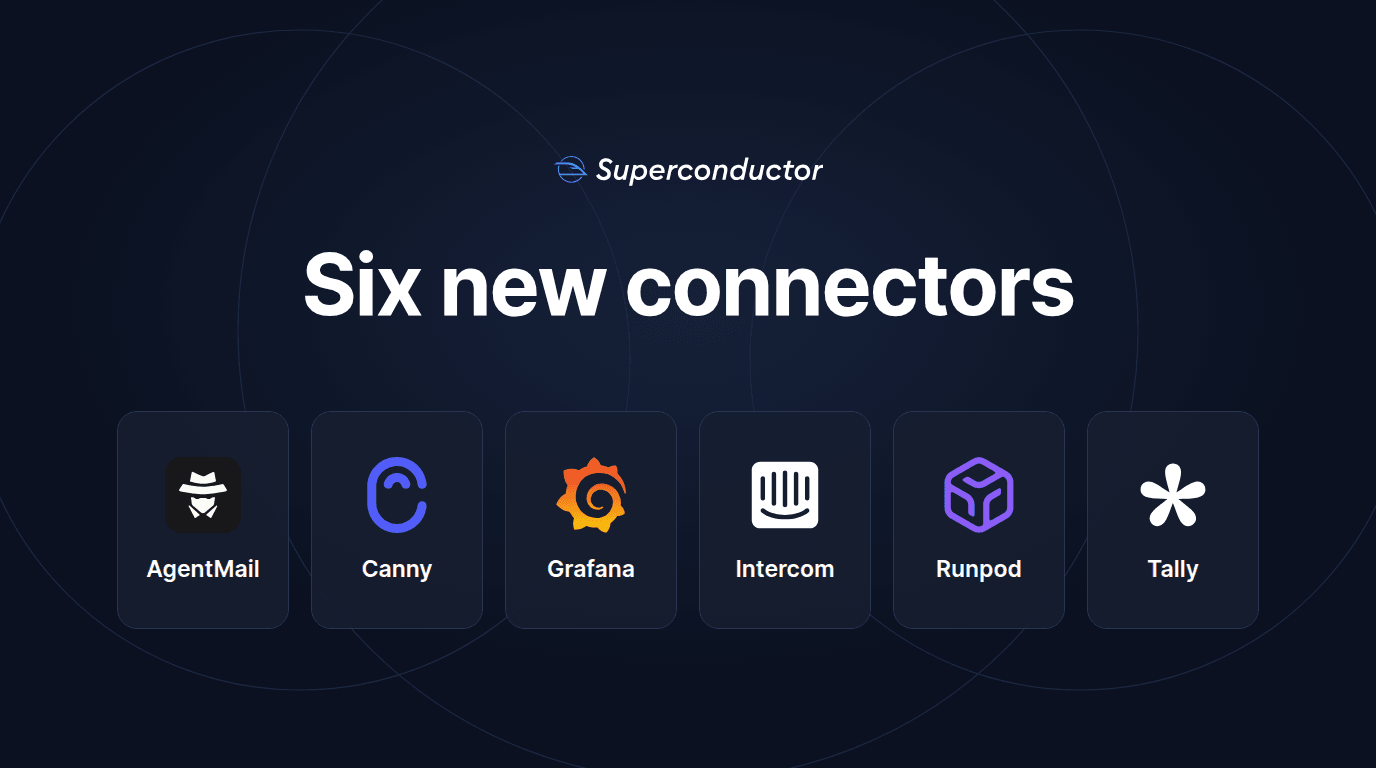
You can now connect six more tools from Workspace Settings → Connectors:
- AgentMail gives your agents email inboxes of their own, for sending and receiving messages, drafting replies, and working with attachments and calendars.
- Canny lets your agents search customer ideas, create and update feedback, and draft changelog entries.
- Grafana lets your agents search dashboards, query metrics and logs, and investigate alerts and incidents in Grafana Cloud.
- Intercom lets your agents read customer conversations, look up contacts and companies, add conversation notes, and draft or update Help Center articles. It supports US-hosted Intercom workspaces.
- Runpod lets your agents inspect and manage Pods, Serverless endpoints, and jobs, including reading logs to investigate a failed run.
- Tally lets your agents build and edit forms, add questions and conditional logic, and read submissions.
Each connector follows the permissions of the account or key you connect. Check the linked Integrations pages for setup options and example requests.
Create tickets and message agents from the API
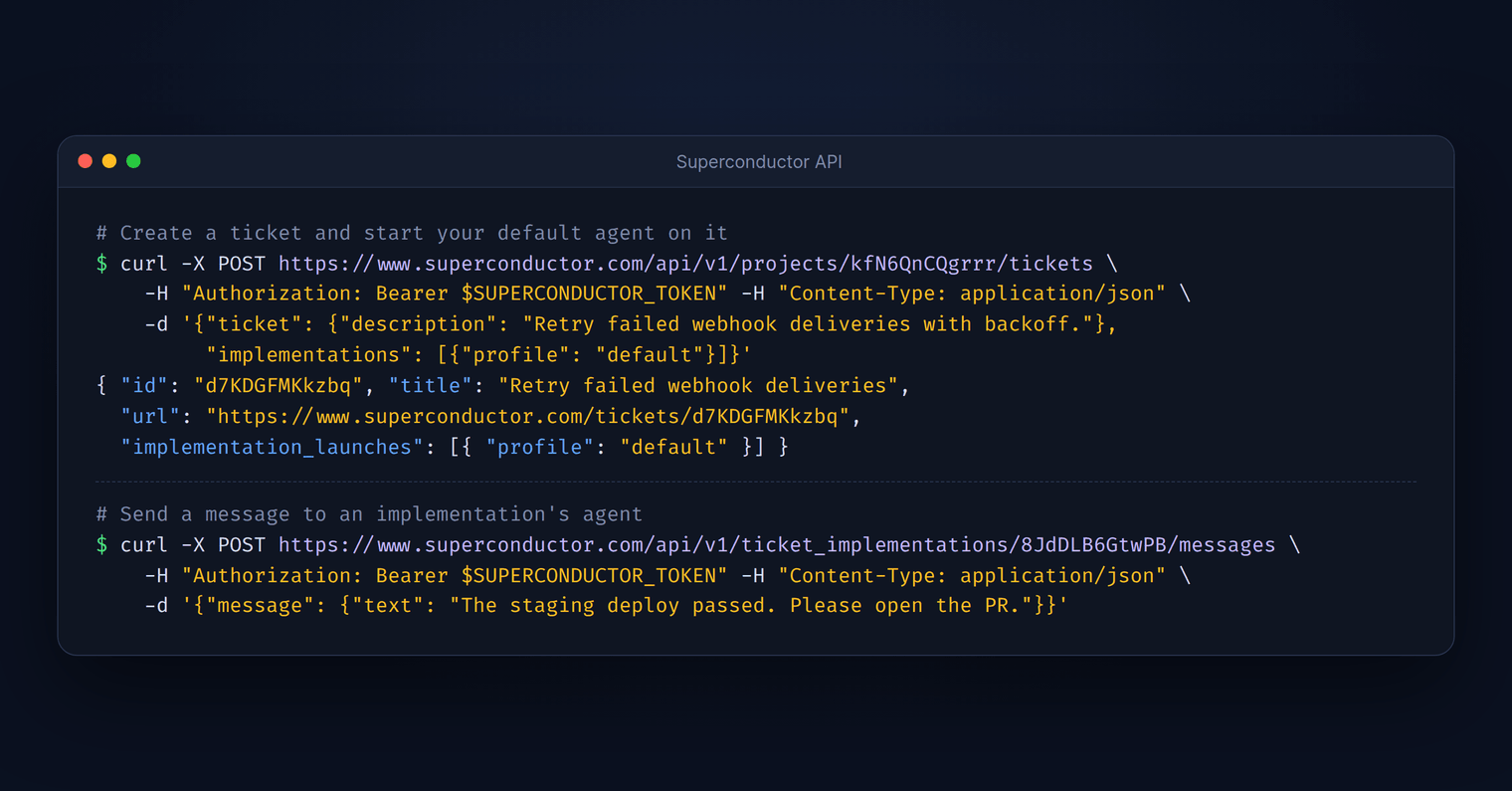
The Superconductor API can now do more than read your work. Your scripts and local agents can create tickets, attach up to ten files, and optionally start an implementation with your default agent in the same request. For example, your error tracker can file a ticket with the stack trace attached for every new production error, so an agent can start on the fix.
You can also send messages to existing implementations and chats, which starts their agents on your request. Use it to hand a local agent's findings to a Superconductor implementation, or to nudge an agent when a deploy or CI run finishes.
Other Changes
See chat activity in your usage dashboard
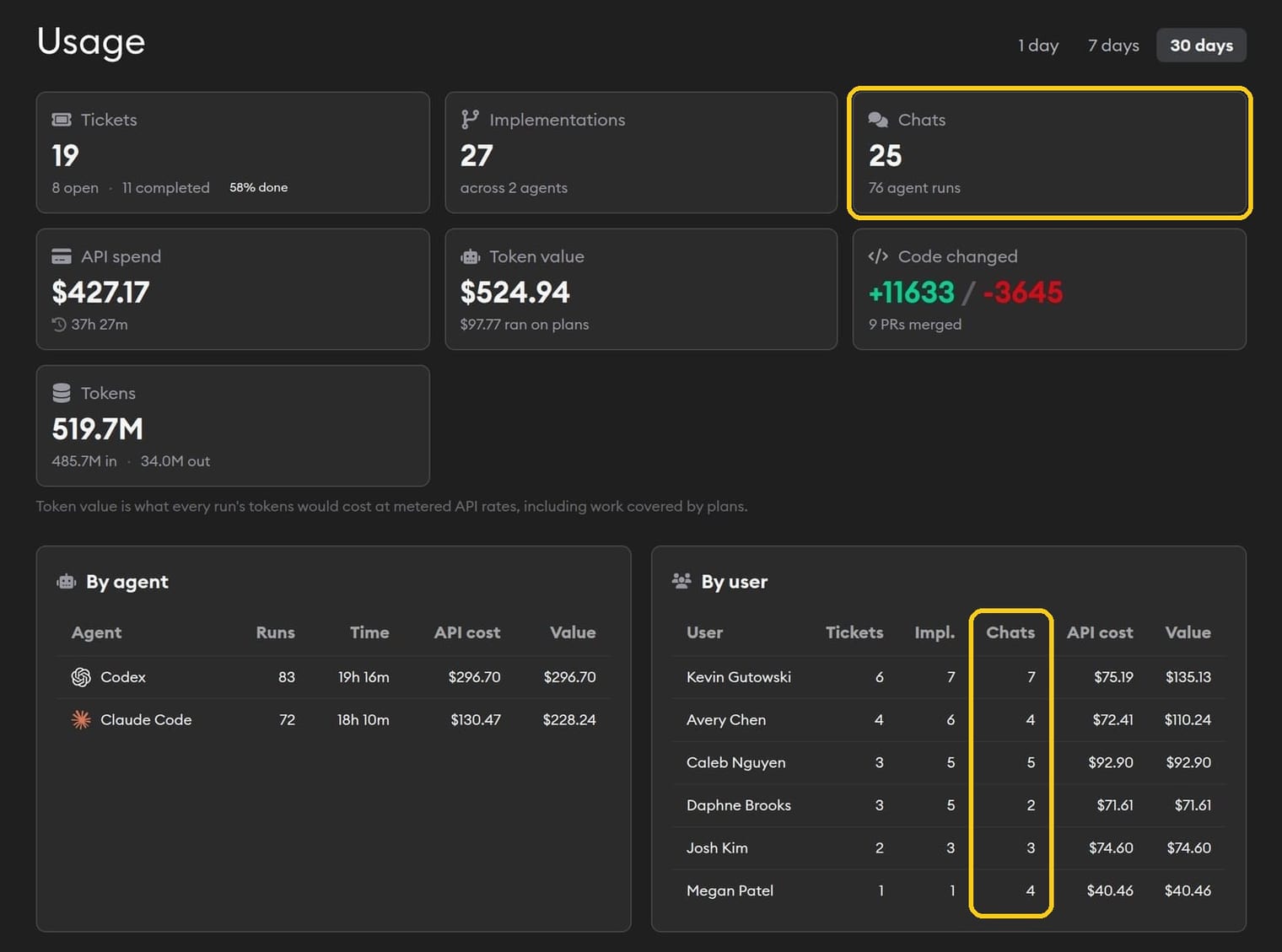
The Usage dashboard now shows how many chats and chat agent runs your workspace used, with a Chats column in the per-user breakdown. A workspace that only uses chats now sees its activity instead of an empty dashboard.
QA check improvements
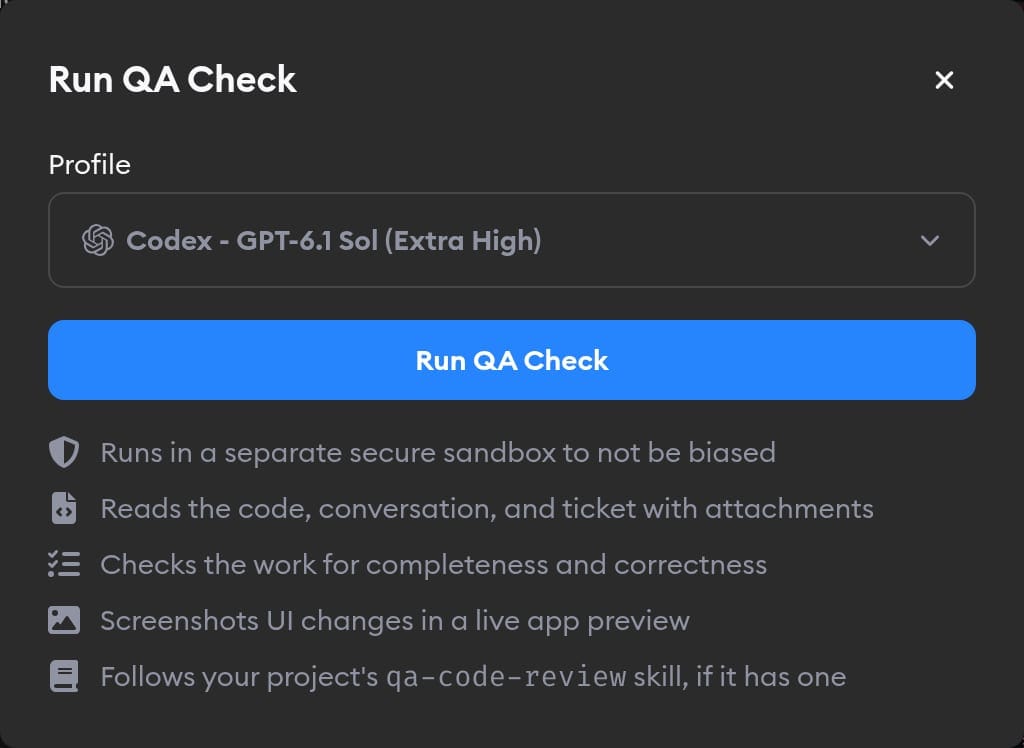
You can now choose a model before launching a QA Check [Beta], and save your project's default under Project Settings → QA Checks. The launch dialog explains what the QA agent receives and checks before you start it.
Control where your connector accounts are shared
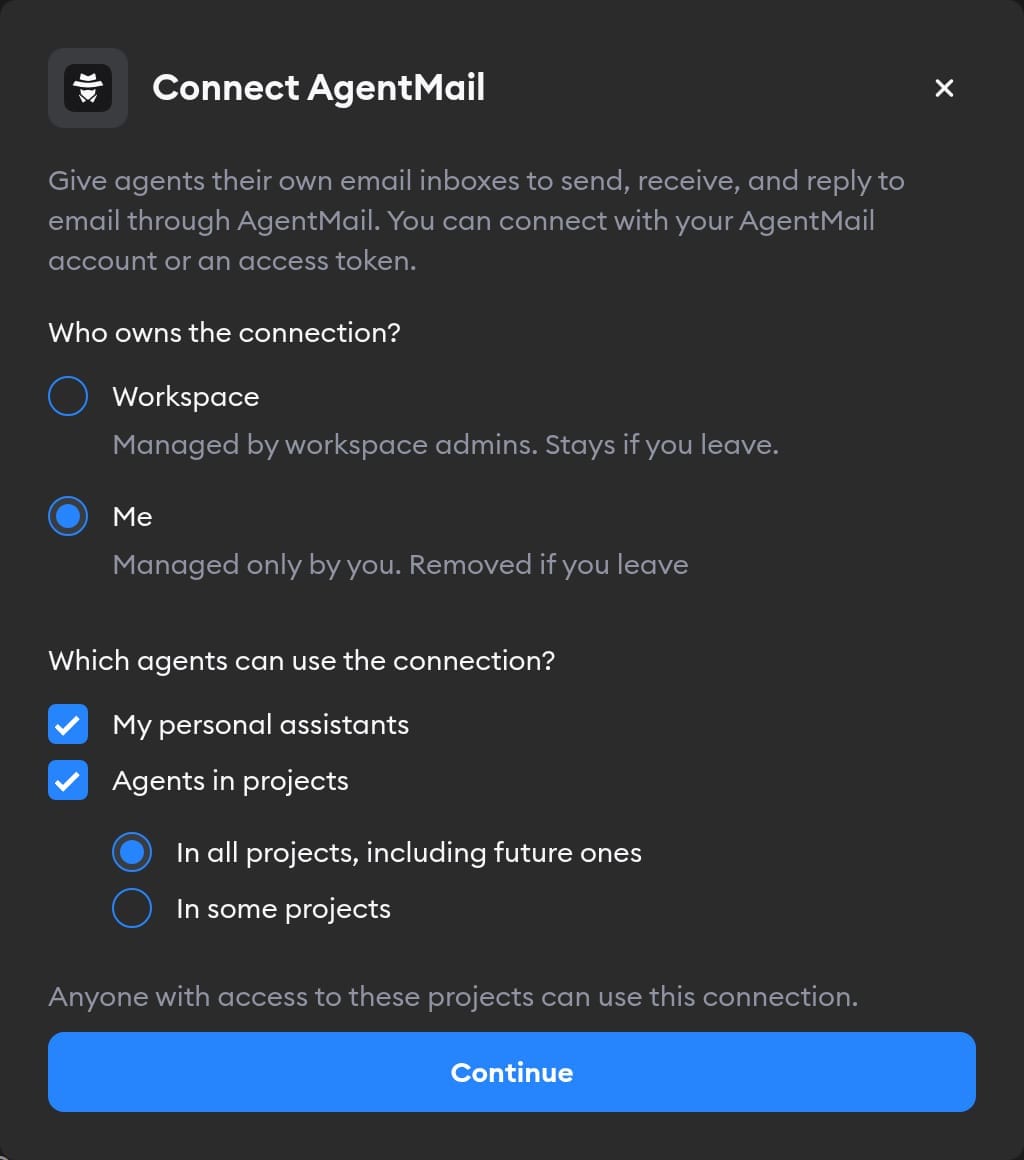
Connector setup now separates who owns a connection from which projects can use it. You can choose the project access you want, with clearer guidance about sharing: anyone with access to a selected project can use that connection through its agents. Only you can edit your personal connection's settings or credentials.
Find project settings more easily
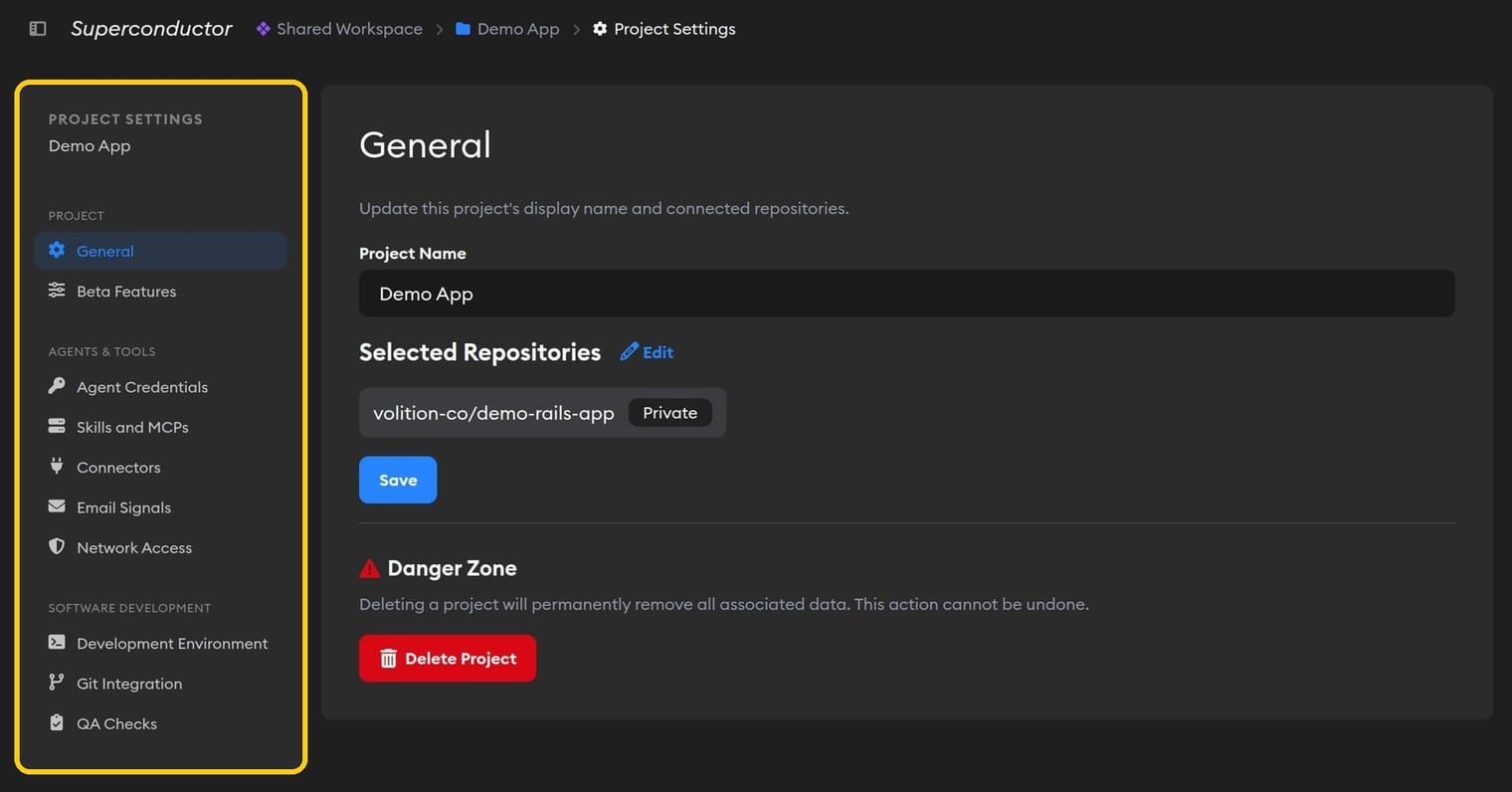
Project settings are now grouped under Project, Agents & Tools, and Software Development on desktop and mobile.
Guided Reviews explain the purpose and key decisions
New Guided Reviews start with a short explanation of what the change does and why. When you've made or confirmed significant decisions during the implementation, the review also highlights those choices before walking through the code.
More help for building with the API
The API reference now documents request parameters, responses, and errors, with a downloadable OpenAPI specification for generating clients or sharing with your local agent. Each endpoint's reference page also includes a playground, so you can try a request with your token right from the docs.
Recognize custom connectors at a glance
Custom MCP connectors now use the server's favicon in the connector list and connection screens, making them easier to distinguish from one another.
Fixed Issues
Faster, smoother conversations and implementation pages
Implementation pages load their work logs and agent details more efficiently. Running-agent indicators use less background processing, and switching implementations in Safari no longer causes the same lag and stuttering. Pages also download less code up front, loading file-preview and terminal features when you need them. Profile pictures use smaller, optimized images.
Stopping a finished agent no longer marks the implementation as failed
If you click Stop just as an agent finishes, Superconductor now preserves the result and work log while processing its output, instead of incorrectly reporting a failed implementation.
Clearer recovery for GitHub SSO setup
When your organization's SAML sign-in prevents GitHub from sharing its installation with Superconductor, setup now explains the problem and links to your organization's sign-in page. Reconnecting GitHub then starts a fresh authorization so you can finish setup.
Agents receive your local time zone
Your agents now receive the time zone reported by your browser and message times in that zone, giving them better context for requests involving local dates and times. It updates when your browser reports a new zone.
Copying and quoting lists preserves their structure
Copying a Markdown list, or using Add to Message to quote it, now keeps bullets, numbering, nesting, and task checkboxes in the plain text.
Have feedback or ideas for things you'd like to see on Superconductor? Let us know!