
Here's a summary of all user-facing changes on Superconductor from November 8-14:
Major Changes
QA Checks are out of beta
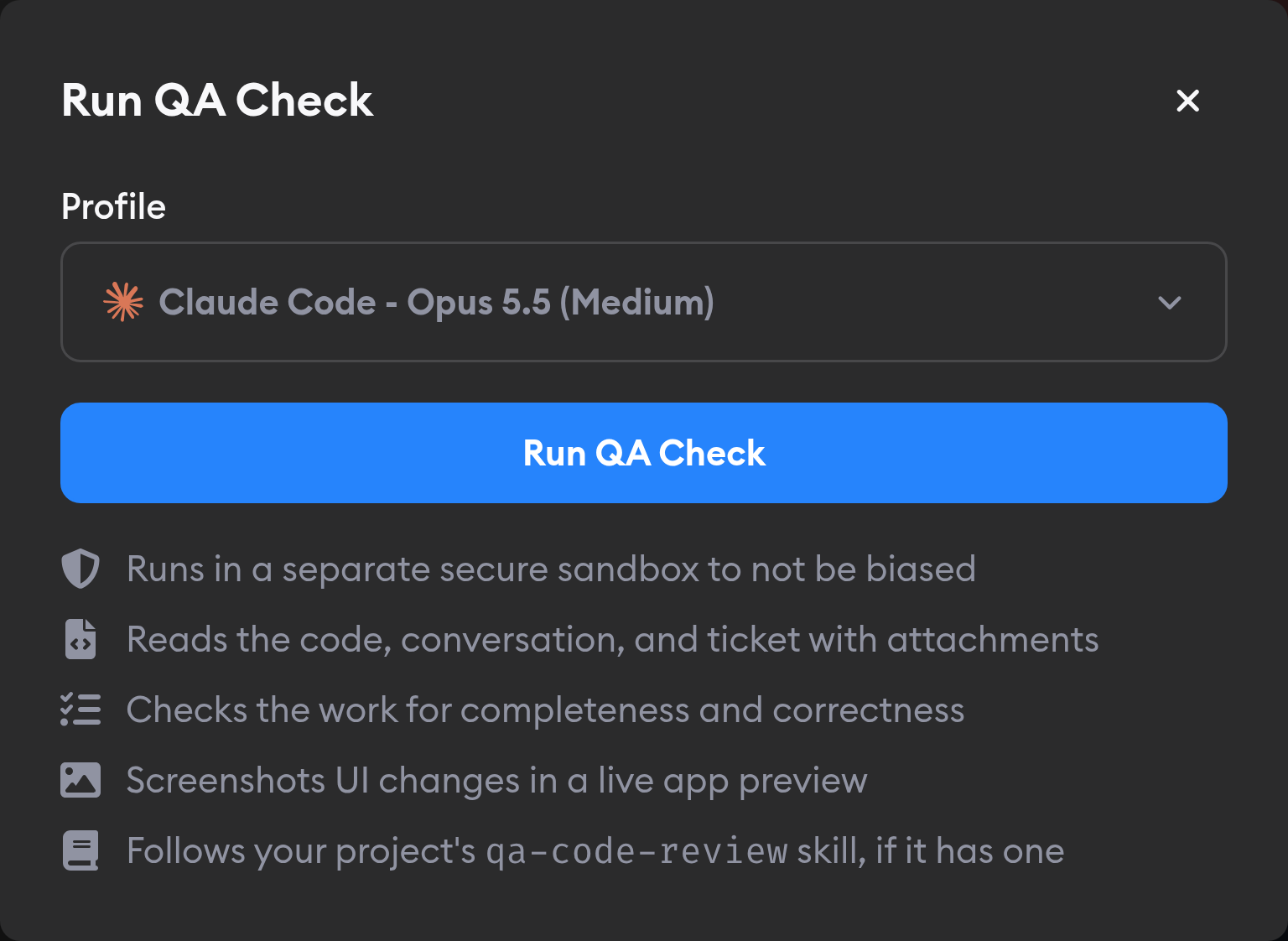
QA Checks are now out of beta and available by default in every project and workspace. Before you read the diff or open the app yourself, you can have a second agent check whether the feature works, the tests pass, and the coding agent followed your team's rules.
With QA Checks, the QA agent checks the implementation in its own sandbox, runs your tests and linter, tries UI changes in a browser, and hands back a short report: a score from 0 to 5, the screenshots it took, and a list of what to fix. You can send the findings back to your coding agent with a single click and rerun the check after it makes changes.
Keep important work at the top of your activity sidebar
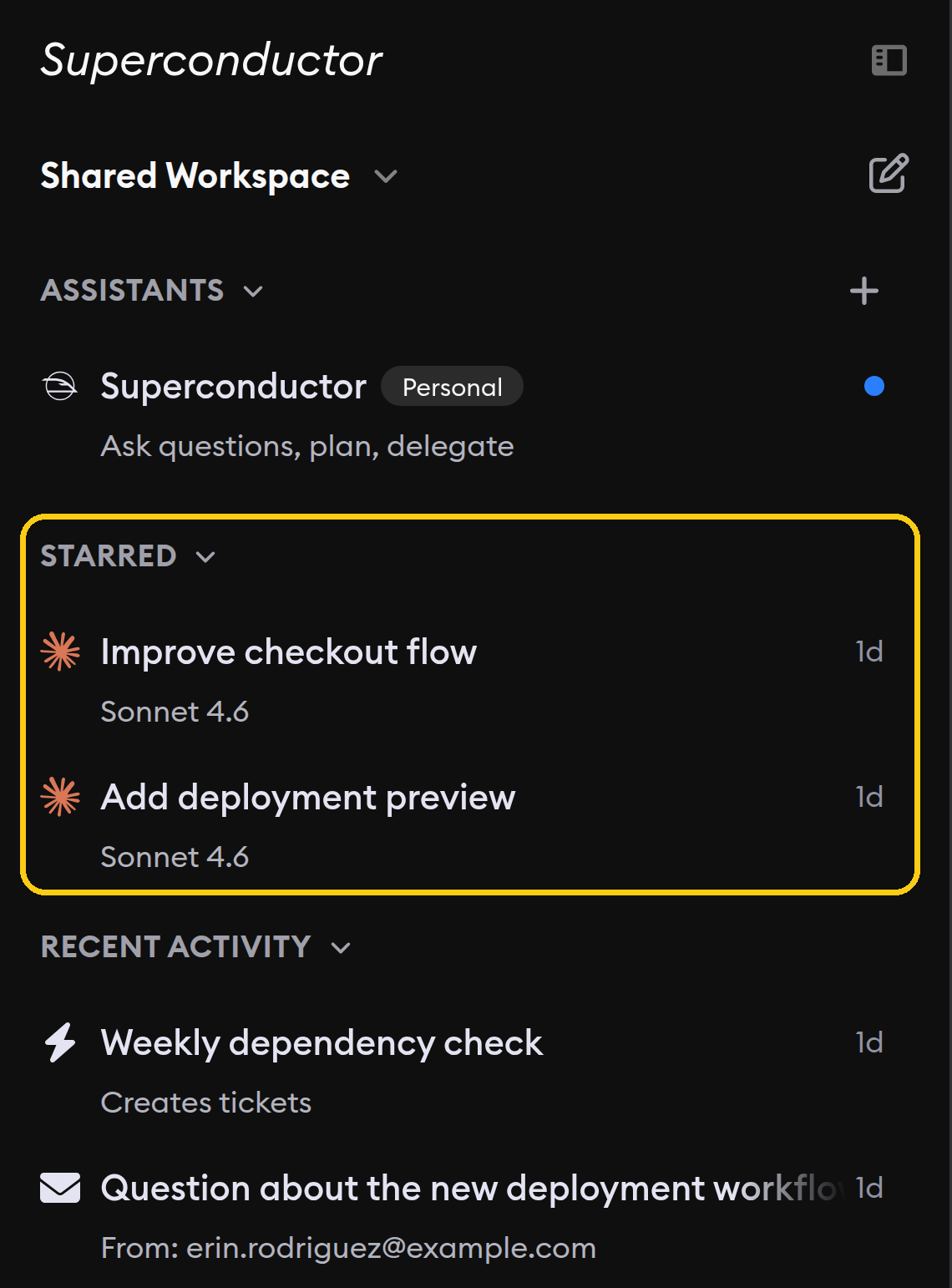
You can now keep important implementations and project chats in a dedicated Starred section above Recent activity in your activity sidebar. Star an item to pin it and keep it within reach as new activity arrives. Starring an item also follows it.
Run Daybreak security work in Codex
If your connected ChatGPT account has OpenAI's Daybreak Blue access, you can now choose GPT-6 Sol Daybreak in Codex from the agent selector in Superconductor, for authorized defensive security work. After receiving access, sign in to Codex again with your hardware security key, then reconnect your ChatGPT subscription in Superconductor.
Seven new connectors for your agents
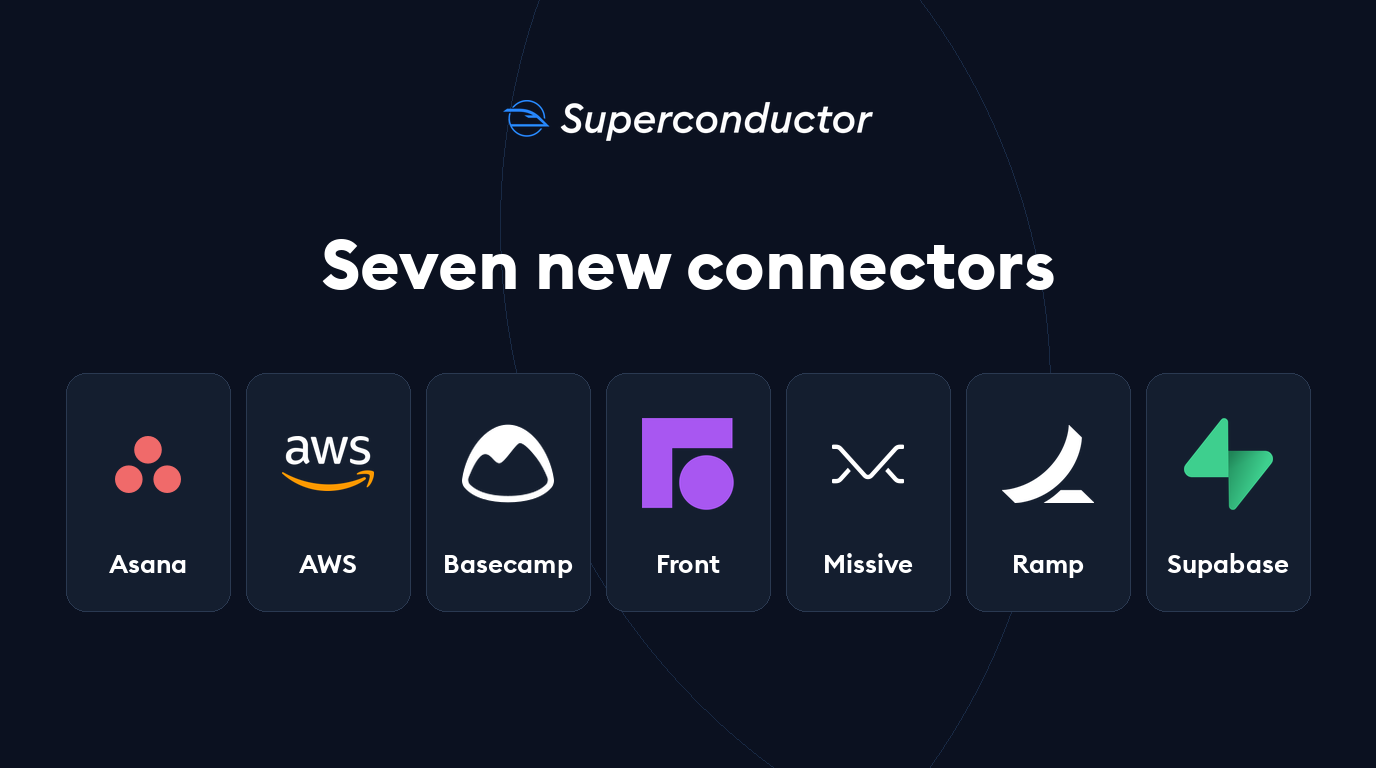
You can now connect seven more tools from Workspace Settings → Connectors:
- Asana lets your agents read project context, create and update tasks, and post comments and project status updates.
- AWS lets your agents inspect and change cloud resources and search AWS documentation.
- Basecamp lets your agents catch up on projects, manage to-dos and cards, and post messages and check-ins. You can choose read-only access when connecting.
- Front lets your agents search customer conversations, prepare draft replies, comment, tag, and assign work.
- Missive lets your agents search your team inbox, draft or send replies with the permissions you approve, and organize conversations, tasks, and calendar events.
- Ramp lets your agents analyze spend, find bills and missing receipts, and work with expenses and approvals. Choose Read-only or Full access during sign-in.
- Supabase lets your agents query databases, apply migrations, check logs, create development branches, and deploy Edge Functions.
Each connector follows the permissions of the account or token you connect. Check the linked Integrations pages for setup instructions and example requests.
Other Changes
Run Claude Code with Fable 5.2
You can now choose Fable 5.2 in Claude Code, with Low, Medium, High, Extra High, or Max effort. It replaces Fable 5.1 in the picker, with Medium preselected.
Create separate personal assistants for different kinds of work
You can now click + beside Assistants in the sidebar or on the iOS Home tab to create another private assistant. Give it a name and choose its agent profile. For example, you can keep one conversation for release planning and another for triaging bugs, with each assistant retaining its own conversation across your workspace.
Connect your ChatGPT plan from your browser
You can now connect your ChatGPT subscription for Codex using a one-time code and OpenAI sign-in, without installing the Codex CLI. Enable device code authorization in your ChatGPT security settings first, then click Connect in Superconductor's ChatGPT Subscription Connection dialog. The manual connection option remains available if you can't enable device authorization.
Ask agents to start follow-up work from a specific branch
You can now directly ask an agent to create a ticket from a branch you name, such as a release branch for a backport or a branch with work that hasn't merged yet. You can also specify base branches when creating tickets through the API. Superconductor checks that each requested repository and branch exists before creating the ticket; repositories you don't specify keep their default branches.
Give longer tasks nearly six hours to finish
Coding agent runs can now continue for up to 5 hours and 55 minutes, up from roughly three hours. Longer investigations and implementations have more time to finish before the run times out.
Get a structured recap after a meeting
The Meeting Assistant [Beta] now prepares a summary when a call ends, covering the discussion, decisions, action items, and open questions. You can review the outcome and next steps alongside the conversation.
See connector calls clearly in OpenCode work logs
OpenCode calls to built-in connectors now appear as MCP tool steps in Show Work, making it easier to see which connected tool the agent used and what it returned.
Better guidance during environment setup
The environment setup agent now includes linting, formatting, type checks, and git hooks when assessing CPU and memory needs.
Fixed Issues
Attachments with the same name keep their contents
Uploading two files with the same filename no longer causes one to overwrite the other in the agent's environment. Your agent receives both files with distinct names.
Large code reviews stay more responsive
Large diffs now highlight and render more smoothly, reducing freezes as you open and scroll through a review.
Stopping an agent reports the interruption correctly
Stopping Codex and other coding agents now records that you stopped the run instead of showing misleading missing-output or stream errors. Stopped runs also avoid automatically committing and pushing unfinished work.
Usage reflects the plan your implementation uses
The usage numbers in an implementation's header now belong to the subscription running that agent, including when it belongs to a teammate. Hover to see whose plan it is. Runs using an API key don't show subscription usage numbers.
Sidebar status catches up after reconnecting
The activity sidebar now refreshes when its live connection reconnects, so updates missed while you were offline, such as a merged PR, appear without a full page reload.
Artifact links with anchors open correctly
Links to generated artifacts now work when they include an anchor, including hash-based routes in HTML artifacts, instead of pointing to an inaccessible workspace path.
Reach every workspace in the switcher
The workspace switcher now scrolls its workspace list while keeping Settings, Members, and New Workspace within reach, even when you belong to many workspaces.
Have feedback or ideas for things you'd like to see on Superconductor? Let us know!