
Welcome to Superconductor!
Superconductor gives you and your team a shared space to launch AI coding agents in the cloud, collaborate on agent sessions, quickly preview agent work, and figure out which agents work best for your codebase.
This guide is a one-stop shop for getting the most out of Superconductor quickly. The goal is to start with one real project and one ticket, quickly see how Superconductor can help your team, and expand from there.
This guide follows a software development team setting up Superconductor around a GitHub repo, which is why every step assumes code. You don't need a repo to use Superconductor: teams doing research, sales, marketing, or support can create a project with no repo, and you can finish workspace setup without connecting GitHub at all. See projects without repositories for that path.
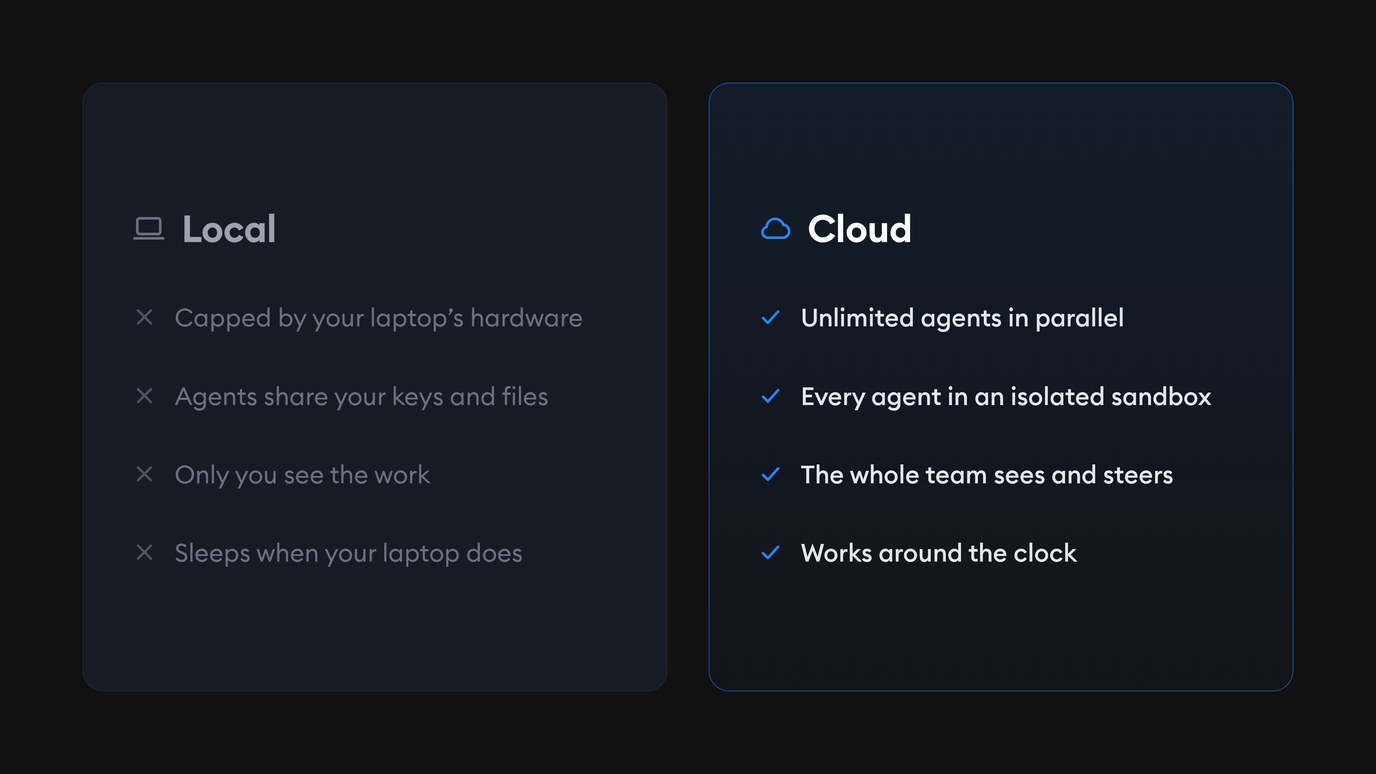
First things first: What does it mean to code in the cloud? If you’re a developer, you may be familiar with working with coding agents locally on your laptop. Local agents work inside a single developer’s machine. In contrast, cloud agents work in a cloud sandbox that is accessible by your entire team. You can read more in our blog about why we love coding in the cloud and how it alleviates security concerns, but here’s a quick visual of the highlights:
Before coding agents can work on your app in the cloud, they’ll need to learn a bit more about it. That’s where we’ll begin.
Step 1: Set up your workspace and project
After you sign up for your Superconductor account, there are three quick things to do before you create a ticket:
- Connect your codebase: Connect GitHub and pick exactly which repos Superconductor can access. GitLab and Bitbucket integrations are coming soon.
- Pick your agents: Connect your Claude, ChatGPT, SuperGrok, or Muse Code plan, or add your own API keys. You can always link more agents later.
- Create a project: Name it and pick its repos. Most projects only need one, but a project can hold as many repos as you need — helpful when your code is split across, say,
backendandfrontend.
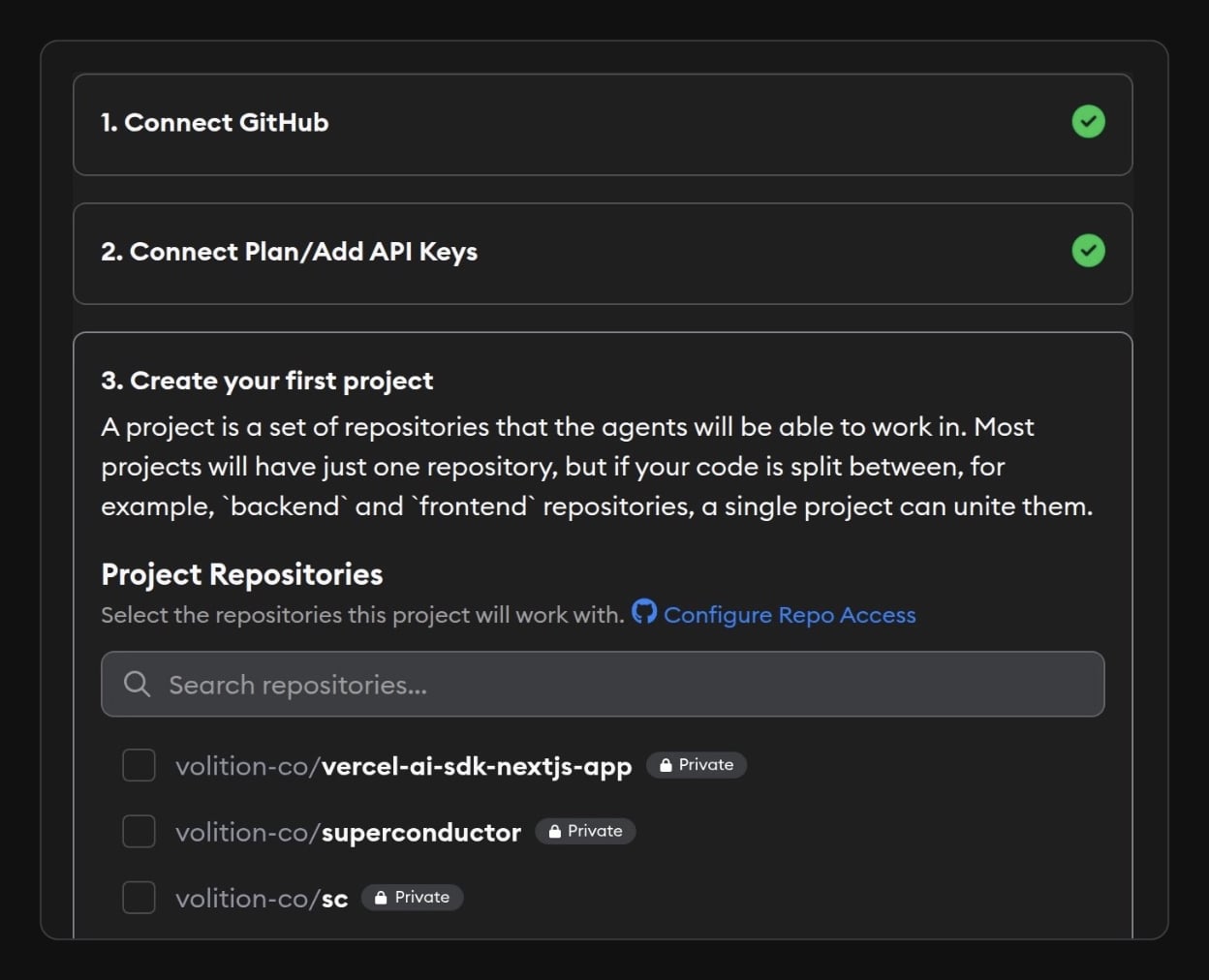
Check out the Quick Start guide from our docs for a more detailed walkthrough of the three steps above.
Once you create a project, Superconductor immediately launches an Automatic Environment Setup agent to set up your cloud sandbox. For many projects, this agent will set everything up automatically with no involvement from you, and email you when it’s done. Automatic Environment Setup runs using Superconductor’s credentials, so there’s no cost to you.
If the agent does need something from you (e.g. a secret or an API key), it will email you and ask.
What is the automatic environment setup agent doing?
The setup agent looks at your linked repo(s) and identifies:
- The CPU, memory, and disk the environment needs
- Packages and runtimes
- Build and startup commands
- Required services and preview ports
- Any secrets it’s missing
The agent prioritizes existing setup scripts, validates the configuration, tests the live preview when possible, and saves a reusable environment snapshot for future implementations.
Once everything is set up, you’ll see a green banner like this at the bottom of your project dashboard:

Step 2: While setup runs, bring in your team and context
Automatic environment setup can take 5-30 minutes depending on how complex your project is.
Here are a few things you can do while you wait:
1. Add your teammates
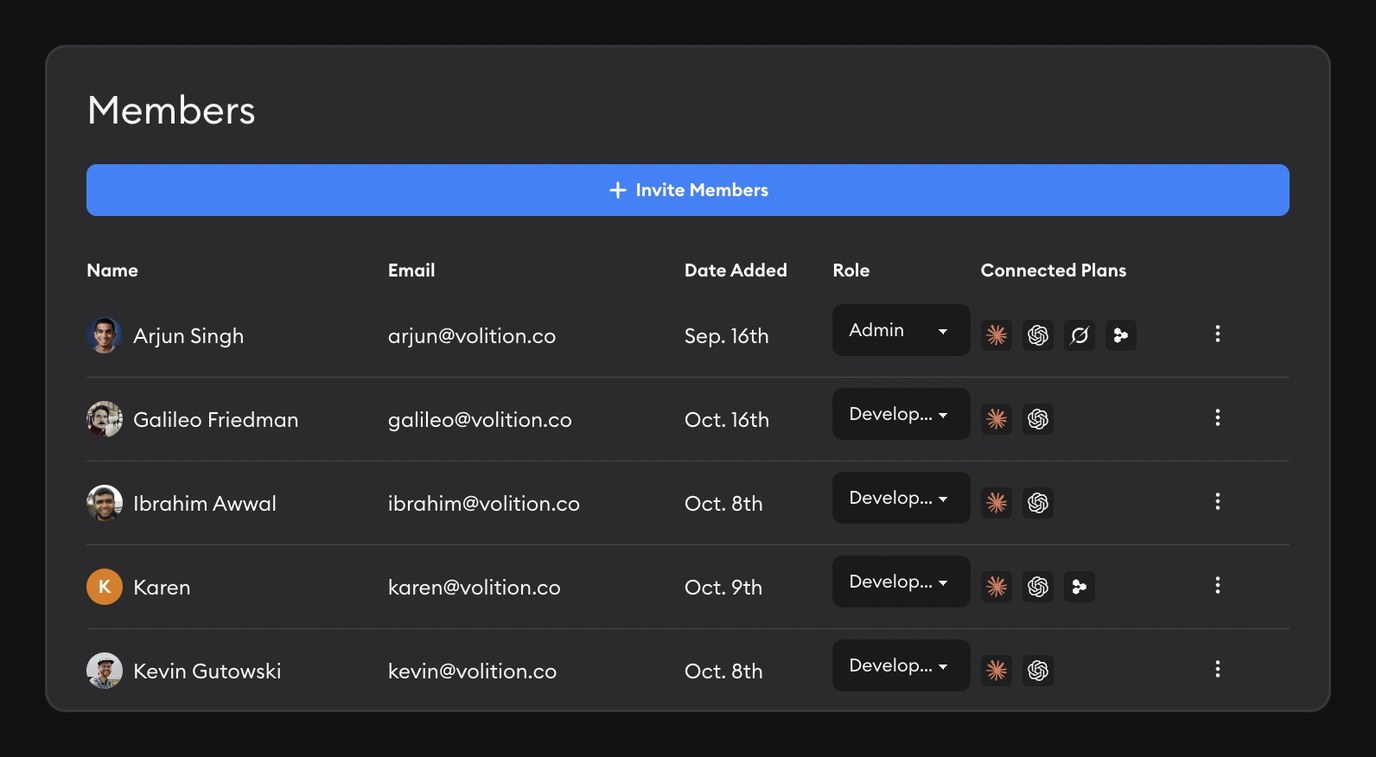
Superconductor is built for teams to work together. While you’re testing things out, we recommend inviting one or two people via the Members button on your workspace. Some good candidates are:
- A teammate who is familiar with your codebase
- A teammate that recently requested a change or feature or reported a bug on Slack
- One non-developer teammate (e.g. a designer or a PM)
The goal at this stage is not to roll out Superconductor company-wide. It’s to let two or three people experience what it’s like to work with agents in a multiplayer workspace.
2. Link Superconductor to the #1 place where your work happens right now
Instead of linking every possible tool and integration to Superconductor, start with just one or two. Where does your team currently discuss product requests and bug reports? Some good candidates are:
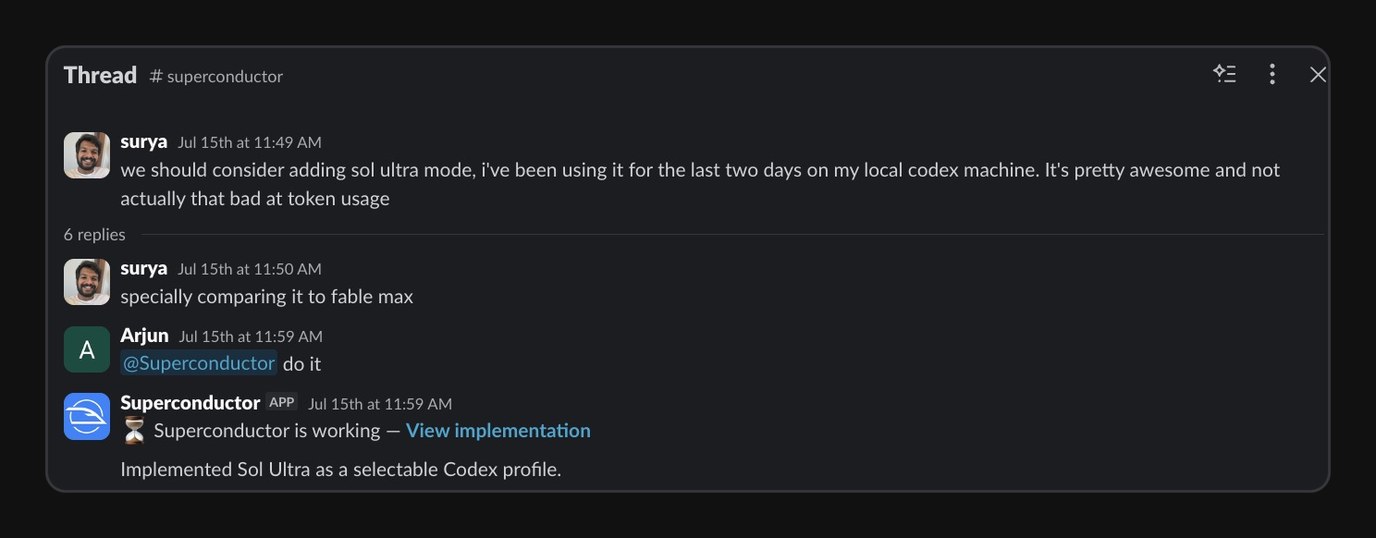
- Slack - if you want agents to jump in on your Slack threads
- Linear or JIRA - if you want agents to access context in your tickets
- Notion - if you want agents to get context from your docs
- BetterStack or Sentry - if you want agents to review bugs and errors
- Don’t see your team’s favorite tool? Add your own connector
Superconductor connects with dozens of tools, and we’re adding new ones every week. Check out our full list of integrations and connectors here. We recommend just picking one useful workflow for now, and you can add more later.
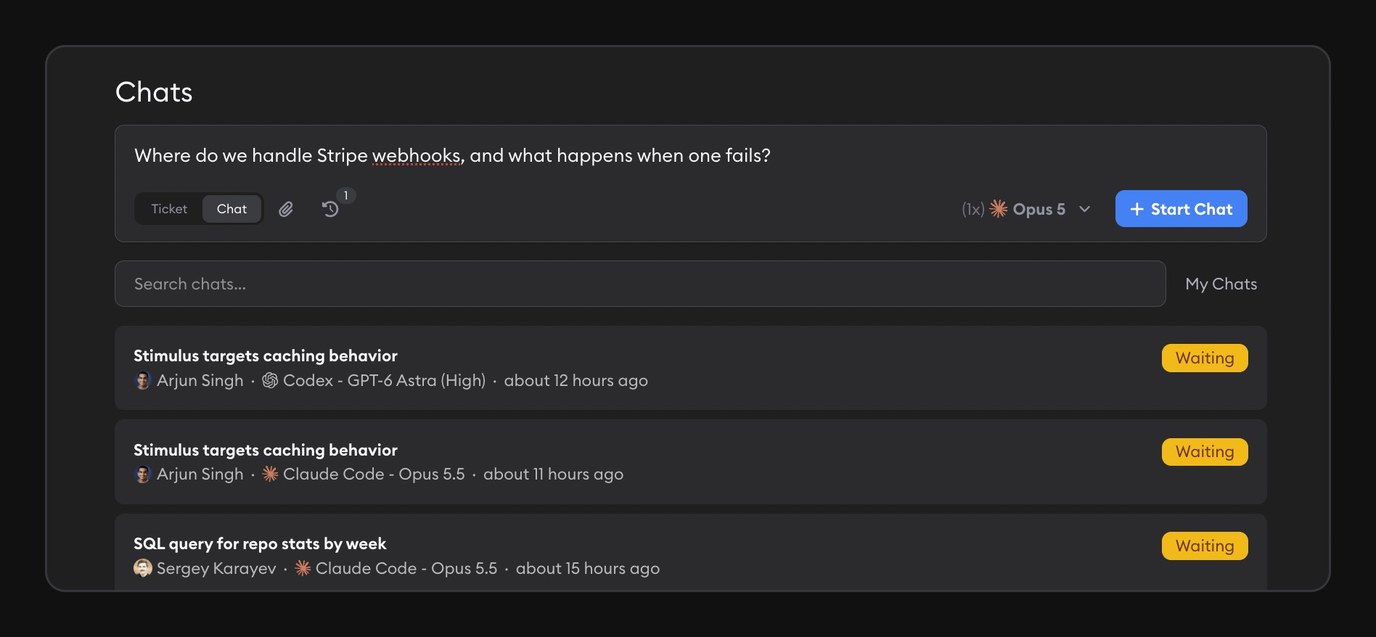
3. Launch a chat
Chats let you talk to an agent without having the agent change code, so you can launch one even while your dev environment is building. Ask the agent something about your codebase, ask it to create an artifact like a report or image, or ask it to brainstorm a product or feature idea. You can even ask multiple agents the same question to see how they respond.
4. (Optional) Download the desktop or mobile app
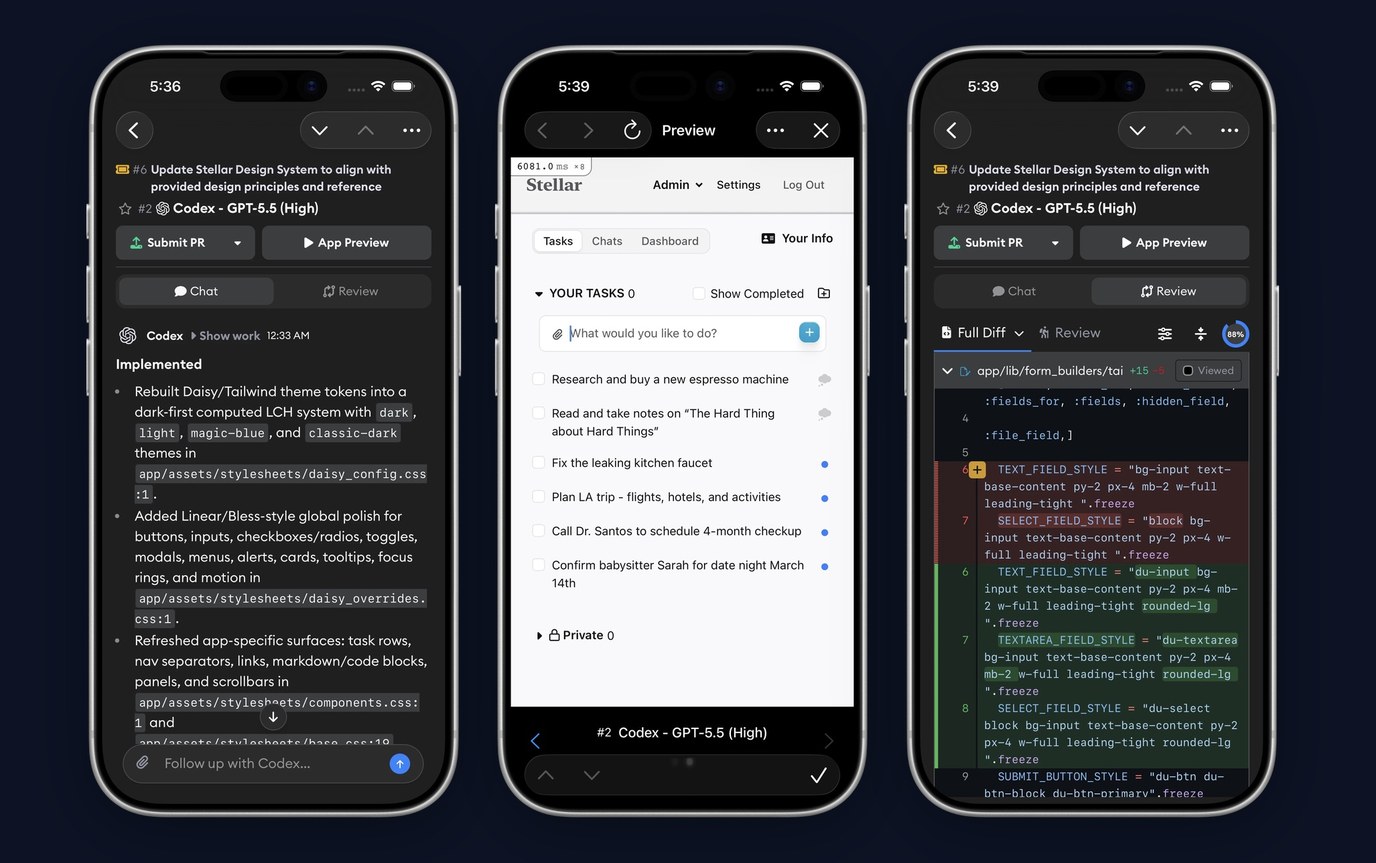
Prefer to work outside of the browser or on your phone? This is a great time to download our desktop or iOS app. Both apps have the same features as the web version of Superconductor.
Step 3: Your first Superconductor ticket
Once your dev environment is set up, you’re ready to create your first ticket.
1. Choose a good first ticket
A great first ticket could be:
- A real problem you want to solve in your codebase
- Small enough to review in one sitting
- Easy to verify visually with a screenshot
- Familiar enough that someone on your team can judge the result
- A task where it makes sense for multiple team members to collaborate (e.g. dev checks the code, designer checks the design language)
For example, you could ask the agent to fix a visible bug, make a UI improvement, or investigate a small known product problem.
Here are a few ideas:
- Create or update my AGENTS.md files
- Find and finish one TODO in the codebase
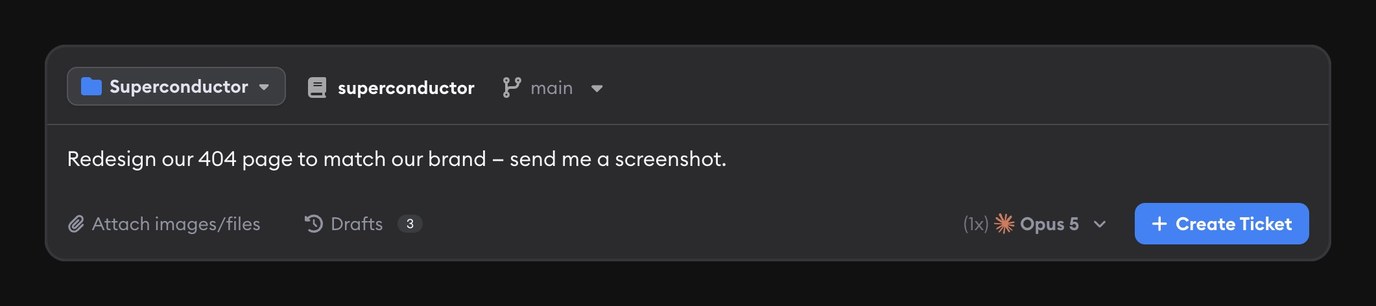
- Update our 404 page to match our brand
- Add a callout to the splash page promoting a new feature, sale, or webinar
Still not sure where to begin? Go to your Slack (or Linear, or Notion), find an open feature request, idea, or problem, and ask Superconductor to work on it.
2. Create your ticket from where your context already lives
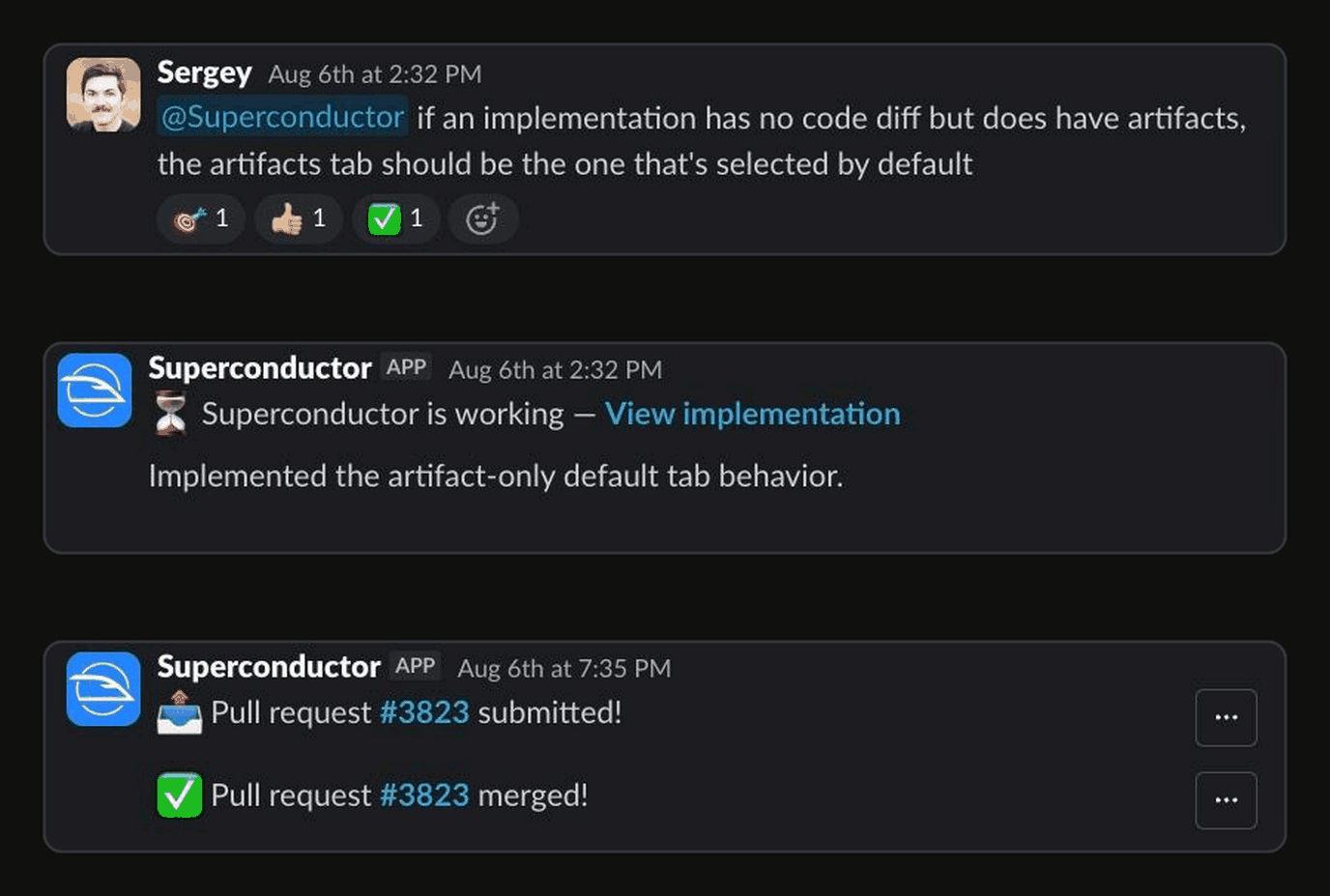
There are four possible entry points:
- Directly in Superconductor: Create a ticket and attach screenshots, recordings, files, or designs.
- From Slack: Mention Superconductor in the thread containing the request and relevant discussion.
- From GitHub: Mention @superconductor or use /sc in the relevant pull-request discussion.
- From Linear: Assign the issue to Superconductor or mention @superconductor
The ticket spec can be short: starting from the source preserves context and avoids you having to rewrite the request.
For your first ticket, we recommend launching just one implementation with one agent. You’ll try out different agents and find the best one for your codebase in step 4, but this first experiment is about quickly experiencing the workflow from end-to-end.
3. Review the agent’s work
You can follow the agent’s work in the activity sidebar on the left side of your screen. If an agent needs clarification or network access, it will let you know. You can also grant access to specific websites or apps to all agents in your project from Network Access under Project Settings.
Once the agent is done, here are some things you can do next:
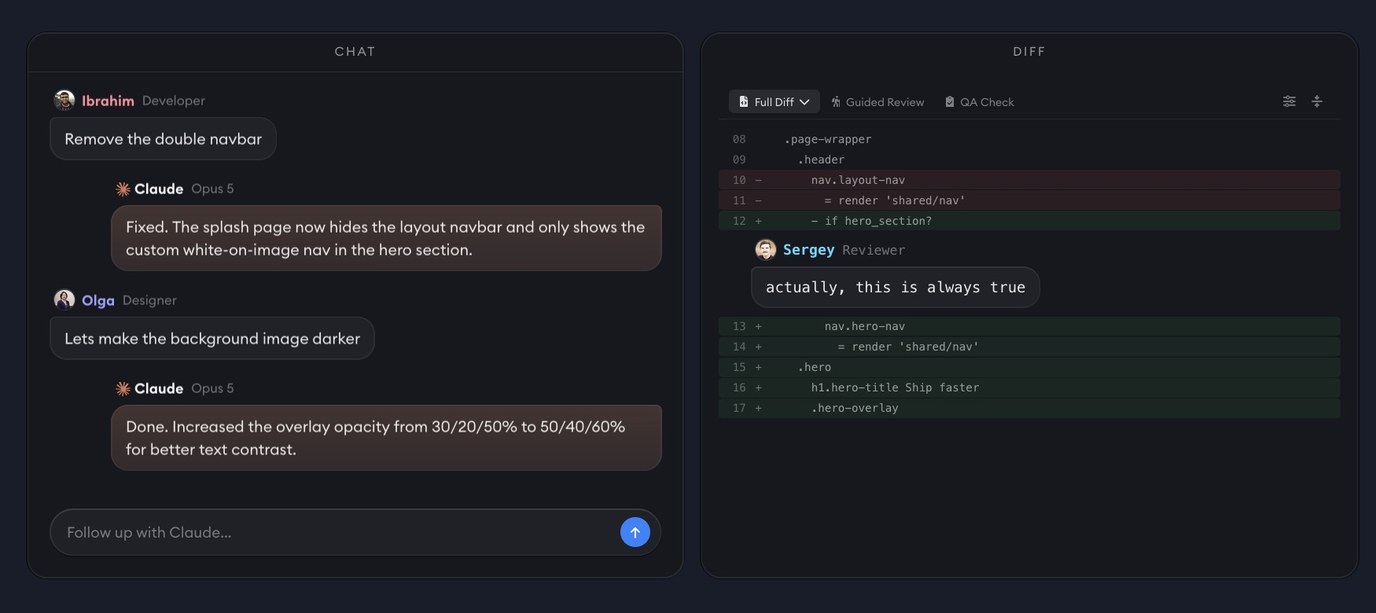
- Ask the agent for a screenshot of its change - this will appear in your Artifacts tab
- Test the code change in the Live Preview
- Review the code through the diff or Guided Review - you can leave comments on any diff line and send them directly back in the agent
- Loop in other teammates by @ mentioning them to get their feedback as needed
- When you and your team are happy with the code change, click Submit PR
- From the PR, team members can send additional comments back to the Superconductor agent by pinging /sc or @superconductor in a GitHub comment
Congrats on finishing your first ticket! 🎉 Here’s a limerick about how awesome cloud agents are to celebrate:
While coding all day ‘midst the trees
A chimpanzee leaped down on me
It fled with my Mac
But the cloud had my back
Agents coded on peacefully
Step 4: Beyond the first ticket
Once you’ve successfully merged your first PR with Superconductor, here are a few easy ways to expand your workflow beyond creating tickets:
1. Bring in tickets and context from more places
If you haven’t yet, this is a great time to link Slack, Linear, and/or additional connectors. Think of all the places your team’s context lives, and link them to Superconductor to reduce manual handoff and having to type the same thing twice.
To make your agents even more powerful, we have two features in beta that we’d love for you to try out - let us know if you’d like these enabled in your project(s):
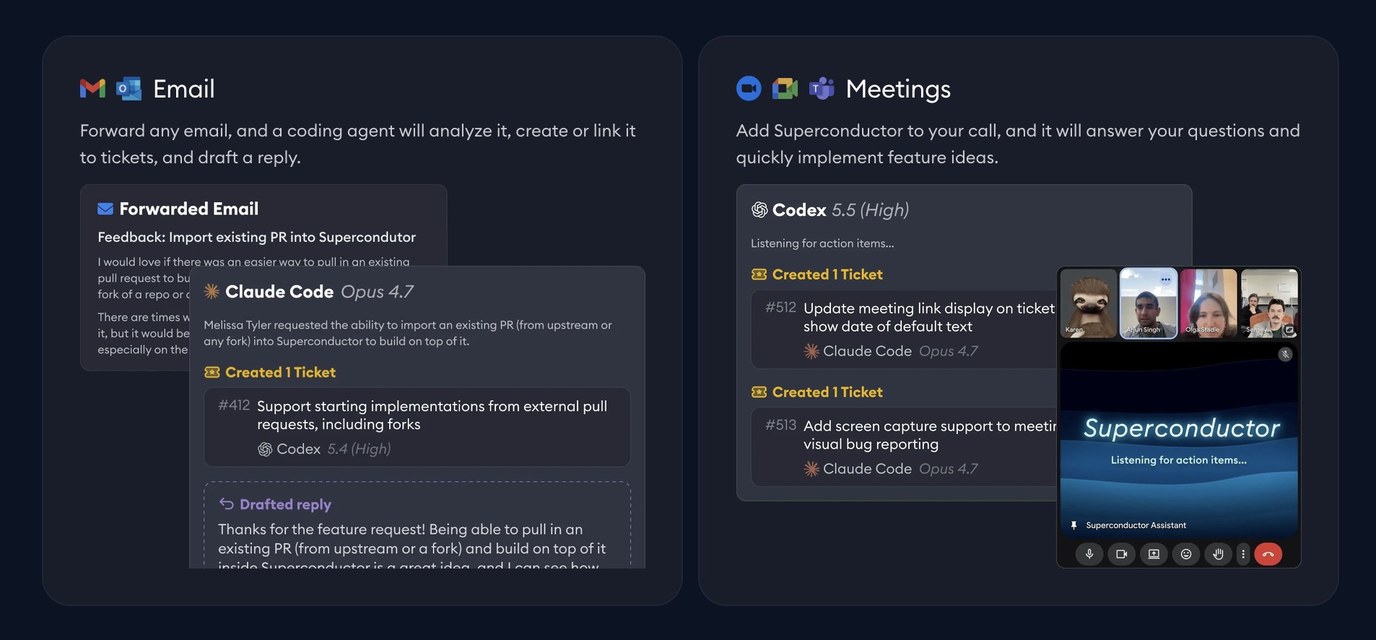
- Email triage: Forward customer or internal emails to Superconductor, and agents will draft replies and automatically make tickets for bugs and feature requests
- Meeting assistant: Add Superconductor to your video meetings (team all-hands, customer calls, etc), and agents will listen in and create tickets automatically - just imagine having a customer-reported bug fixed and shipped before you’re done with the customer call!
2. Learn which agent works best for your code
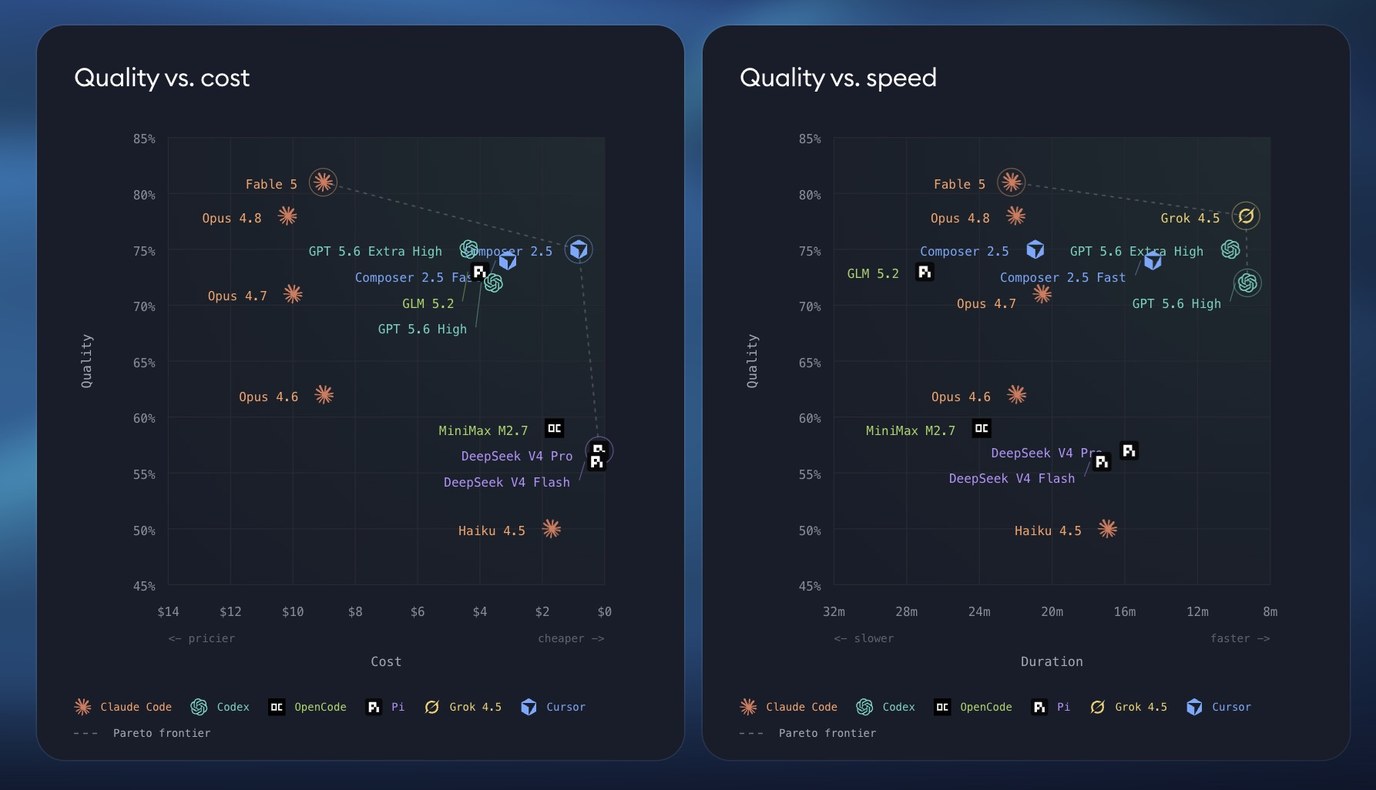
Ever feel overwhelmed by all the new coding agent releases in the news? It can be frustrating for teams to constantly adapt to new releases and to understand if the latest and greatest agent is actually worth switching to.
With Superconductor’s benchmarking feature, you can select a few pull requests your team is proud of and run leading agents on them to see how they perform. Think of it as your own personal custom SWE-bench. Superconductor evaluates and benchmarks agents by quality, cost, and time.
When a new agent releases, just re-run your benchmark to see if it’s worth making a switch.
Want a free benchmark on your codebase? Request one for your team here.
3. Run parallel agents when the problem warrants it
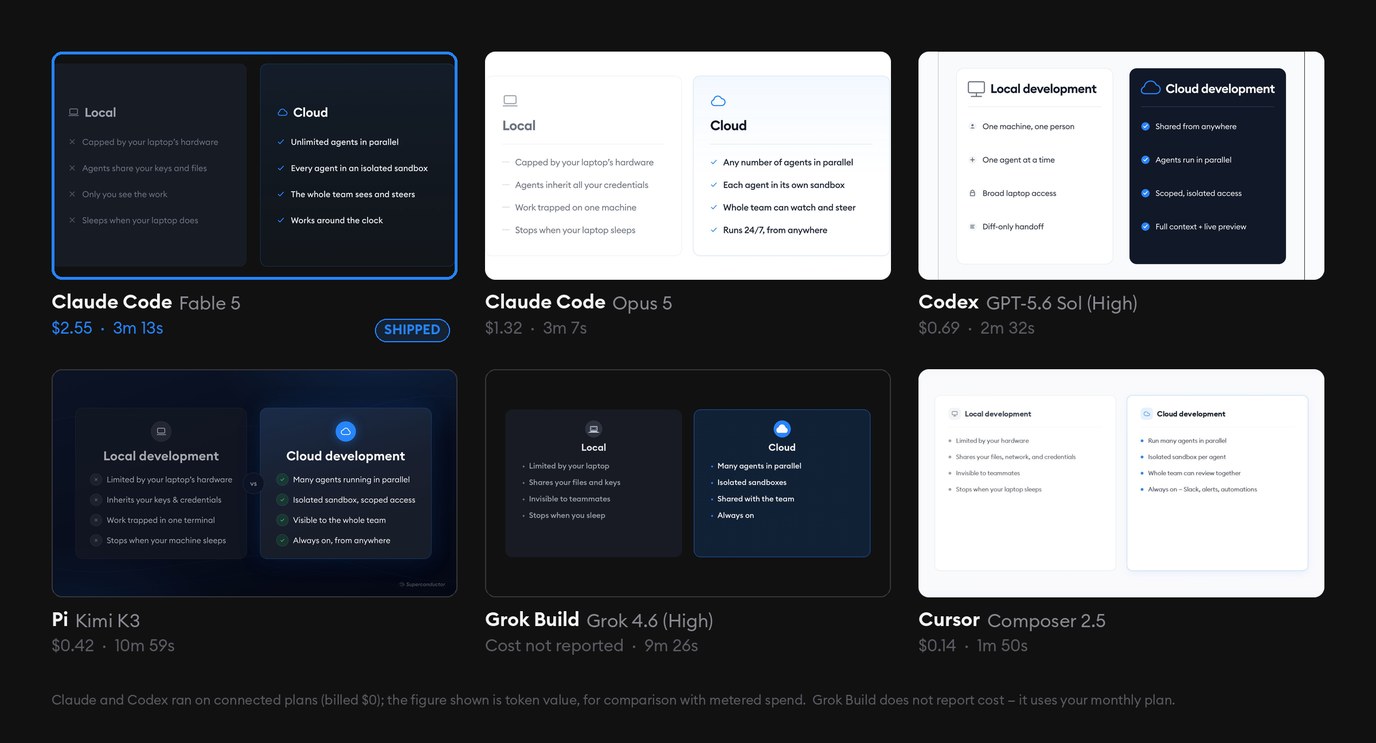
Superconductor lets you launch as many agents as you’d like on the same ticket. An implementation recommendation agent (beta - email us for access) then reviews all the implementations and recommends the best one.
Some good use cases for running parallel agents:
- A visual change with several plausible approaches (e.g. Create a new graphic to add to our onboarding modal)
- Open-ended tickets (e.g. Find and fix a bug in our codebase)
- An uncertain bug or issue with multiple possible causes (e.g. Investigate why users who create accounts via the mobile app never complete onboarding)
- A larger, open-ended implementation where the team wants alternatives (e.g. Add voice input to our app)
- A direct comparison of agents or models (e.g. Launch Fable, Opus, Sonnet, and Haiku on the same ticket and compare the results)
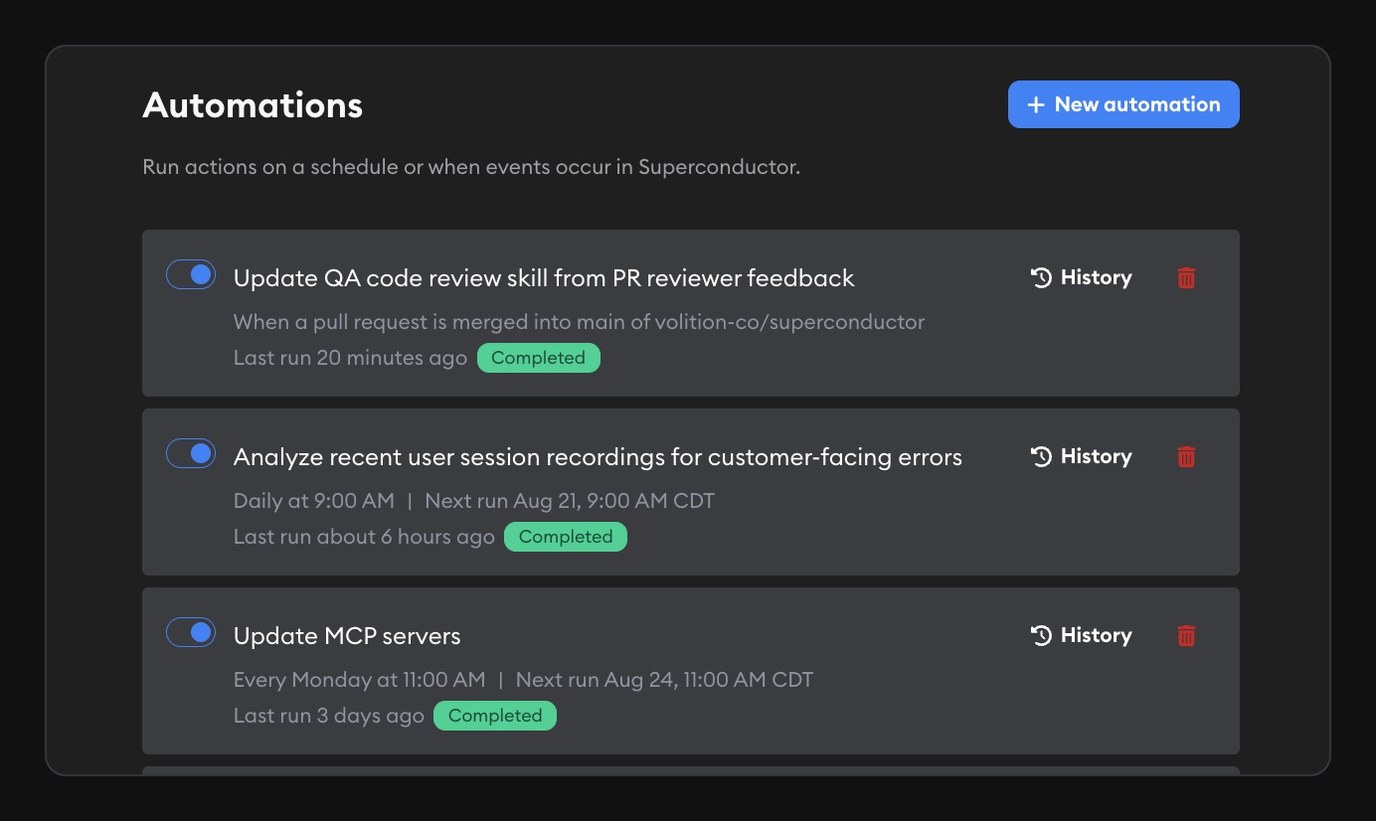
4. Automate work the team already understands
Every team has recurring tasks that they want to occur automatically without spending mental bandwidth on remembering to do them.
Use the Automations button on your project dashboard to have Superconductor launch tickets or implementations automatically. Some examples of useful automations:
- When any pull request is merged, check for any new bugs or regressions and rerun tests
- Every 24 hours, check and report any bugs or issues that new users ran into during onboarding
- Every Monday, add last week’s releases to our website’s changelog page
- Every week, check recent product releases and update customer-facing docs
Once you’ve expanded your Superconductor workflow, you can invite more teammates (including non-technical ones), connect more tools, try out more agents, track your team’s usage, and expand Superconductor to more parts of your workflow. We recommend starting small and expanding how you use Superconductor at your own pace.
If you run into any questions along the way, or if you just want to rave about a use case or vent about an issue, reach out to our team via email. We’d love to hear more about what you’re building, and our founders are always happy to jump on a call to help you get set up.
Happy superconducting!
Some useful resources: